Configuration
User Manual corpuls
3
182 ENG - Version 2.1 – P/N 04130.2
Warning
The use of the demo mode during patient care is strictly forbidden.
The demo mode may only be used for training purposes.
Warning
If the corpuls
3
is currently in demo mode and should be used for patient
care, the device has to be restarted first.
7.4.12 Data Protection Settings (Persons responsible for
the device)
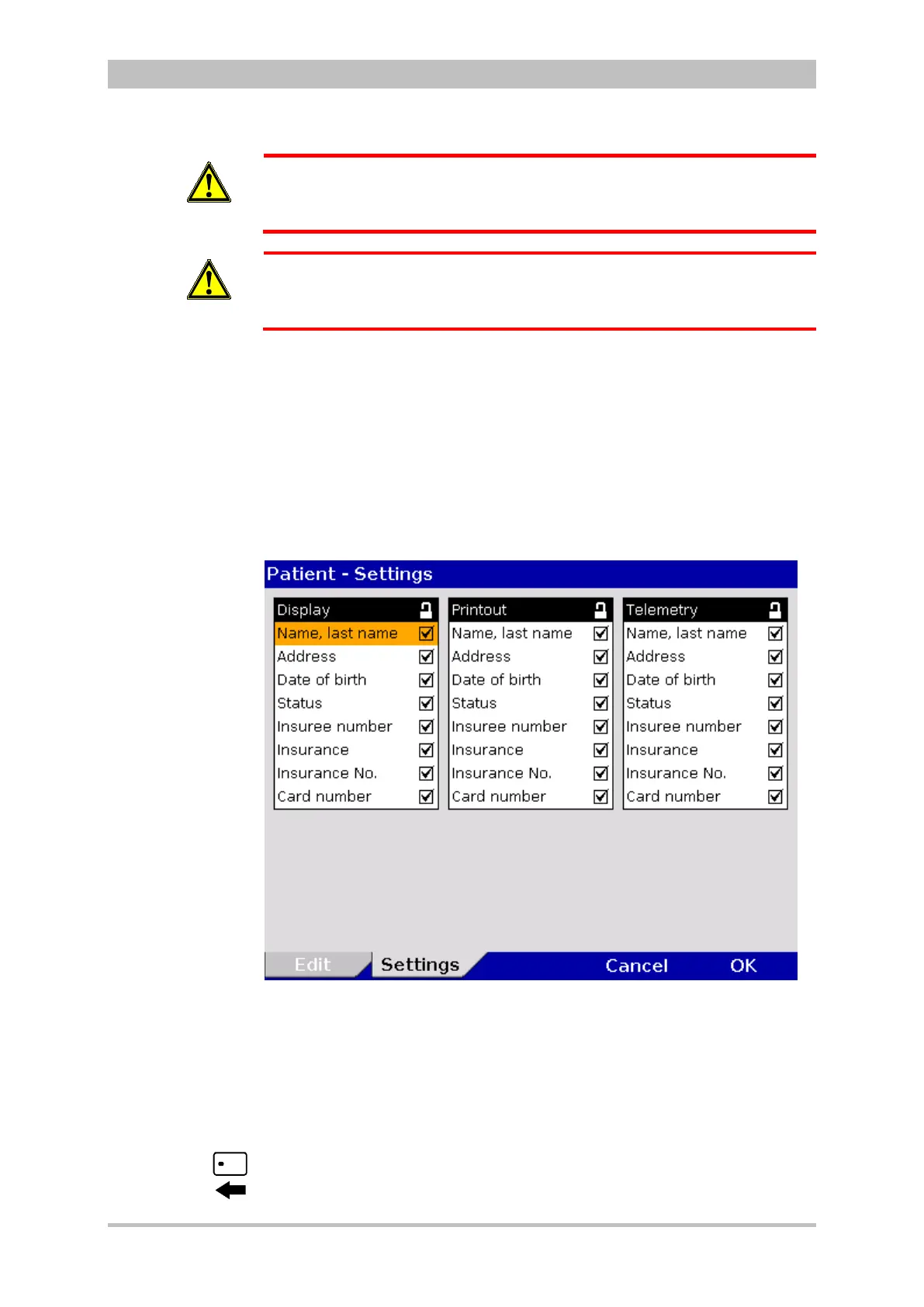
Persons responsible for the device can configure which data from the health
insurance card or manually entered data should be available in the corpuls
3
on the screen, on the printout or for telemetry..
For configuration the following steps are necessary:
1. Select "Patient" ► "Settings" in the main menu.
Fig. 7-30 Settings for the insurance card reader (persons responsible for the
device)
2. Select the required information with the jog dial and press to confirm.
3. Save the configuration (see chapter 7.4.2 General System Settings (Person
responsible for the device), page 160).
The telemetry settings are valid for Bluetooth
®
-, GSM- and LAN connections.
A monitoring unit that is equipped with an insurance card reader (optional) can
be recognised by the card symbol at the card slot.
Symbol insurance
card reader



 To Next Page