General Operating Instructions
User Manual corpuls
3
60 ENG - Version 2.1 – P/N 04130.2
4.6 Inserting the Device into the Brackets
4.6.1 Defibrillator/Compact Device Bracket
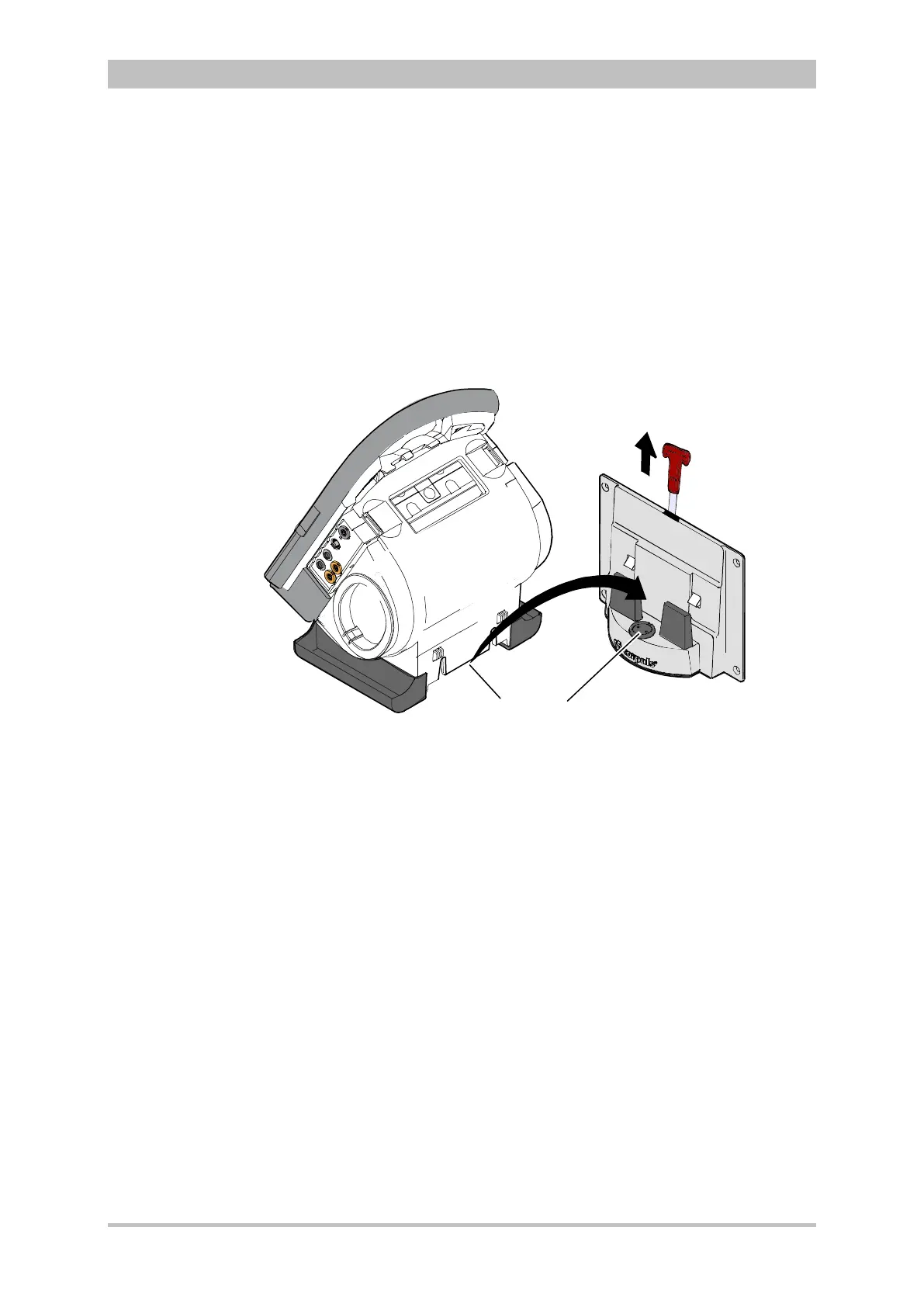
Fit the recesses at the bottom of the defibrillator onto the pins of the
defibrillator/compact device bracket (item A). The lock on the bracket engages
automatically.
If the bracket is equipped with a power supply, the defibrillator and all the
modules connected to it will be charged.
Fig. 4-31 Inserting the compact device into the bracket (Illustration may differ)
1 Defibrillator/Pacer power supply contact area
2 Integrated magnetic clip
Pull the handle upwards (item B; in older brackets a loop) and remove the
defibrillator/compact device from the bracket.
Check the contact areas of the defibrillator/pacer (item 1) and the bracket
(item 2) regularly for contamination or foreign material, particularly metallic
items.
Remove the defibrillator/compact device within approx. 10 sec. after pulling the
handle, since the bracket automatically locks again.



 To Next Page