Configuration
User Manual corpuls
3
168 ENG - Version 2.1 – P/N 04130.2
If the covert mode function is enabled, all signalisations of the device via
speakers (start-up tone, speech messages, ready signal, key tones, alarms
etc.) as well as the lightening up of the jog dial are completely disabled. It is
recommended to use this function only for special surroundings and not for
everyday missions. All alarms can still be viewed in the alarm history on the
monitoring unit.
WARNING
Using the Covert Mode requires particular diligence and attention of the user,
as otherwise it can lead to serious or lethal injuries of the patient. In this
device mode, the user must have direct eye contact to the patient and the
device at all times.
7.4.6 Basic Configuration of the Views (Persons
Responsible for the Device)
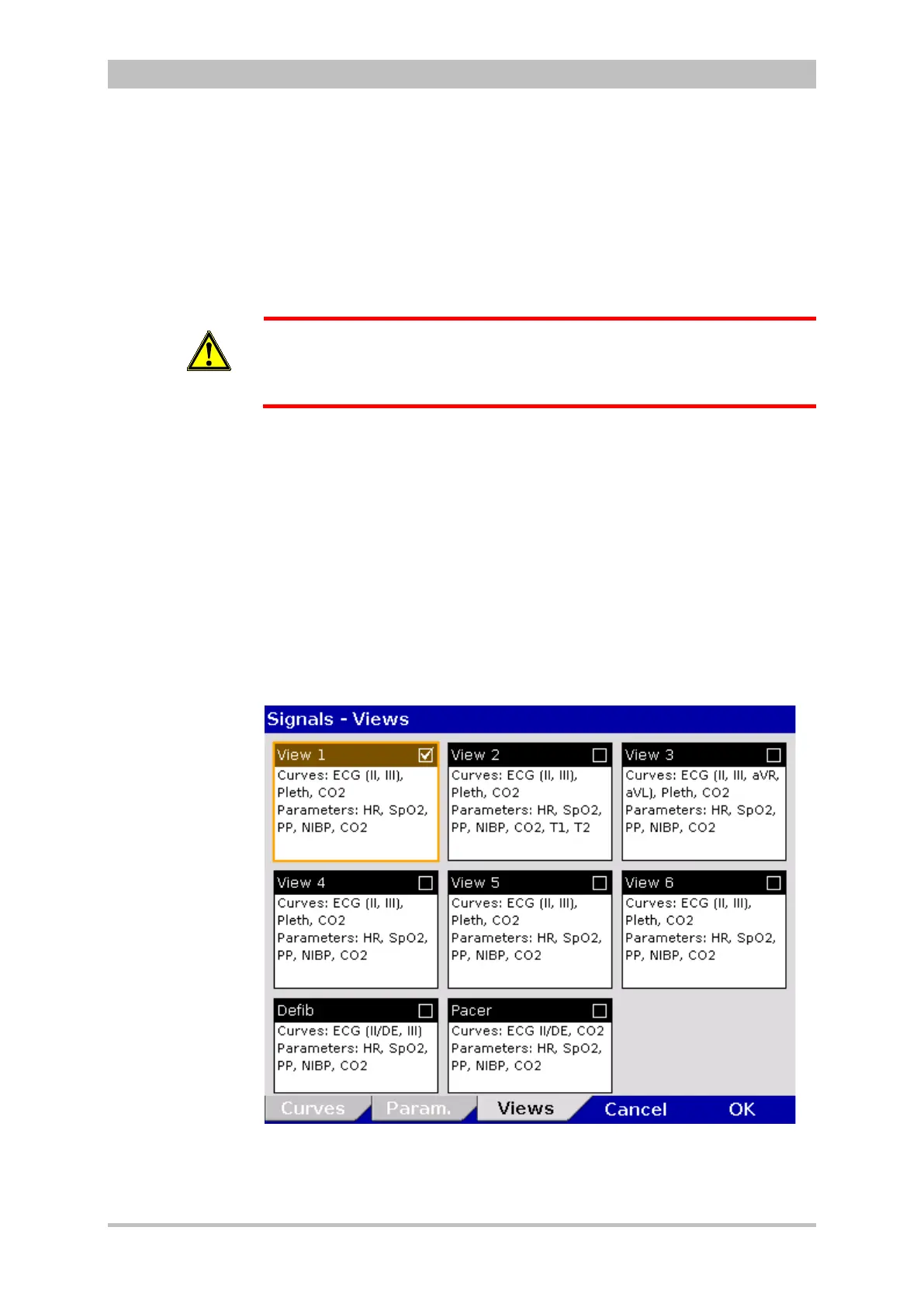
Persons responsible for the device can pre-set six views as basic configuration
and permanently save these in the system settings.
These views are available to standard users in each mission, but cannot be
modified by them. For that, a higher authorisation level is necessary.
Select "Signals" ► "Views" in the main menu.
The configuration dialogue opens.
Fig. 7-22 Pre-setting views
Preconfiguration
of the views
Basic
configuration
of the views



 To Next Page