User Manual corpuls
3
Data Management
ENG - Version 2.1 – P/N 04130.2 201
The MAC address is the hardware address of the Bluetooth module and serves
as identification of the device in a network. The MAC address cannot be
changed.
When connecting with a ventilator (e. g. Weinmann Medumat Transport), the
corpuls
3
can store the events and trends received from the ventilator on the
CF card, according to configuration. The stored data can be evaluated with the
software corView2 (see chapter 8.6 Analysis of the Data with corView2,
page 193).
8.9.1 Establishing and interrupting a Bluetooth®
connection
For data transmission by short code, proceed as follows:
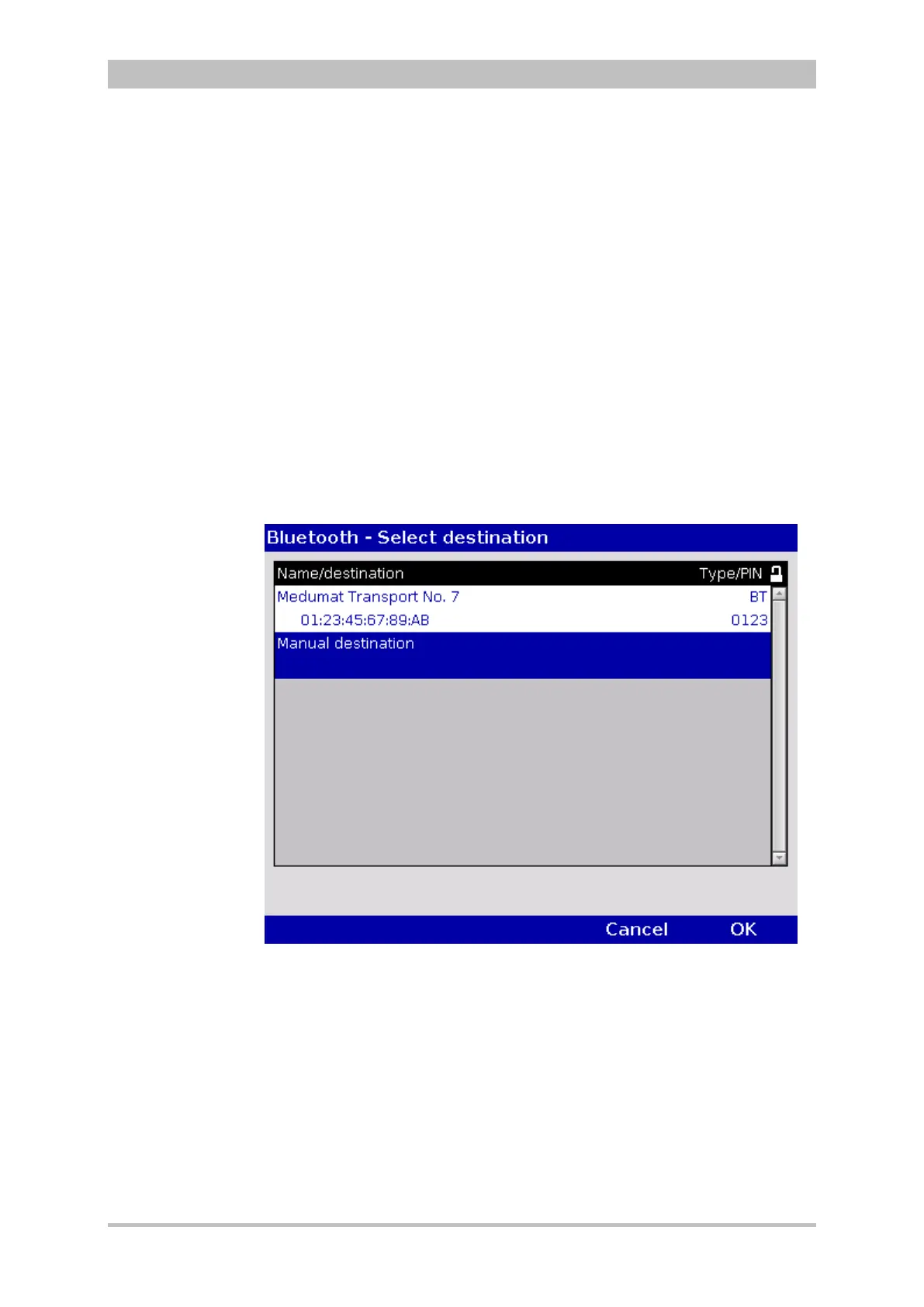
1. In the main menu, select "Bluetooth" ► "Connect".
The overview of Bluetooth
®
connections opens.
Fig. 8-8 Bluetooth connections
2. Select the device to be connected with the jog dial and confirm by pressing
the jog dial.
3. The connection is being established. In the status line the status symbol of
a flashing fax machine is displayed.
4. By pressing the softkey [Cancel] the monitoring mode for patient monitoring
can be called up again. The fax transmission is carried out in the
background.
5. When the fax transmission starts, the symbol is displayed permanently. As
soon as the fax transmission is finished, this is indicated by the
confirmation tick on the fax symbol.



 To Next Page