User Manual corpuls
3
Data Management
ENG - Version 2.1 – P/N 04130.2 193
A protocol that has been compiled with an older software version cannot be
printed at a later point. The softkey [Protocol] is greyed out in this case.
The intended use of the operation browser and of the D-ECG browser is limited
to the analysis of the mission after monitoring of the patient.
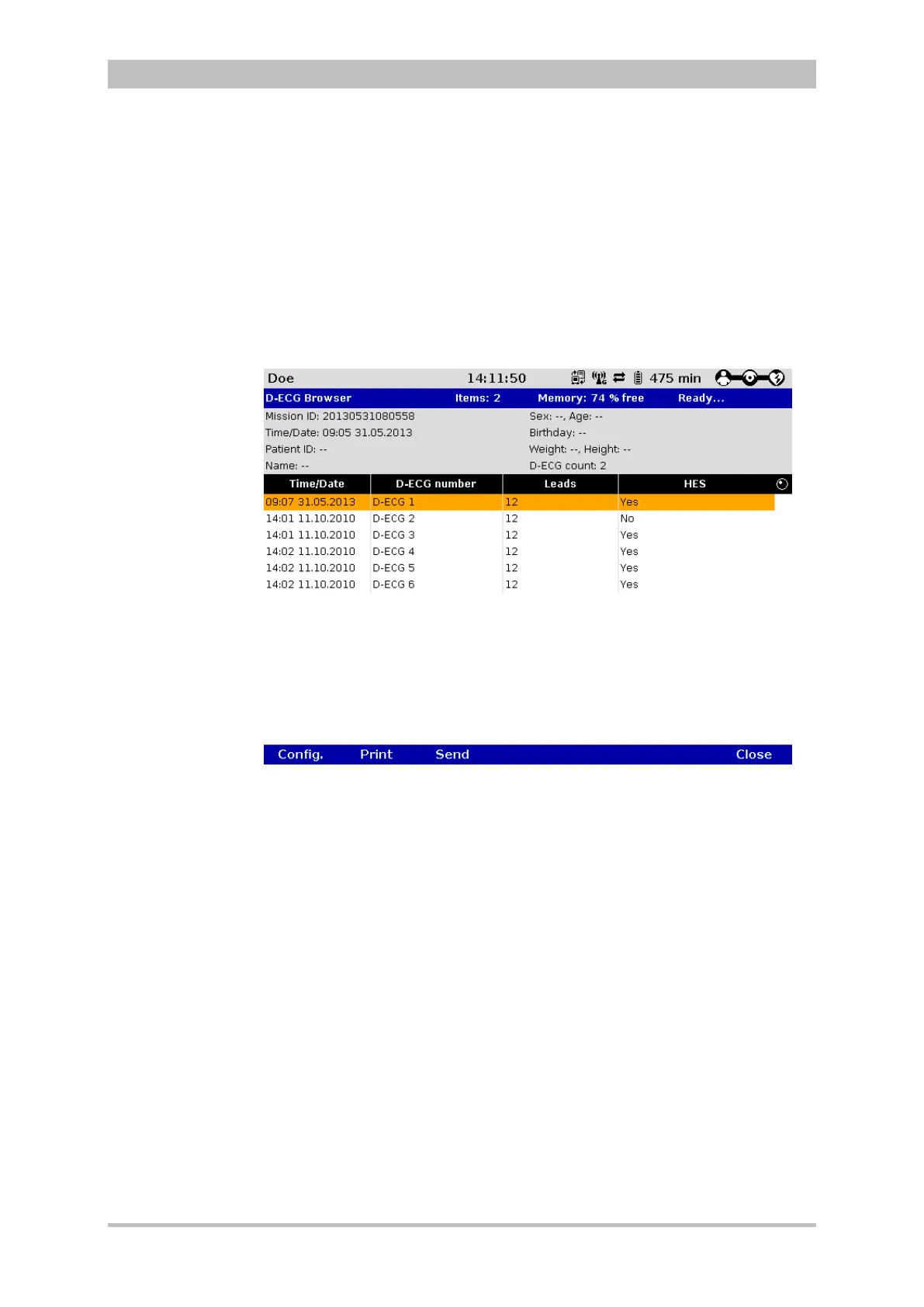
With the softkey [D-ECG] those missions that contain one or more D-ECGs can
be selected. The D-ECG browser opens and the available D-ECGs can be
printed out.
Fig. 8-5 D-ECG Browser
With the softkey [Send], the marked D-ECG can be sent later on, but only, if the
selected mission is the current mission (see chapter 8.8 Telemetry (Option) ,
page 194).
With the softkey [LT-ECG] the longterm ECG can be opened in the longterm
ECG browser and printed out at a later point in time (see also chapter 6.4
Longterm ECG, p. 113)
8.6 Analysis of the Data with corView2
The data saved on the CompactFlash
®
card (device software version 1.7.2 or
higher) can be viewed, further processed and analysed with the PC software
program corView2 (version 2.0 or higher).
Information regarding the use of corView2can be found in a separate user
manual for corView2 (P/N 04135.02).



 To Next Page