User Manual corpuls
3
General Operating Instructions
ENG - Version 2.1 – P/N 04130.2 39
4.1.3 Patient Box Display
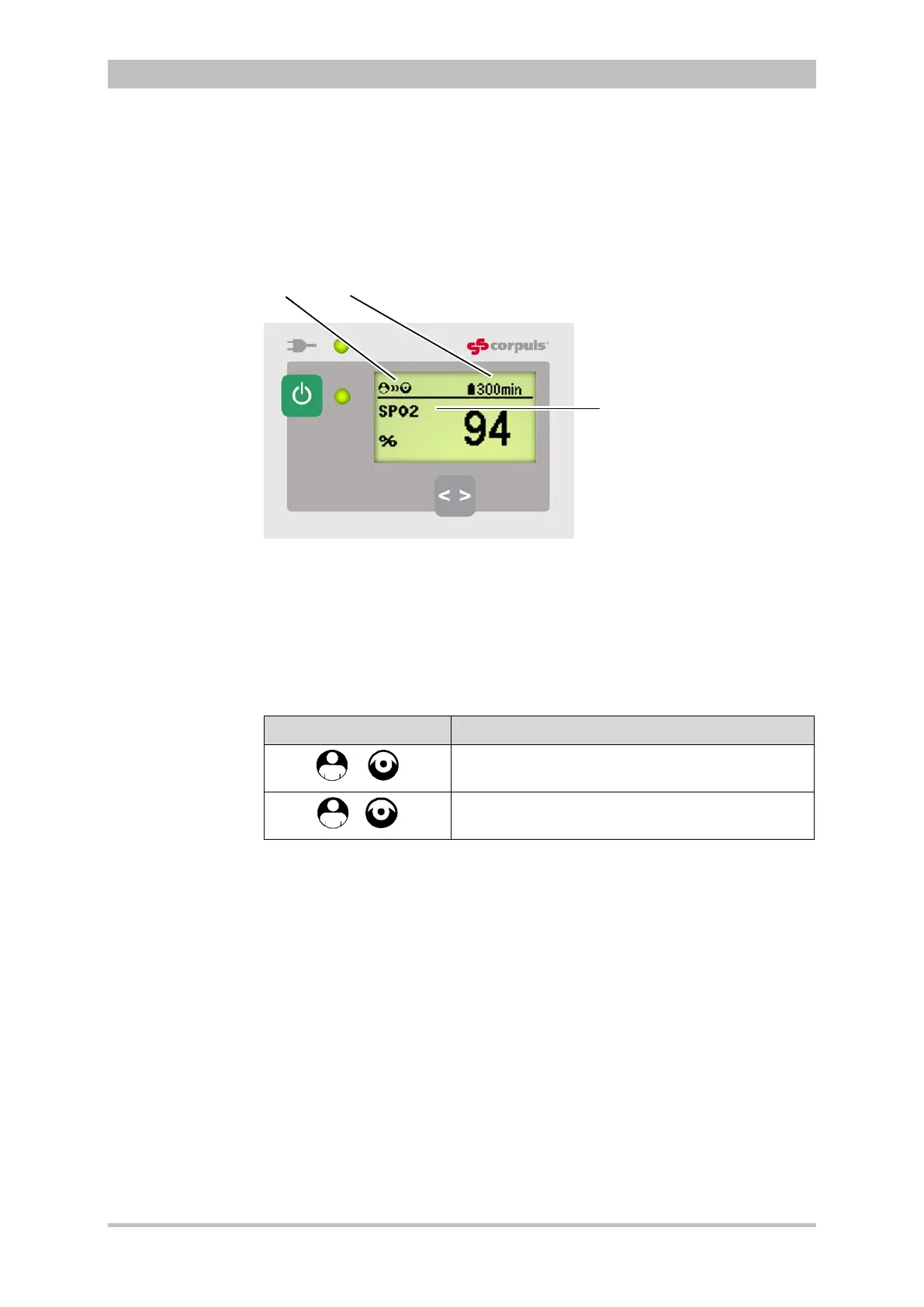
The patient data are displayed on a separate screen during modular use. The
screen has the following structure:
Fig. 4-5 Patient box, displays on the screen (illustration may differ)
1 Connection status with the monitoring unit
2 Remaining running time of the patient box on battery operation
3 Display of a selected vital parameter
For the status of the network connection (item 1) of the patient box, the
following conditions exist:
Connection status Meaning
The patient box has a connection with the
monitoring unit
The patient box does not have a connection with
the monitoring unit
Table 4-3 Connection status of the modules
The remaining running time is not displayed if the patient box is operated on an
external mains charger.
The screen of the patient box may appear darker in night vision goggle
(NVG/NVIS)-compatible devices.



 To Next Page