Data Management
User Manual corpuls
3
192 ENG - Version 2.1 – P/N 04130.2
8.5.2 Mission Browser
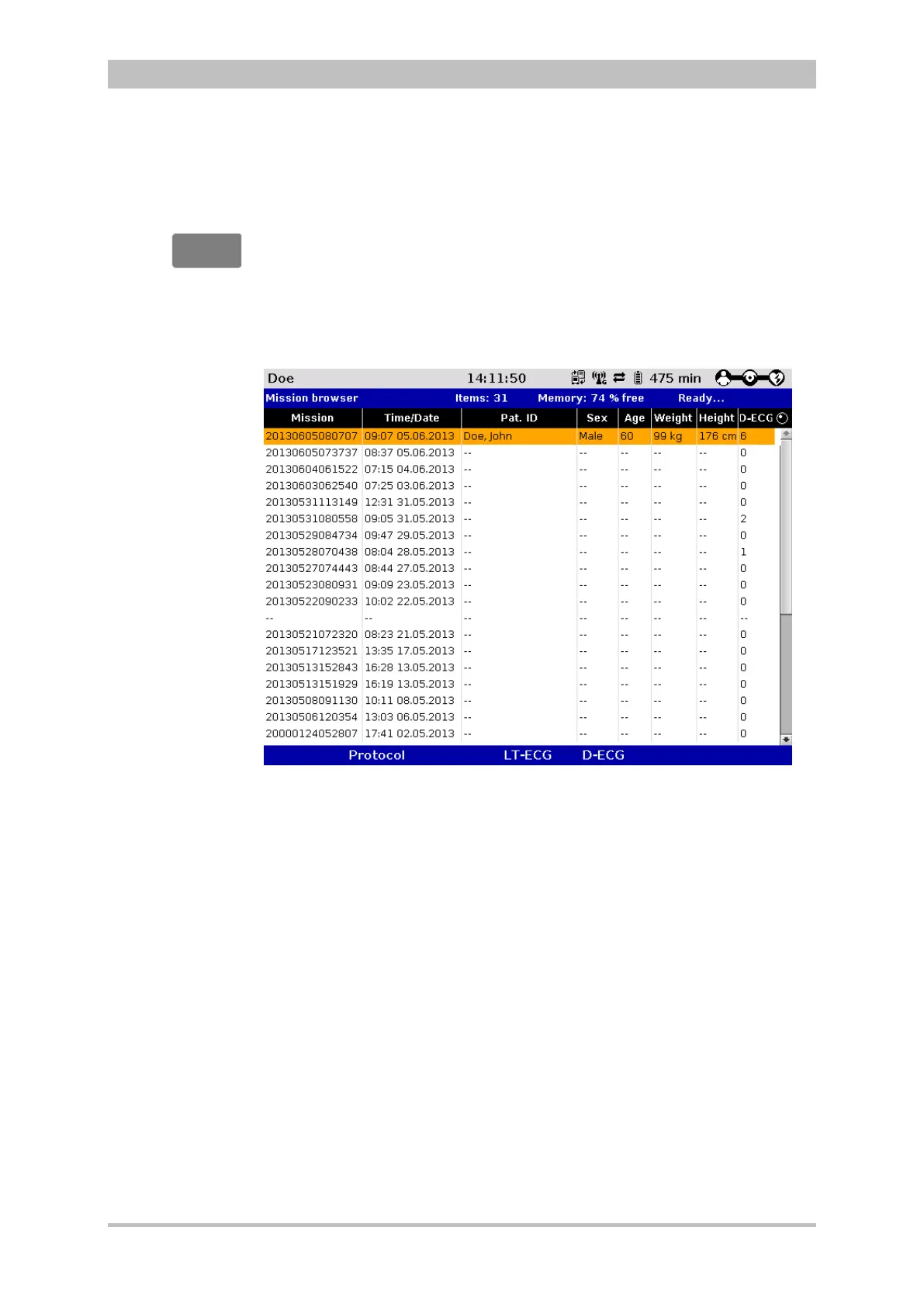
If the Browser key is pressed for more than 3 sec., the operation browser
opens. The operation browser gives an overview of all the missions saved on
the Compact Flash
®
card and its current free memory capacity. The missions
are listed chronologically, with the most recent mission on top of the list. The
operation browser makes it possible to print out the protocol of a mission or the
available D-ECGs and longterm ECGs several times or at a later point in time.
Fig. 8-4 Operation browser
The individual missions can be identified based on the following data:
• Unit application number (operation)
• Time/Date
• Patient name (Pat. ID)
• Sex (m/f)
• Age
• Weight
• Size
• D-ECG (number)
The required mission can be selected with the jog dial. It is then possible to print
the log by pressing the softkey [Protocol].
The current mission is always shown on top of the list, independent from time
and date.



 To Next Page