User Manual corpuls
3
Configuration
ENG - Version 2.1 – P/N 04130.2 171
Persons responsible for the device can configure the options as follows:
• Data transmission (Telemetry),
• Fax transmission,
• Save the connections to fax recipients as short code,
• Copy saved connections to fax recipients from the SIM card into the
internal memory or vice versa,
• LAN-data interface (optional)
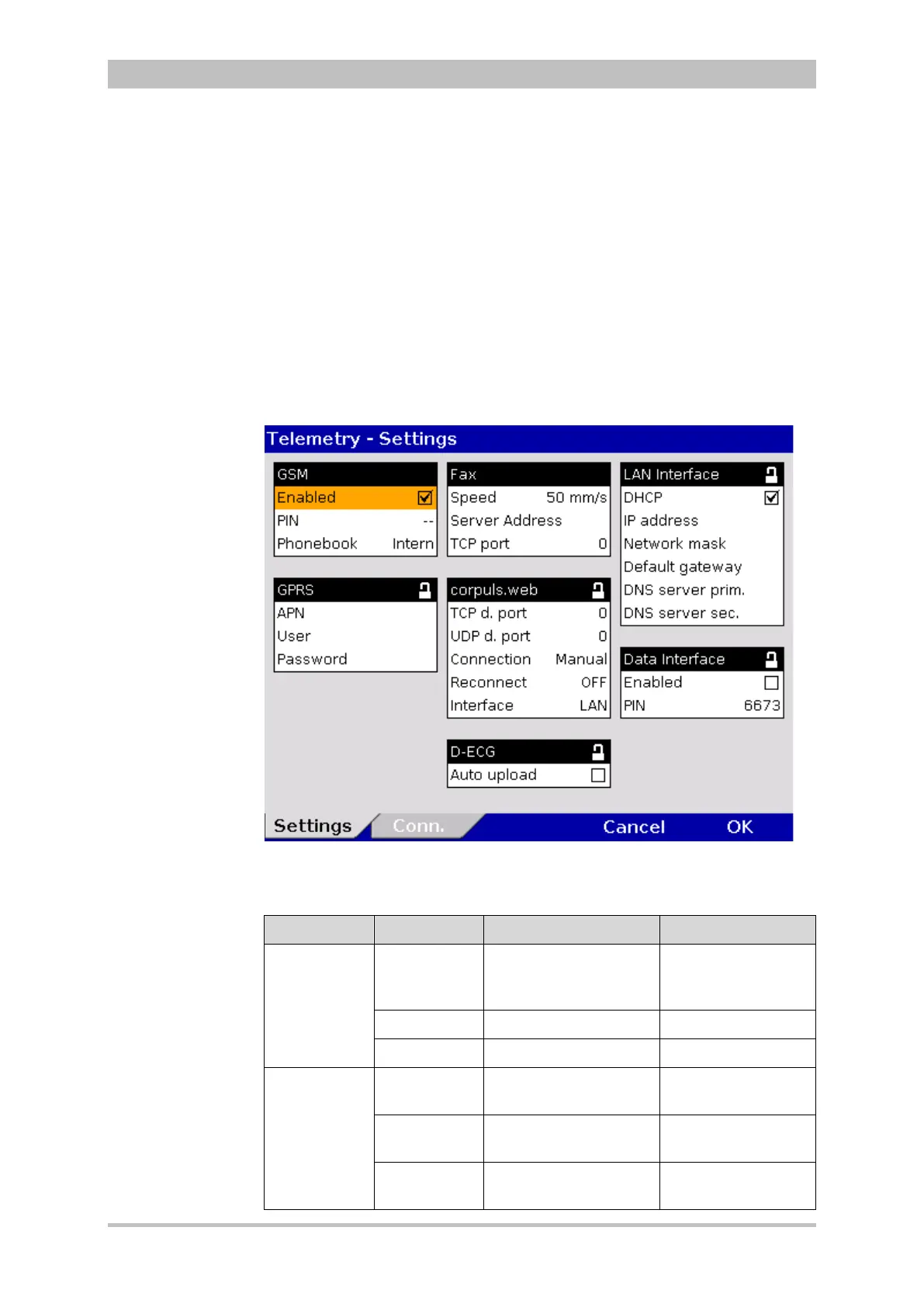
In the main menu, select "Telemetry" ► "Settings".
The configuration dialogue opens.
Fig. 7-24 Telemetry settings (Persons responsible for the device)
The possible values for configuration are shown in Table 7-17:
Group Field Setting Value
GSM Active
(aircraft
mode off)
Enable or disable
aircraft mode
Enabled,
disabled
PIN Code number Numbers from 0-9
Phonebook Memory location internal, SIM
GPRS APN Access point
to the data net
Numbers, symbols
and letters,
User User name Numbers, symbols
and letters,
Password Authentication (user –
definable combination)
Numbers, symbols
and letters,
Configuration
Telemetry
(Option)



 To Next Page