User Manual corpuls
3
Operation – Therapy
ENG - Version 2.1 – P/N 04130.2 75
The curve field in the first line of the screen is pre-set and cannot be configured.
There, the ECG recorded by the respective therapy electrodes is displayed,
switching automatically between IIauto and DEauto:
• corPatch electrodes: - DEauto recording, via the corPatch electrodes
& shock spoons
• shock paddles: - Einthoven lead IIauto,
recorded via ECG electrodes and 4 pole ECG
monitoring cable
or
- DEauto recording,
via shock paddles, if no 4 pole ECG
monitoring cable is connected
Amplification of the ECG curves is 10 mm/mV. Automatic ECG amplitude
control is disabled.
Persons responsible for the device can pre-set the energy level with the
function Auto Energy. This energy level is automatically available when the
device is switched to manual defibrillation mode for the first time (see
chapter 7.2 Configuration of the Monitoring Functions, page 148).
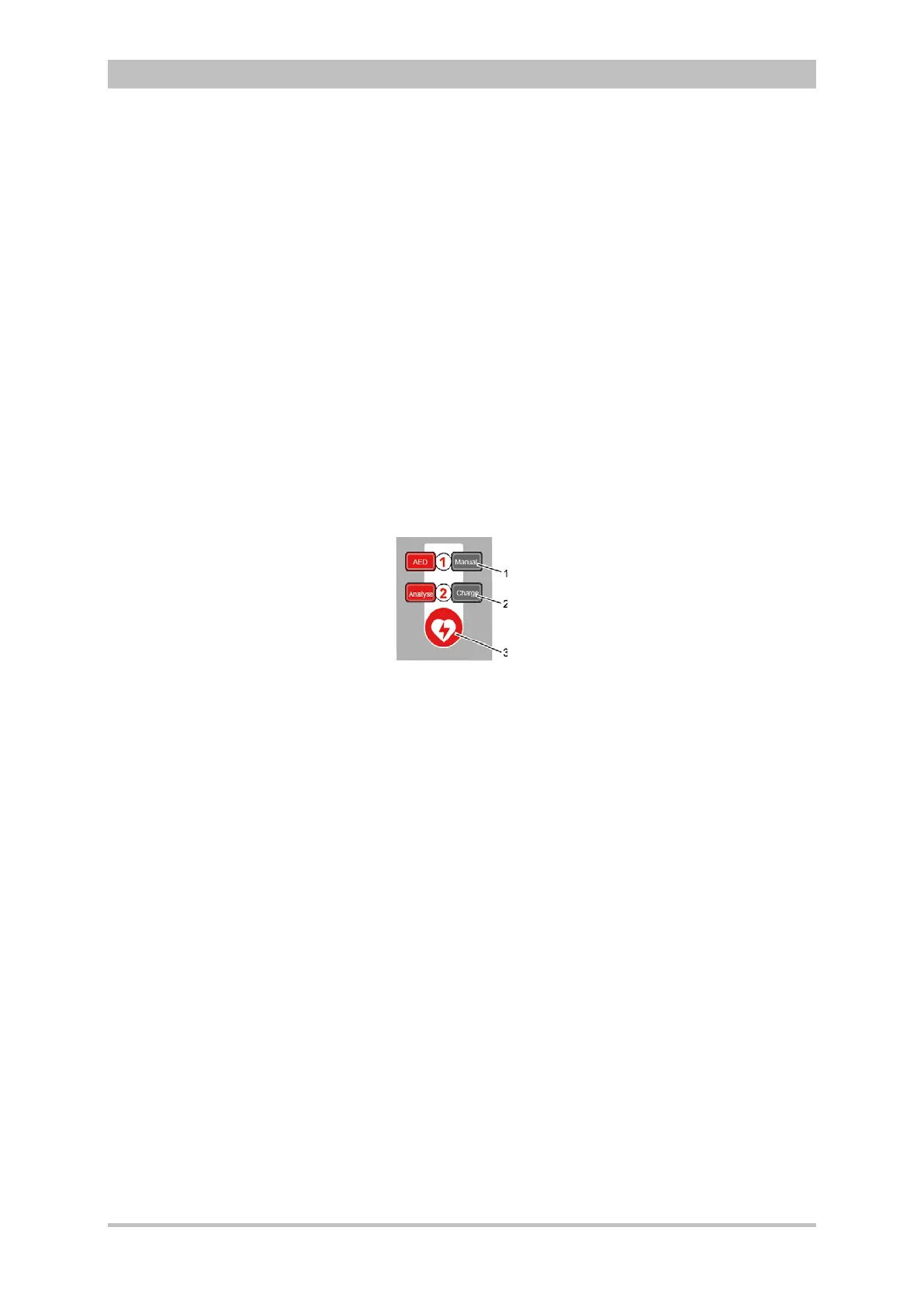
The following keys are available to operate the device in manual mode:
1. Manual
2. Load
3. Shock
Fig. 5-7 Function keys for manual defibrillation and cardioversion
When using corPatch electrodes or shock spoons, the shock is released by
pressing the Shock key at the monitoring unit.
When using the shock paddles, the shock is released by pressing both buttons
at the shock paddles.
The charged defibrillator can be discharged internally by pressing the softkey
[Cancel].
Cardioversion settings are adjusted via the softkey [Sync].
The following settings are available:
• Auto Sync: If QRS complexes are detected, the device synchronises the
shock release for a cardioversion.
If no shock is triggered within one second after pressing and
holding the Shock key, the device performs automatically a
defibrillation.
• Sync: If QRS complexes are detected, the device synchronises the
shock release for a cardioversion.
If no QRS complexes are detected, a cardioversion or
defibrillation is not possible.
• Async The defibrillation is performed only asynchronously.
In this mode, a cardioversion is not possible.



 To Next Page