EasyManua.ls Logo

HP 262SA - Page 283

HP 262SA
390 pages
Print Icon
To Next Page IconTo Next Page
To Previous Page IconTo Previous Page
Loading...
0,100
0,0
200,100
200,0
Graphics
Example:
Select
the
area
pattern
as
the
line
type.
Ec
*m
51,204,
I
51,204,51,204,
(Defines
area
pattern
shown
51,204D
in
figure D-4b)
Ec
* m
38
(Selects
the
area
pattern)
Ec
*pa
2,3,7,32
I
~
Ec
*pa
9,3,9,122
(Draws
the
vectors shown in
Ec
*pa
2,10,7,52
figure
D-4a)
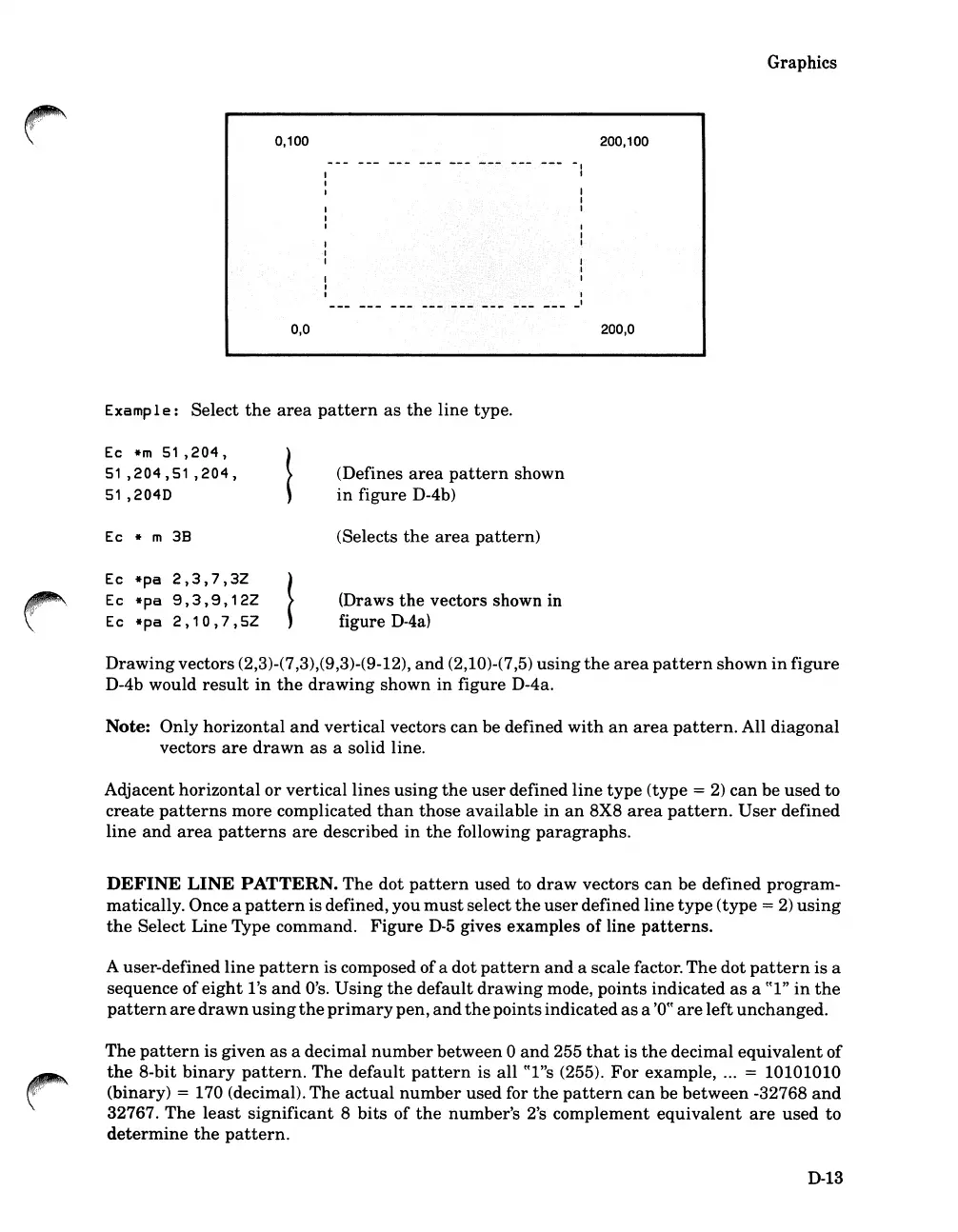
Drawing
vectors (2,3)-(7,3),(9,3)-(9-12),
and
(2,10)-(7,5)
using
the
area
pattern
shown
in
figure
D-4b would
result
in
the
drawing
shown
in
figure D-4a.
Note:
Only
horizontal
and
vertical
vectors
can
be defined
with
an
area
pattern.
All diagonal
vectors
are
drawn
as
a solid line.
Adjacent
horizontal
or
vertical
lines
using
the
user
defined
line
type
(type =
2)
can
be used to
create
patterns
more complicated
than
those available
in
an
8X8
area
pattern.
User
defined
line
and
area
patterns
are
described
in
the
following
paragraphs.
DEFINE
LINE
PATTERN.
The
dot
pattern
used to
draw
vectors
can
be defined
program-
matically. Once a
pattern
is defined, you
must
select
the
user
defined
line
type
(type =
2)
using
the
Select Line Type command.
Figure
D-5
gives examples of line
patterns.
A user-defined
line
pattern
is composed ofa dot
pattern
and
a scale factor.
The
dot
pattern
is
a
sequence
of
eight
l's
and
O's.
Using
the
default
drawing
mode,
points
indicated
as
a
((I"
in
the
pattern
are
drawn
using
the
primary
pen,
and
the
pointsindicated
as
a
'0((
are
left
unchanged.
The
pattern
is given
as
a decimal
number
between
0
and
255
that
is
the
decimal
equivalent
of
the
8-bit
binary
pattern.
The
default
pattern
is all ((l"s (255).
For
example, ... = 10101010
(binary)
= 170 (decimal).
The
actual
number
used for
the
pattern
can
be
between
-32768
and
32767.
The
least
significant
8
bits
of
the
number's 2's complement
equivalent
are
used
to
determine
the
pattern.
D-13

Table of Contents

Related product manuals