FIELD
3276na Emulation Mode
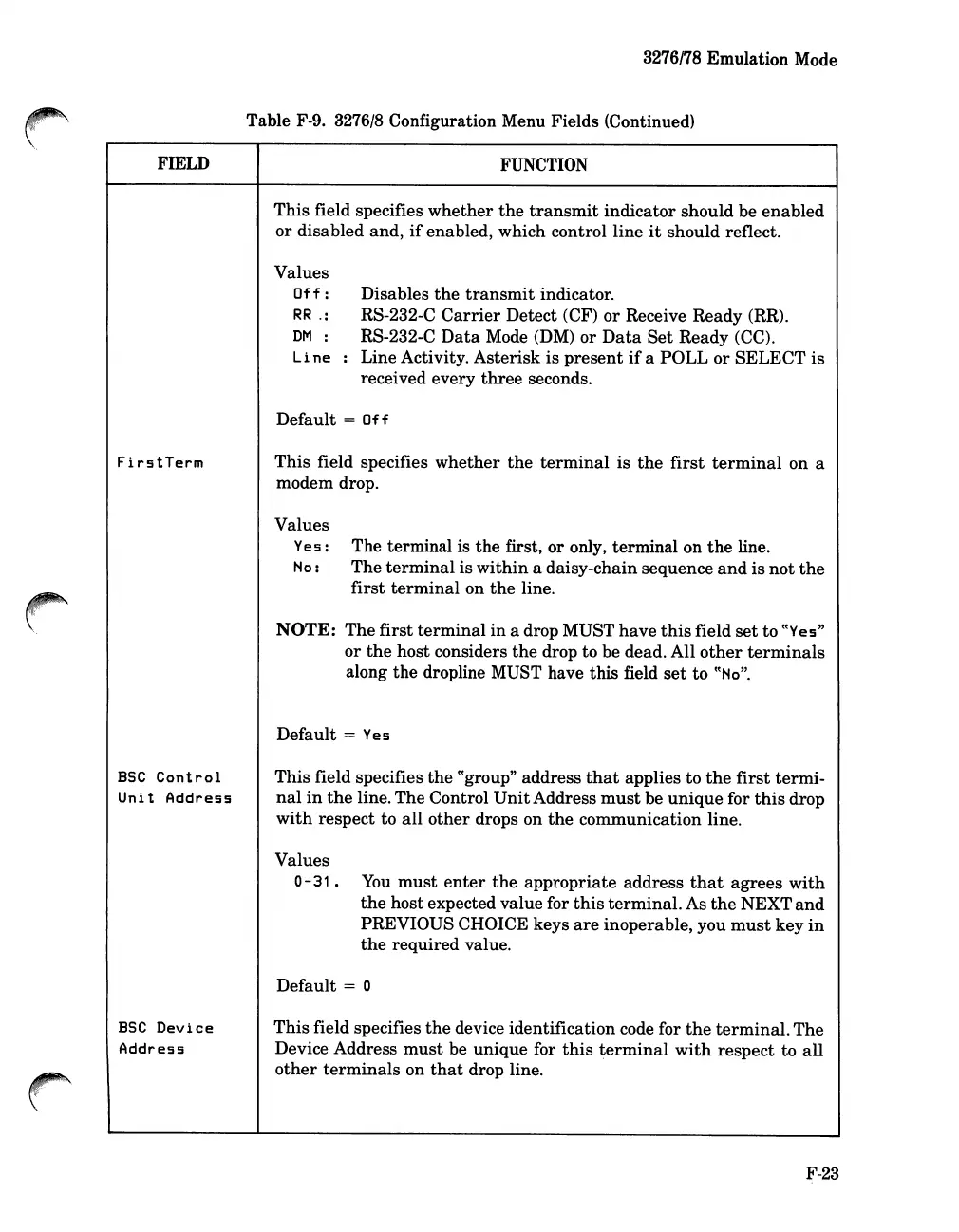
Table F-9. 3276/8 Configuration Menu Fields (Continued)
FUNCTION
This
field specifies
whether
the
transmit
indicator
should be
enabled
or
disabled and,
if
enabled, which control line
it
should reflect.
Values
Off:
RR
.:
DM
:
Line
Disables
the
transmit
indicator.
RS-232-C
Carrier
Detect (CF)
or
Receive Ready (RR).
RS-232-C
Data
Mode (DM)
or
Data
Set
Ready (CC).
: Line Activity.
Asterisk
is
present
if
a POLL or
SELECT
is
received every
three
seconds.
FirstTerm
Default
=
Off
This
field specifies
whether
the
terminal
is
the
first
terminal
on a
modem drop.
Values
Yes:
No:
The terminal is
the
first, or only, terminal on
the
line.
The
terminal
is
within
a daisy-chain sequence
and
is
not
the
first
terminal
on
the
line.
BSC
Control
Unit
Address
NOTE:
The
first
terminal
in
a drop MUST
have
this
field
set
to ((Yes"
or
the
host considers
the
drop to be dead. All
other
terminals
along the dropline MUST have this field
set
to
((No".
Default
= Yes
This
field specifies
the
((group" address
that
applies
to
the
first
termi-
nal
in
the
line. The Control
Unit
Address
must
be
unique
for
this
drop
with
respect to
all
other
drops on
the
communication line.
Values
0-31.
You
must
enter
the
appropriate
address
that
agrees
with
the
host expected value for
this
terminal.
As
the
NEXT
and
PREVIOUS CHOICE keys
are
inoperable, you
must
key
in
the
required value.
ESC
Device
Address
Default
= 0
This
field specifies
the
device identification code for
the
terminal.
The
Device Address
must
be
unique
for
this
terminal
with
respect to
all
other
terminals
on
that
drop line.
F-23













 To Next Page