EasyManua.ls Logo

HP 262SA - Page 377

HP 262SA
390 pages
Print Icon
To Next Page IconTo Next Page
To Previous Page IconTo Previous Page
Loading...
3276/78 Emulation Mode
The
NEXT
SYSTEM
function key switches
the
terminal
to
its
HP
personality.
The
other
func-
tion
keys perform
the
same
operations
as
indicated
in
table
F-I0.
To
select
the
integral
printer,
you
must
press
__
before
initiating
any
print
operation.
By
simultaneosuly
pressing
the
ALT
key
and
the
DEV CNCL key, you
may
stop a
print
operation
that
is
in
progress.
Or
you
may
simultaneously
press
the
ALl;
_,
and
_ keys
to cancel
the
print
operation
and
clear
the
printer
buffer.
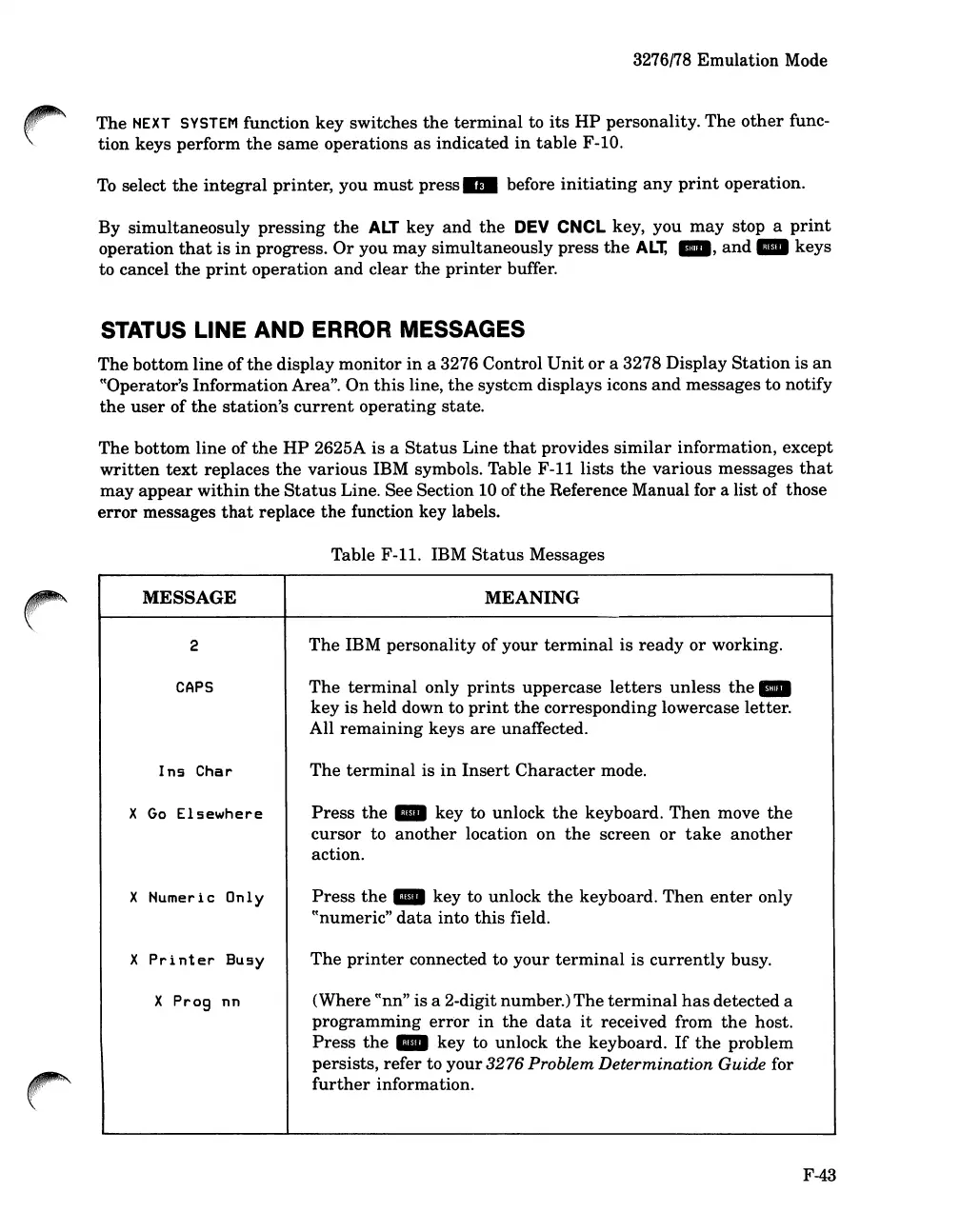
STATUS LINE AND ERROR MESSAGES
The
bottom line of
the
display monitor
in
a 3276 Control
Unit
or
a 3278 Display
Station
is
an
((Operator's InformationArea".
On
this
line,
the
system
displays icons
and
messages to notify
the
user
of
the
station's
current
operating
state.
The
bottom
line
of
the
HP
2625A is a
Status
Line
that
provides
similar
information, except
written
text
replaces
the
various
IBM symbols. Table
F-ll
lists
the
various
messages
that
may
appear
within
the
Status
Line. See Section 10 of
the
Reference Manual for a list of those
error
messages
that
replace
the
function key labels.
Table
F-ll.
IBM
Status
Messages
MESSAGE
MEANING
2
The
IBM personality of
your
terminal
is
ready
or
working.
CAPS
The
terminal
only
prints
uppercase
letters
unless
the_
key
is held down to
print
the
corresponding lowercase letter.
All
remaining
keys
are
unaffected.
Ins
Char
The
terminal
is
in
Insert
Character
mode.
X
Go
Elsewhere
Press
the
_ key to unlock
the
keyboard.
Then
move
the
cursor
to
another
location on
the
screen
or
take
another
action.
X Numeric Only
Press
the
_ key to unlock
the
keyboard.
Then
enter
only
((numeric"
data
into
this
field.
X
Printer
Busy
The
printer
connected to
your
terminal
is
currently
busy.
X
Prog
nn
(Where
((nn"
is a 2-digit number.)
The
terminal
has
detected a
programming
error
in
the
data
it
received from
the
host.
Press
the
_ key to unlock
the
keyboard.
If
the
problem
persists, refer to
your
3276 Problem Determination Guide for
further
information.
F-43

Table of Contents

Related product manuals