Configuring
the
Terminal
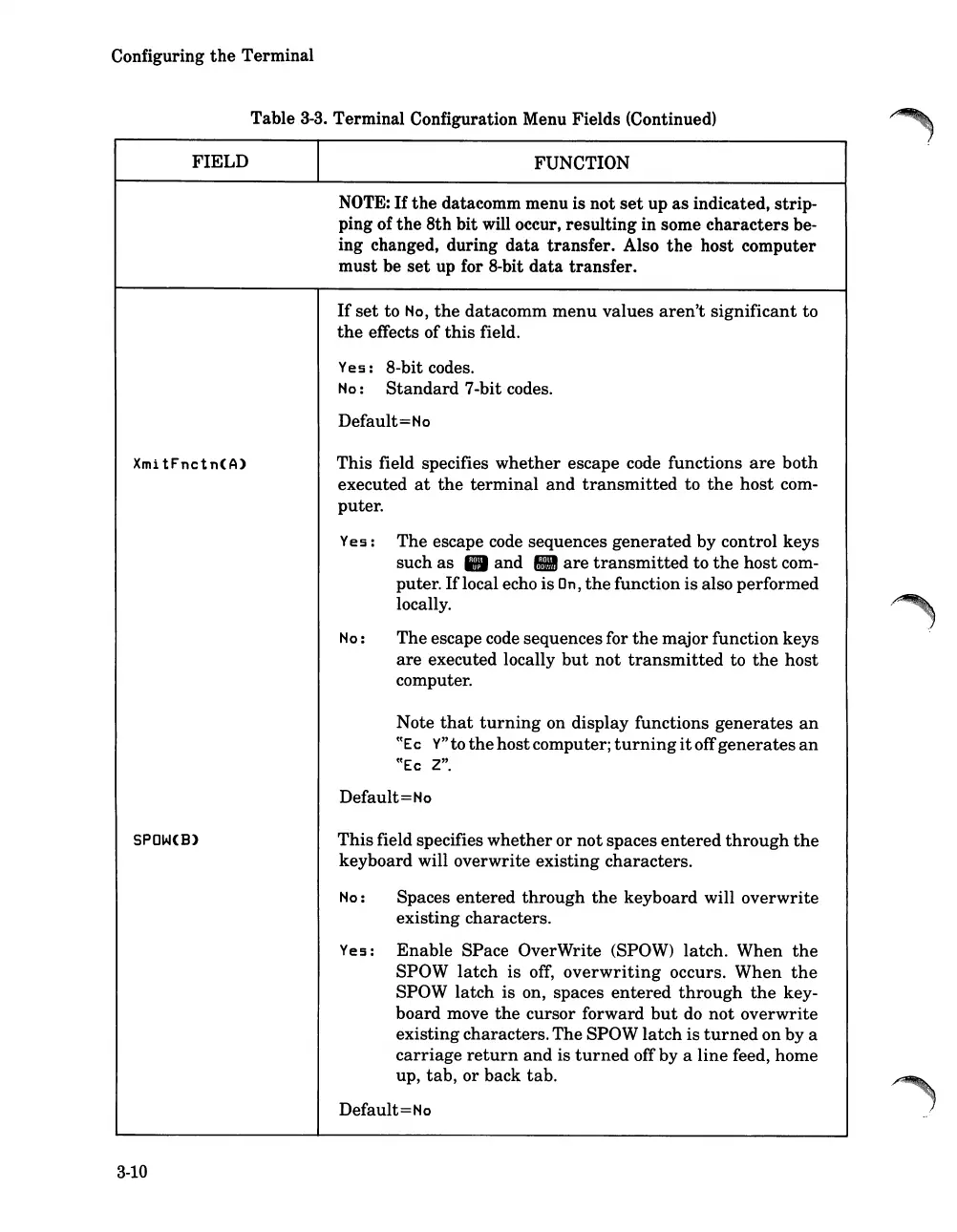
Table
3-3.
Terminal Configuration Menu Fields (Continued)
FIELD
FUNCTION
NOTE:
If
the
datacomm menu is not
set
up
as
indicated, strip-
ping of
the
8th
bit will occur, resulting in some characters be-
ing changed, during
data
transfer. Also
the
host computer
must be
set
up for 8-bit
data
transfer.
If
set
to
No,
the
datacomm
menu
values
aren't
significant to
the
effects of
this
field.
Yes:
8-bit codes.
No:
Standard
7-bit codes.
Default=
No
XmitFnctn(A)
This field specifies
whether
escape code functions
are
both
executed
at
the
terminal
and
transmitted
to
the
host com-
puter.
Yes:
The escape code sequences
generated
by control keys
such
as
• and •
are
transmitted
to
the
host com-
puter.
If
local echo is
On,
the
function is also performed
locally.
No:
The escape code sequences for
the
major function keys
are
executed locally
but
not
transmitted
to
the
host
computer.
Note
that
turning
on display functions
generates
an
((Ec
Y"
to
the
hostcomputer;
turning
it
off
generates
an
((Ec
Z".
Default=Ho
SPOW(B)
Thisfield specifies
whether
or
not
spaces
entered
through
the
keyboard will overwrite existing characters.
No:
Spaces entered
through
the
keyboard will overwrite
existing characters.
Yes:
Enable
SPace OverWrite (SPOW) latch. When
the
SPOW
latch
is off,
overwriting
occurs. When
the
SPOW latch is on, spaces
entered
through
the
key-
board move
the
cursor forward
but
do not overwrite
existingcharacters.The SPOW
latch
is
turned
on by a
carriage
return
and is
turned
off by a
line
feed, home
up,
tab,
or back tab.
Default=Ho
3-10













 To Next Page