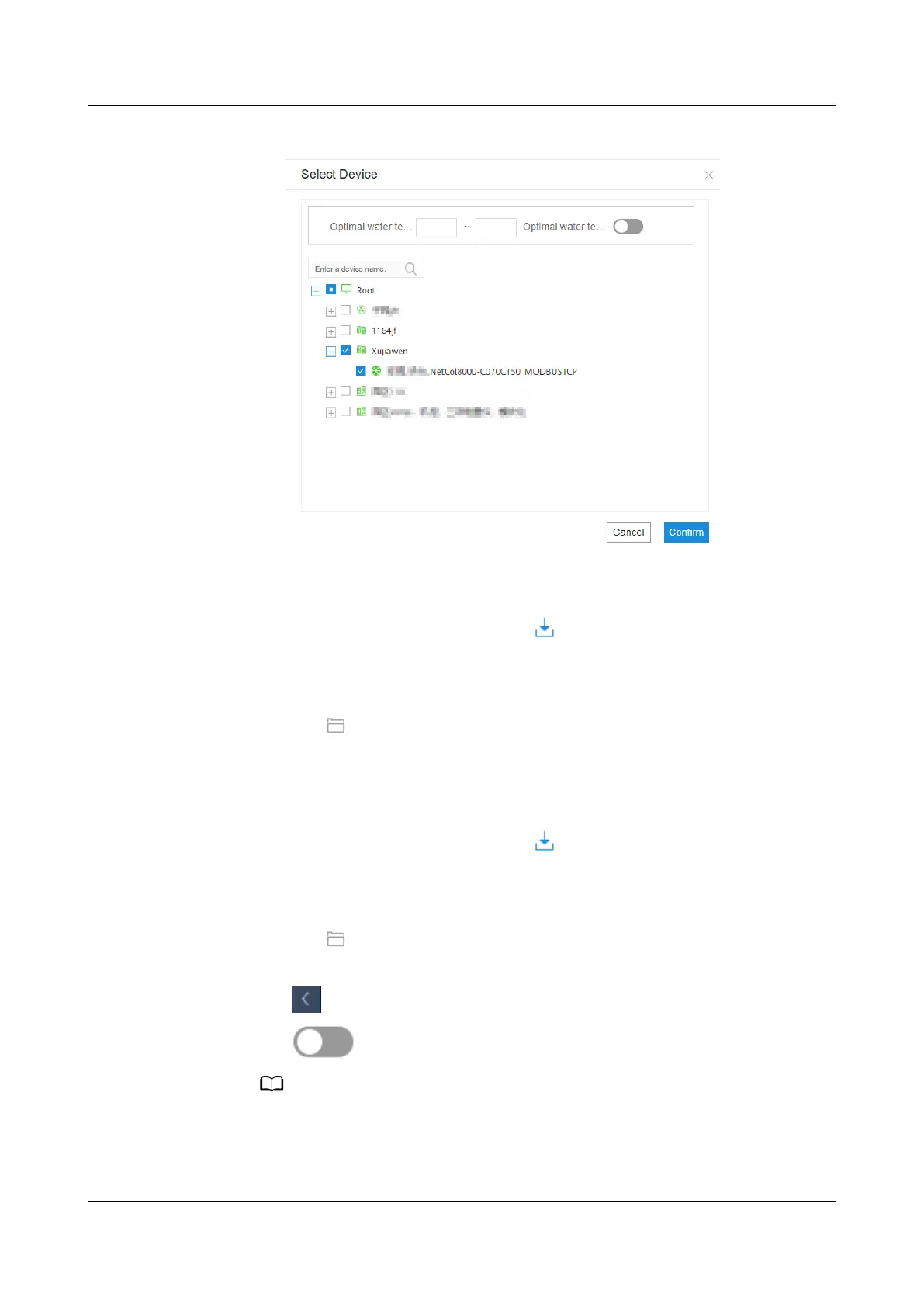
Figure 6-9 Conguring the terminal smart cooling product
6. Import conguration parameters.
a. Click Import and select Conguration Parameters.
b. In the displayed dialog box, click to download the optimization
conguration parameter template.
c. Open the
conguration parameter template and set conguration
parameters.
d. Click to import the edited template le from the local PC.
e. Click Import.
7. Import algorithm parameters.
a. Click Import and select Algorithm Parameters.
b. In the displayed dialog box, click
to download the optimization
algorithm parameter template.
c. Open the
conguration parameter template and set conguration
parameters.
d. Click to import the edited template le from the local PC.
e. Click Import.
8. Click in the upper-left corner of the page to return to the Monitor page.
9. Click
to enable the iCooling energy saving mode.
OFF indicates that the iCooling energy saving mode is not enabled, and ON indicates
that the mode is enabled. When the iCooling energy saving mode is enabled, you
cannot
congure the terminal smart cooling product, import conguration
parameters, or import algorithm parameters.
iMaster NetEco
Device Installation and Commissioning Guide (Data
Center) 6 Adding Devices
Issue 02 (2021-05-12) Copyright © Huawei Technologies Co., Ltd. 153


 To Next Page
 Loading...