990400 Rev C 2010 May 1
Calibration
11-7
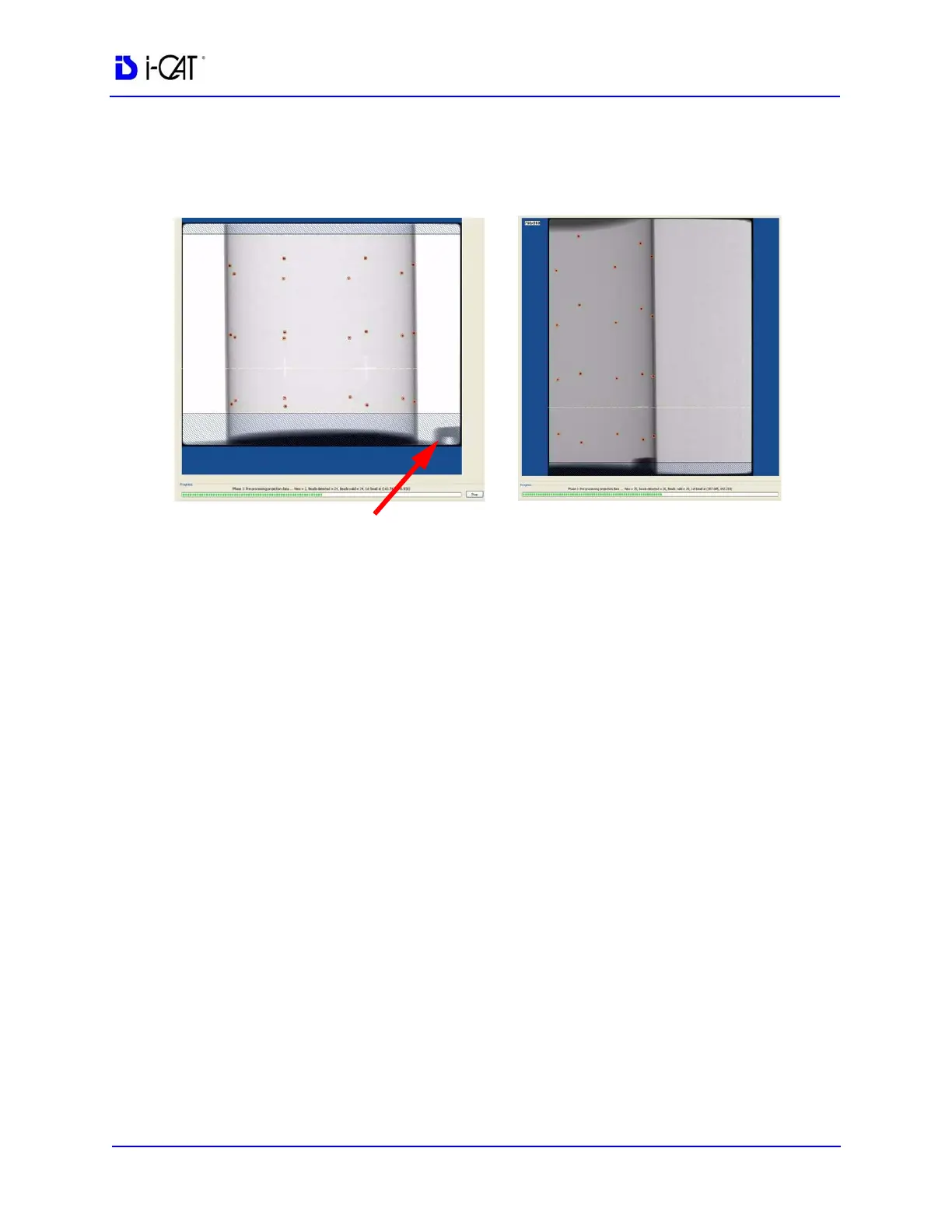
25. The calibration starts with the Landscape Scan.
NOTE: Ensure that the metal platform support is below the Field of
View (as shown above.)
26. At the start of the scan, red circles are displayed around each BB.
At this point, check data (above green progress bar), to ensure
the following is displayed:
Beads detected = 24, Beads valid = 24
27. At the prompt, press Scan on the Control Box, to start the
Portrait Scan.
28. During the Portrait Scan, ensure the following is displayed:
Beads detected = 20, Beads valid = 20
NOTE: Check to ensure that all beads are intact on the BB Phantom,
if the calibration did not detect a bead at a certain location.
29. Click OK when the completion window is displayed and restart
Vision software.
Failure to restart Vision software at this point may result in a system
failure.
LANDSCAPE SCAN
PORTRAIT SCAN
Metal Platform Support
(below FOV)



 To Next Page