17-19 Operators’ Manual
990400 Rev C 2010 May 1
12-10
Size of Reconstruction Volume: Diameter 16cm - Height 13cm
Resolution: .4 voxel, 8.9 Seconds
Quantum IQ: NOT selected
The X-ray device may be dangerous to the Patient and operator if
you do not observe and follow the operating instructions. Do not
operate this system unless you have received training to perform a
procedure.
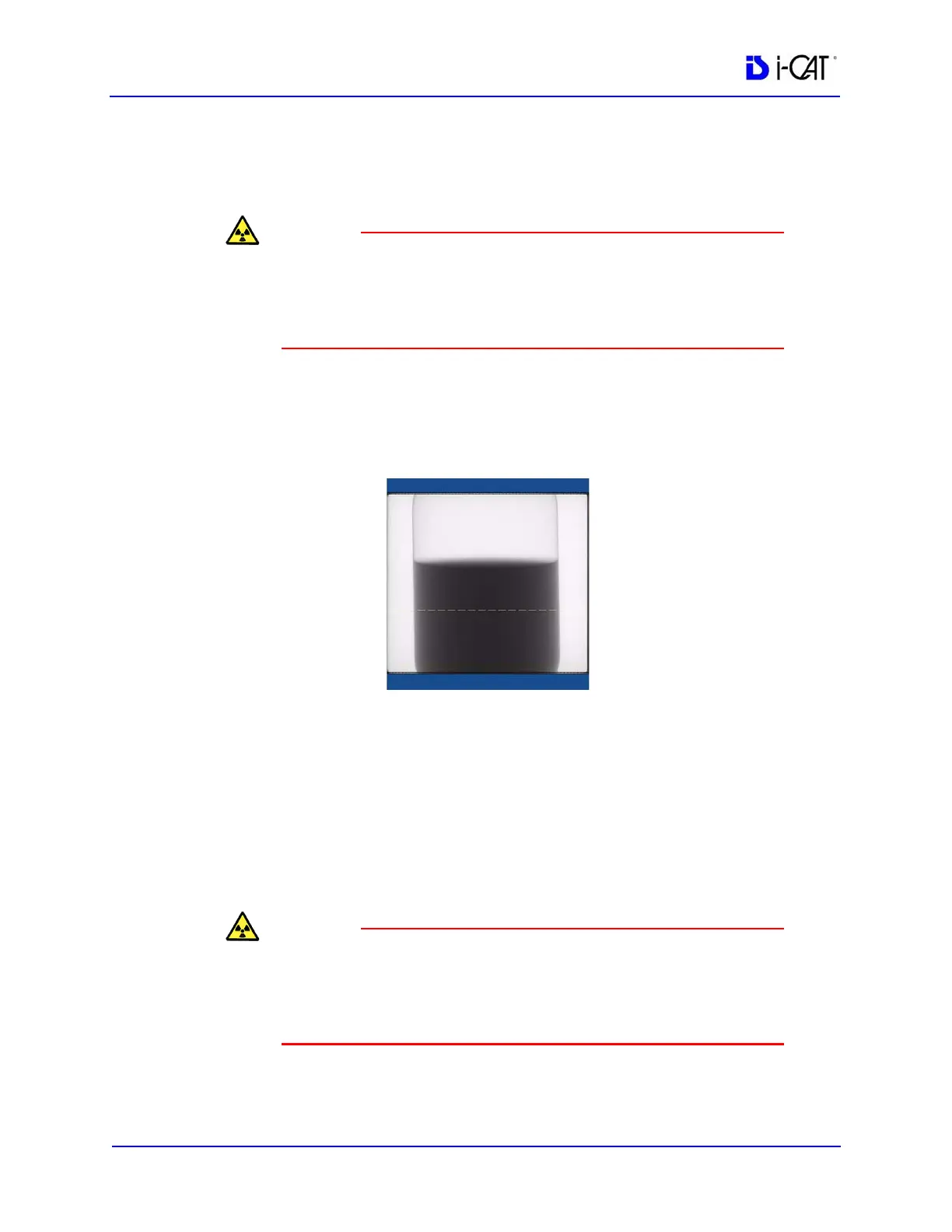
8. Click Preview to check the phantom position.
9. Click OK and press the Scan button on the Control Box when
prompted. An audible alarm is sounded and the X-ray ON light
is illuminated during radiation exposure.
10. The white dotted line in the preview screen is used to align water
height. The line should appear near the middle of the water
height.
Adjust the Phantom Platform to achieve the proper height. Use
the menu Back/Front arrow-slide to adjust the phantom side-to-
side position.
If required, make adjustments and click Preview again. Repeat
as required.
The X-ray device may be dangerous to the Patient and operator if
you do not observe and follow the operating instructions. Do not
operate this system unless you have received training to perform a
procedure.
11. Click Capture to start the scan process.
12. Click OK to start the scan process.



 To Next Page