990400 Rev C 2010 May 1
Remote System Import and Export
16-13
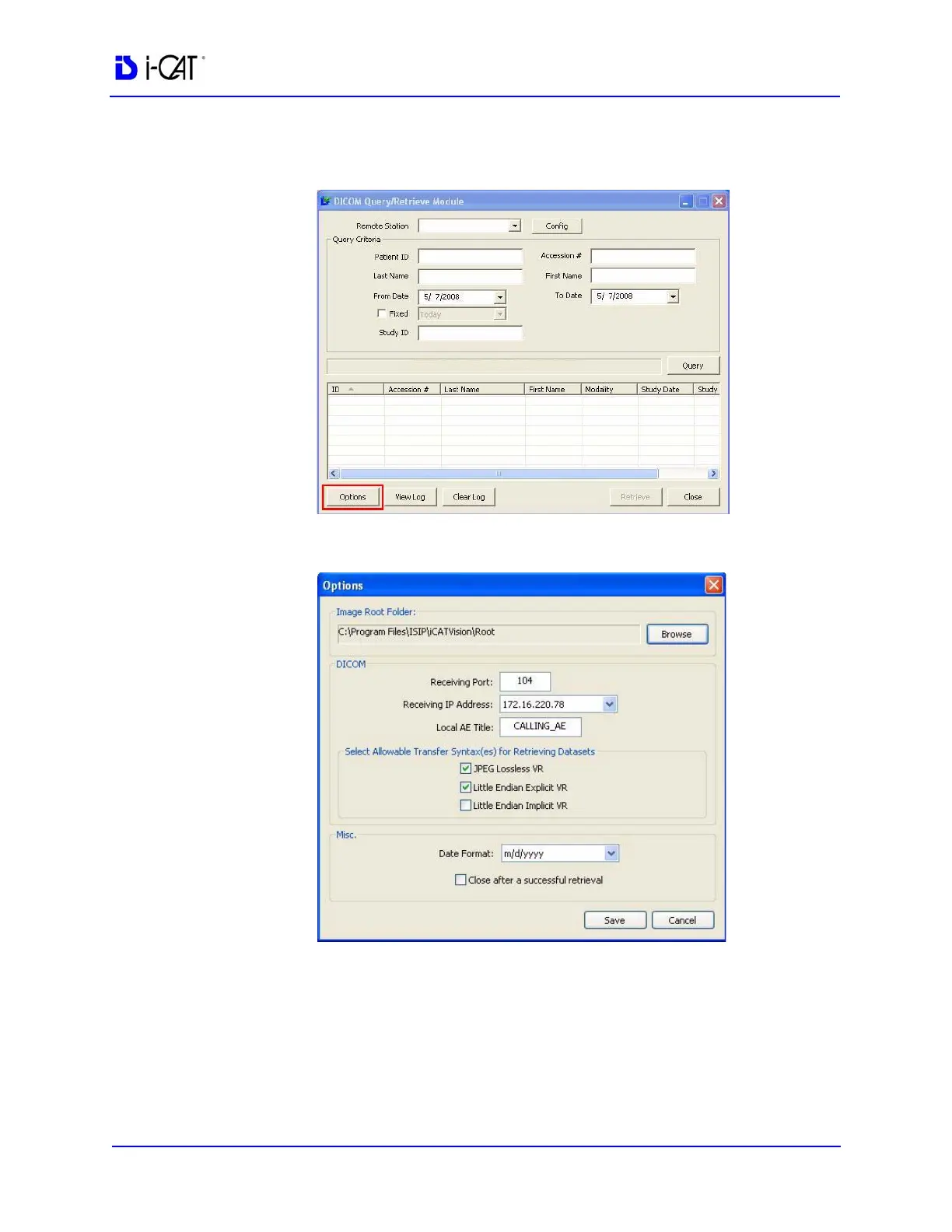
2. Double-click RSQM.exe. The DICOM Query/Retrieve Module
is displayed.
3. Click Options.
4. Click Browse, and browse to the Image Root folder to select it
as the default storage location on the local computer.
5. In DICOM section, enter Receiving Port, Receiving IP Address,
and Local AE Title. This data must match the data entered on the
Query/Retrieve (PACS) server side so that the two machines can
communicate.



 To Next Page