17-19 Operators’ Manual
990400 Rev C 2010 May 1
8-6
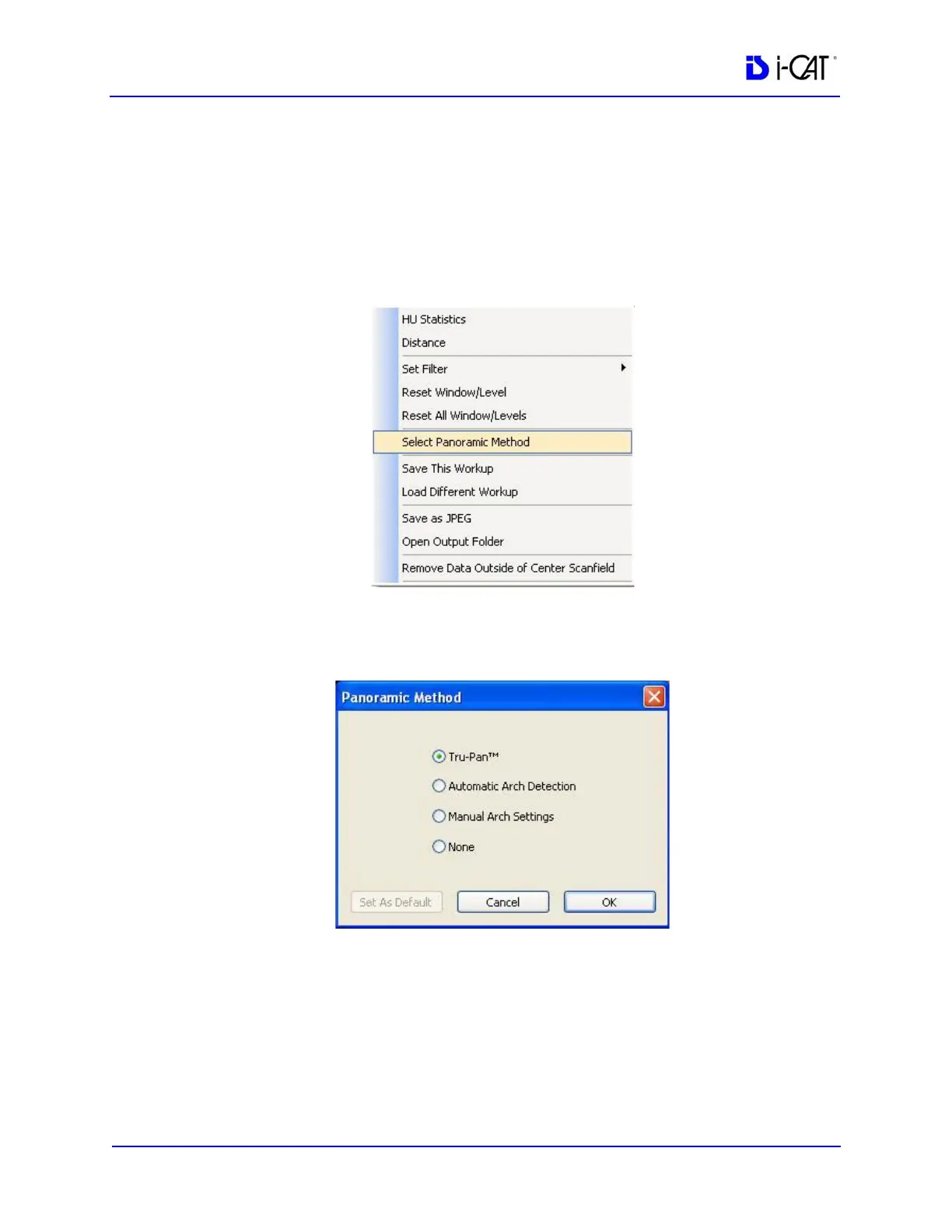
Changing the Panoramic Method
You can change the panoramic method used in one of two ways:
• Click Cancel on the Computing Tru-Pan dialog.
• Right-click on the panoramic image to display the pop-up
menu and click Select Panoramic Method.
The Panoramic Method dialog is displayed. Click the radio button
next to the desired method and click OK. The selected method is
used to compute the Panoramic View.
NOTE: To set another method as the default, select the desired
method, then click Set as Default. If you click OK, the currently
selected study will be displayed using the new default method. If
you click Cancel, the default will be applied on the next newly-
selected study.
• Tru-Pan - Default selection when Tru-Pan feature is
enabled.



 To Next Page