www.izcorp.com • 1.800.776.1356
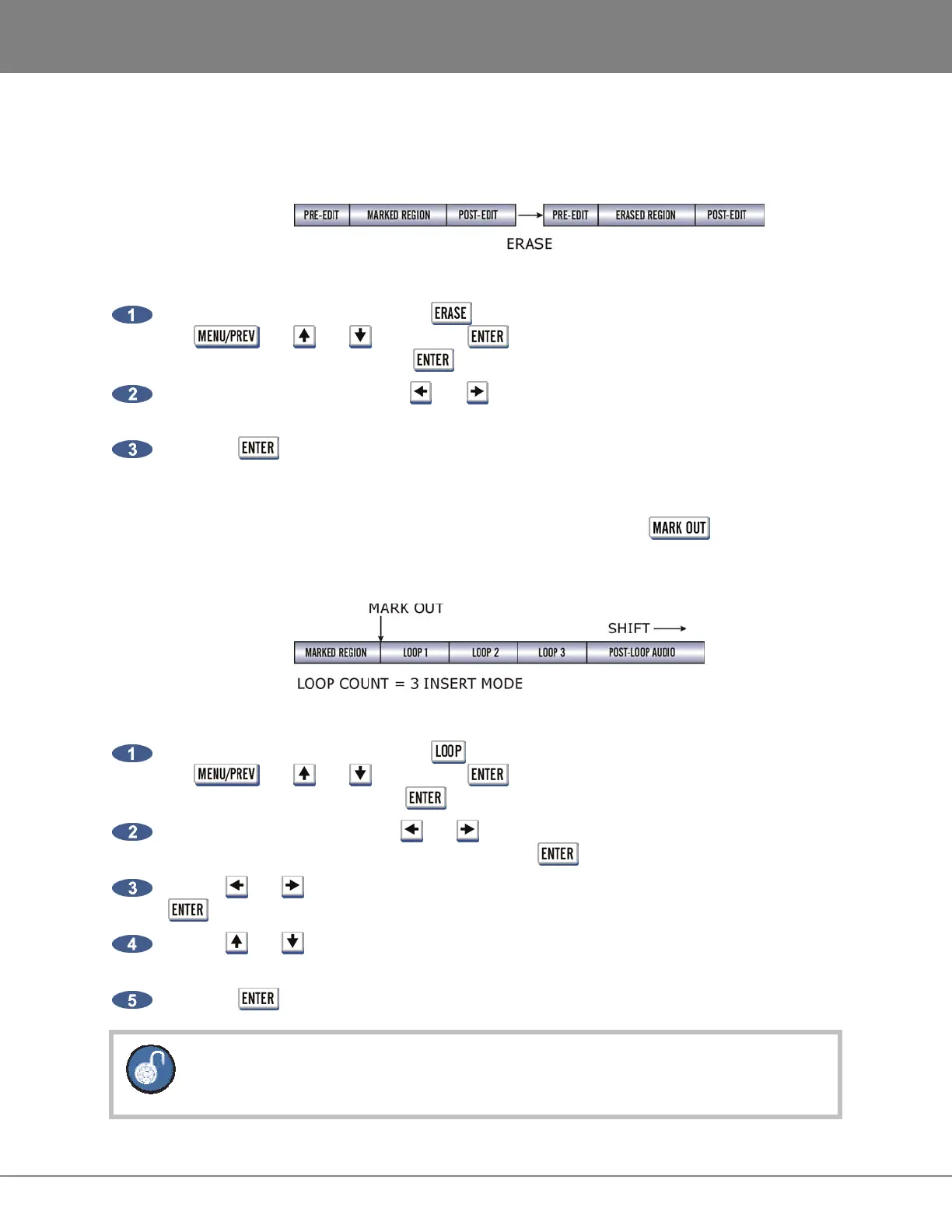
ERASE
The ERASE function completely erases the audio defined by a track-region. Audio following the moved
section will not be affected by this operation.
To erase audio:
After marking a time region, press the key on the Session Controller or the KC-24 or use
the , the and keys and the key to go to the MAIN MENU / EDIT MENU
/ ERASE menu item and press the key.
Select the tracks to erase. Use the and keys to select either ALL or TRACK ARM. Use the
Track Arm keys to select individual tracks.
Press the key to erase the track-region from the project.
LOOP
The LOOP function repeatedly pastes the selected track-region relative to the point. Audio
following the looped section will moved later in time using INSERT mode (shown below) and erased
when using OVERWRITE mode.
To loop audio:
After marking a time region, press the key on the Session Controller or the KC-24 or use
the , the and keys and the key to go to the MAIN MENU / EDIT MENU
/ LOOP menu item and press the key.
Select the tracks to loop. Use the and keys to select either ALL or TRACK ARM. Use the
Track Arm keys to select individual tracks. Press the key.
Use the and keys to select either the INSERT or OVERWRITE loop modes and press the
key.
Use the and keys or the numeric keypad to enter the number of loops of the track-region
to create.
Press the key to create the loops and return RADAR to transport mode.
To loop back in the time line use a negative number of loops.



 To Next Page