iZ Technology Corporation
SLIDE
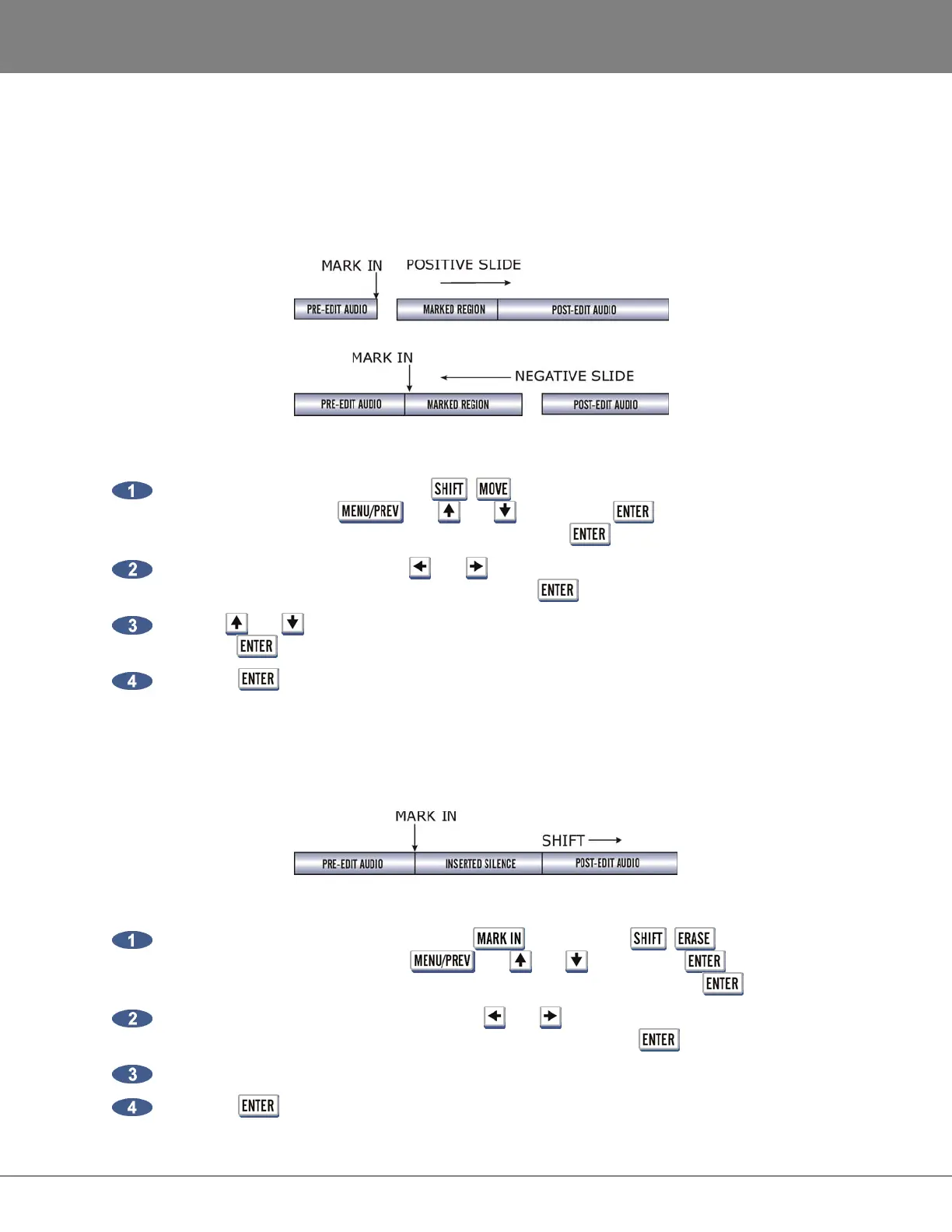
SLIDE repositions the audio defined by the track-region. Although similar to MOVE, SLIDE is designed
for nudging audio in millisecond or SMPTE frame increments. SLIDE TIME UNITS can be set in the
PREFERENCES MENU. SLIDE overwrites any previous audio data as it moves forward and backward
and leaves empty space behind in its wake.
To slide audio:
After marking a time region, press the + (SLIDE) key on the Session Controller or slide
on the KC-24 or use the , the and keys and the key to go to the MAIN
MENU / EDIT MENU / SLIDE menu item and press the key.
Select the tracks to move. Use the and keys to select either ALL or TRACK ARM. Use the
Track Arm keys to select individual tracks. Press the key.
Use the and keys, the numeric keys or the Jog/Shuttle Wheel to set the slide time and
press the key.
Press the key to nudge the track-region to the new location.
INSERT SILENCE
The INSERT SILENCE function inserts a blank region into selected tracks. Audio following the moved
section will be shifted in time like any other insert type edit.
To insert a section of silence:
After marking the insert start point using the key, press the + (SILENCE) key on
the Session Controller or use the , the and keys and the key to go to the
MAIN MENU / EDIT MENU / INSERT SILENCE menu item and press the key.
Select the tracks to insert silence on. Use the and keys to select either ALL or TRACK
ARM. Use the Track Arm keys to select individual tracks. Press the key.
Use the numeric keys to enter the amount of silence to insert in the HH:MM:SS:FF format.
Press the key to insert the region of silence into the selected tracks.



 To Next Page