12 Configuration
118
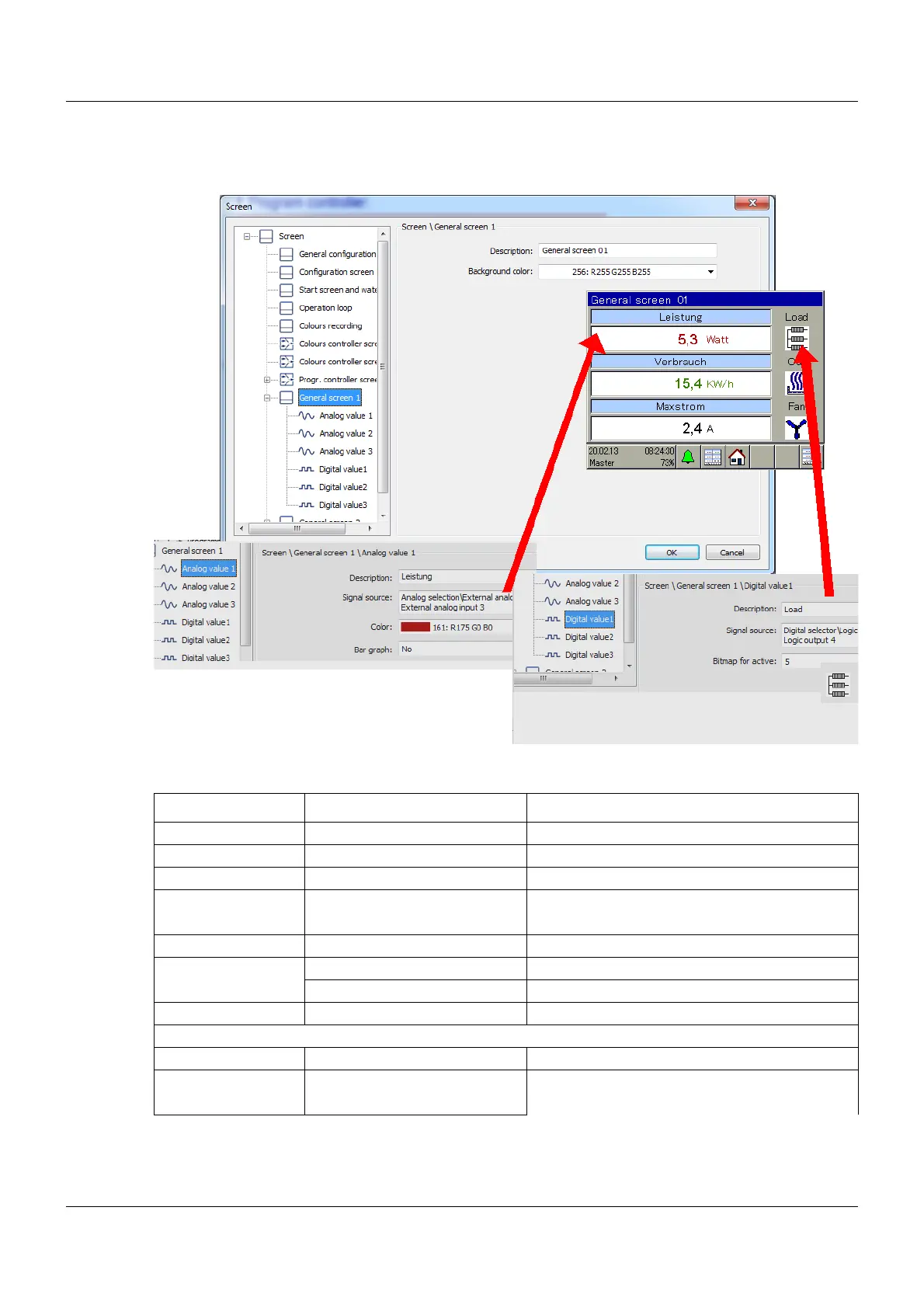
12.10.8 General screens 1, 2
Setup dialog box
Parameters
Parameter Selection/settings Description
General screen General screen 01 Text for general screen 1
Background color (white) RGB color selector
Description Analog value 1 to 3 Text for analog value 1 to 3 (in light-blue box)
Signal source No selection Any analog value can be displayed here
Analog selector
Color RGB color selector Color for analog values and text
Bar graph Yes Bar graph
No No bar graph
Color for bar graph RGB color selector Color for analog values and text
Description Digital value 1 to 3 Text for digital value 1 to 3 (in gray area)
Signal source No selection Any digital value can be displayed here
Digital selector









 To Next Page