Group 7 Data/Programming Page 97
Release R1.03e LEIBINGER JET3
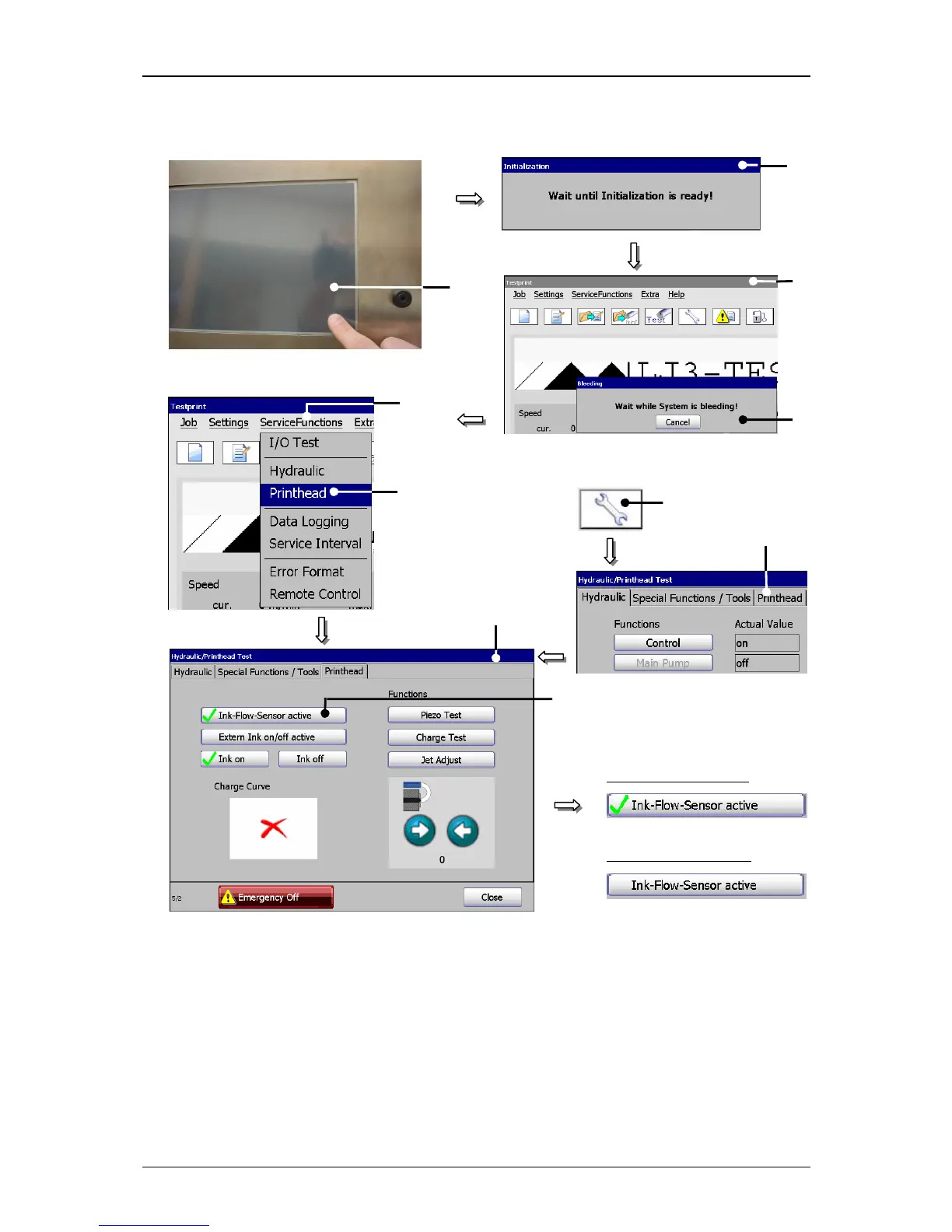
Figure 49
Jet adjustment (setp 1)
1 – TFT-Touch-Display 6 – Option <Printhead>
2 – Message <Initialization> 7 – Direct button (Icon) <Service>
3 – Main menu 8 – Register card <Printhead>
4 – Message <Bleeding> 9 – Functional area <Printhead>
5 – Button <ServiceFunctions> 10 – Button <Ink-Flow-Sensor active>



 To Next Page