4
Operation
Operation
5
6
7
8
e3861552
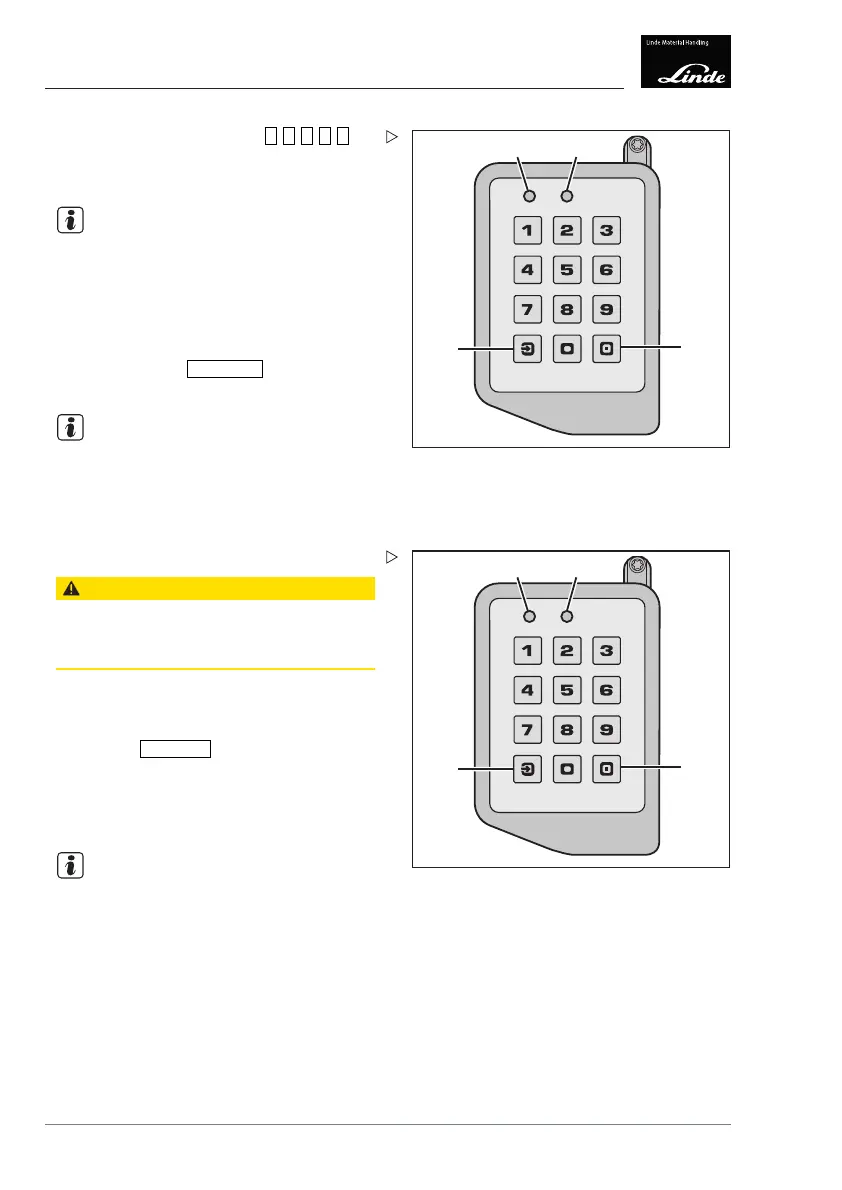
Enter PIN (factory setting =
0 0 0 0 0
).
LED (5) and LED (6) both illumi
nate green and
the truck is switched on.
NOTE
If an incorrect PIN is entered, LED (5) and
LED (6) flash red. After a delay time, the
input unit reverts to login mode and both
LEDs alternately flash green. The delay
time increases each time an incorrect PIN is
entered. If you make a mistake when entering
the PIN, press the
Reset button
(8). The PIN
entry process is aborted.
NOTE
If LED (5) illuminates red and LED (6) illumi-
nates green, the data must be read out by the
fleet manager.
Close the armrest support (4).
5
6
7
8
e3861552
Switch off the truck and log out:
CAUTION
Unwarranted use by unauthorised personnel.
When parking and leaving the truck, the driver must
log out.
Actuate the parking brake.
Fold up the armrest support (4).
Push the
Log IN/OUT
(7) b
utton.
The truck is switched off and LEDs (5) and (6)
go out.
Close the armrest support (4).
NOTE
If the driver leaves the driver's seat, the truck
is switched off after a delay time. If the seat
switch is activated during the delay time,
the truck can be operated without having
to re-enter the PIN. The fleet manager can
change the delay time.
108 Operating Instructions – 3888011701 EN – 12/2017



 To Next Page