262334 82 Revision A
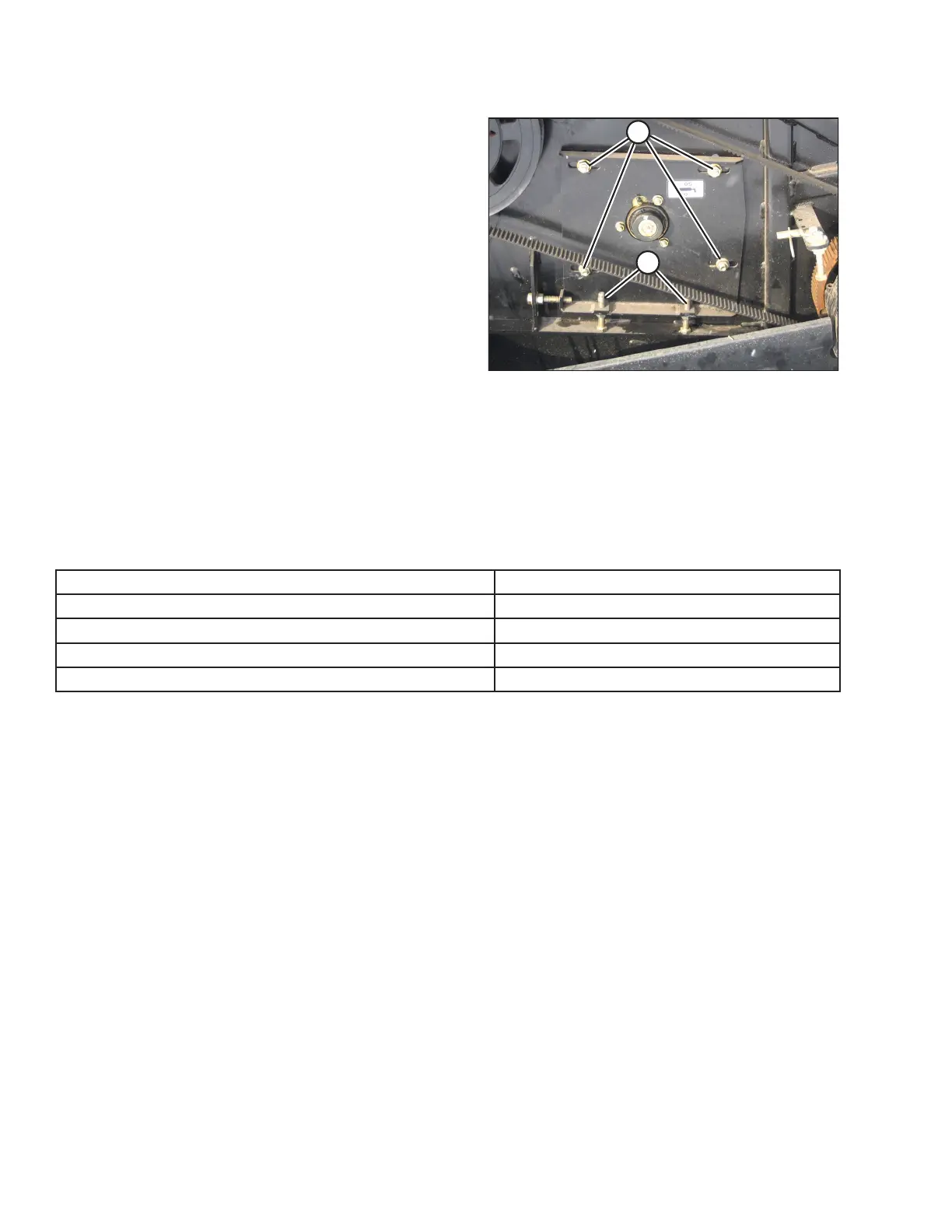
Figure 3.113: A40D Right Side
7. Open the right endshield.
8. Loosen four nuts (A).
9. Loosen the jam nut on adjuster bolts (B), and turn bolts (B)
to adjust the auger fore-aft position.
10. Tighten the jam nut.
11. Tighten nuts (A).
12. Close the endshields before engaging the header.
3.8.5 Setting Reel Position
The reel position has been found to be a critical factor in achieving good results in adverse conditions.
The reel position is factory-set for average straight standing crop. It can be adjusted both vertically and horizontally (fore-
aft) for different crop conditions.
See table below for recommended reel position in unusual crop conditions:
Crop Condition Reel Position
Crop down or lodged
Forward and down (also increase reel speed)
Wet or dead material collects on cutterbar and plugs knife
Back and down (close to guards)
Short crop Back
Thick stemmed or heavy standing
Up and forward
To make adjustments to the reel position, refer to the following sections:
• Adjusting Reel Fore-Aft Position, page 83
• Adjusting Reel Vertical Position, page 84
OPERATION



 To Next Page