262334 161 Revision A
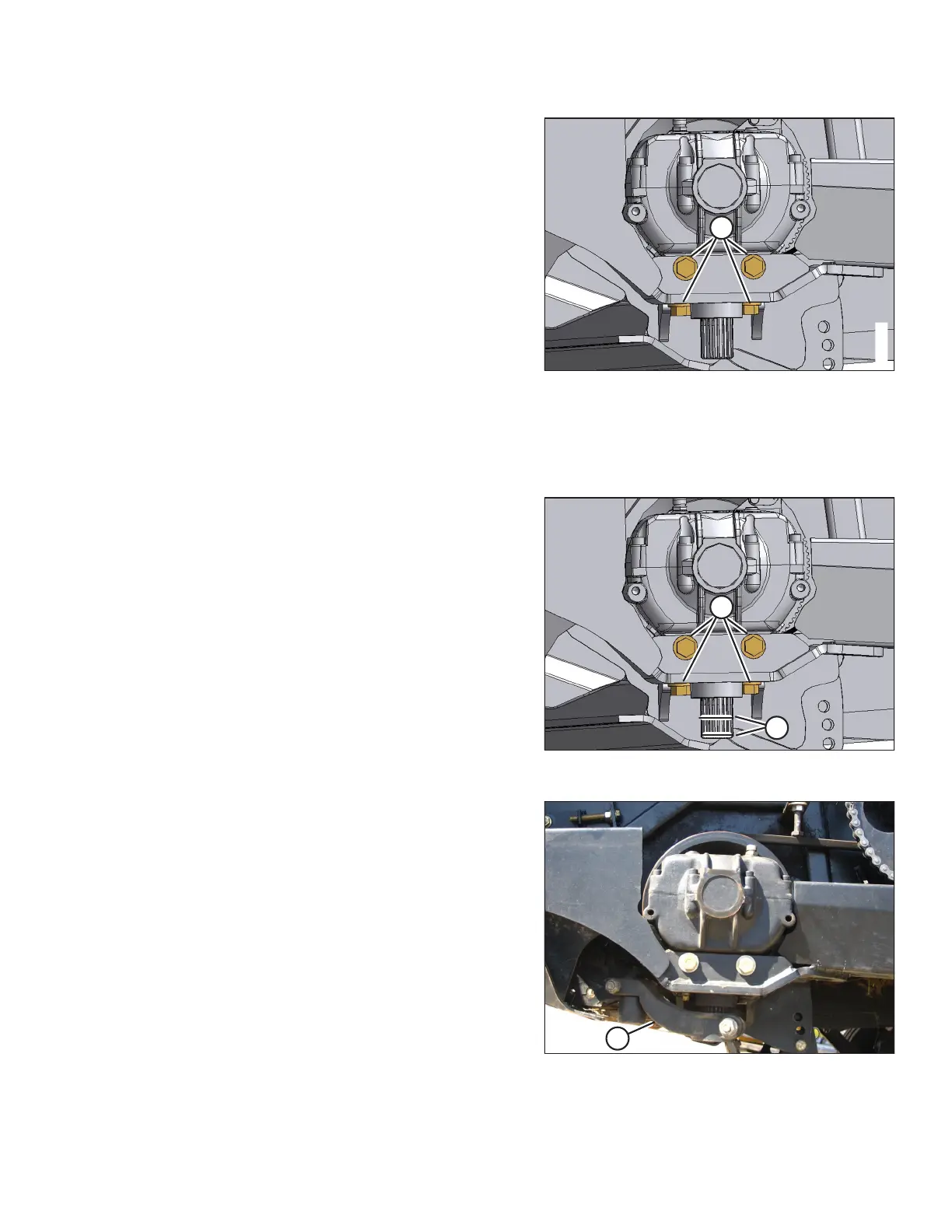
Figure 4.53: Knife Drive Box Bolts
9. Remove bolts (A) attaching the knife drive box to
the frame.
10. Remove the knife drive box.
Installing Knife Drive Box
To install a knife drive box, follow the recommended installation procedure provided here.
Figure 4.54: Knife Drive Box
1. Position the knife drive box as shown, and install four
bolts (A). Torque the side bolts, and then torque the
bottom bolts to 270 Nm (200 lbf·ft).
IMPORTANT:
Use only Grade L9 bolts and flat washers.
2. Apply medium-strength threadlocker (Loctite
®
243 or
equivalent) in two bands (B) around the shaft as shown,
with one band at the end of the shaft, and one band
approximately midway.
Figure 4.55: Pitman Arm
3. Slide pitman arm (A) onto the knife drive box output shaft.
4. Rotate the knife drive box pulley to ensure the pitman arm
just clears the frame to ensure proper placement on the
splines. Remove arm (A), and reposition on the splines as
required.
5. Rotate the knife drive box pulley to locate the pitman arm
at the furthest outboard position.
MAINTENANCE AND SERVICING



 To Next Page