262334 86 Revision A
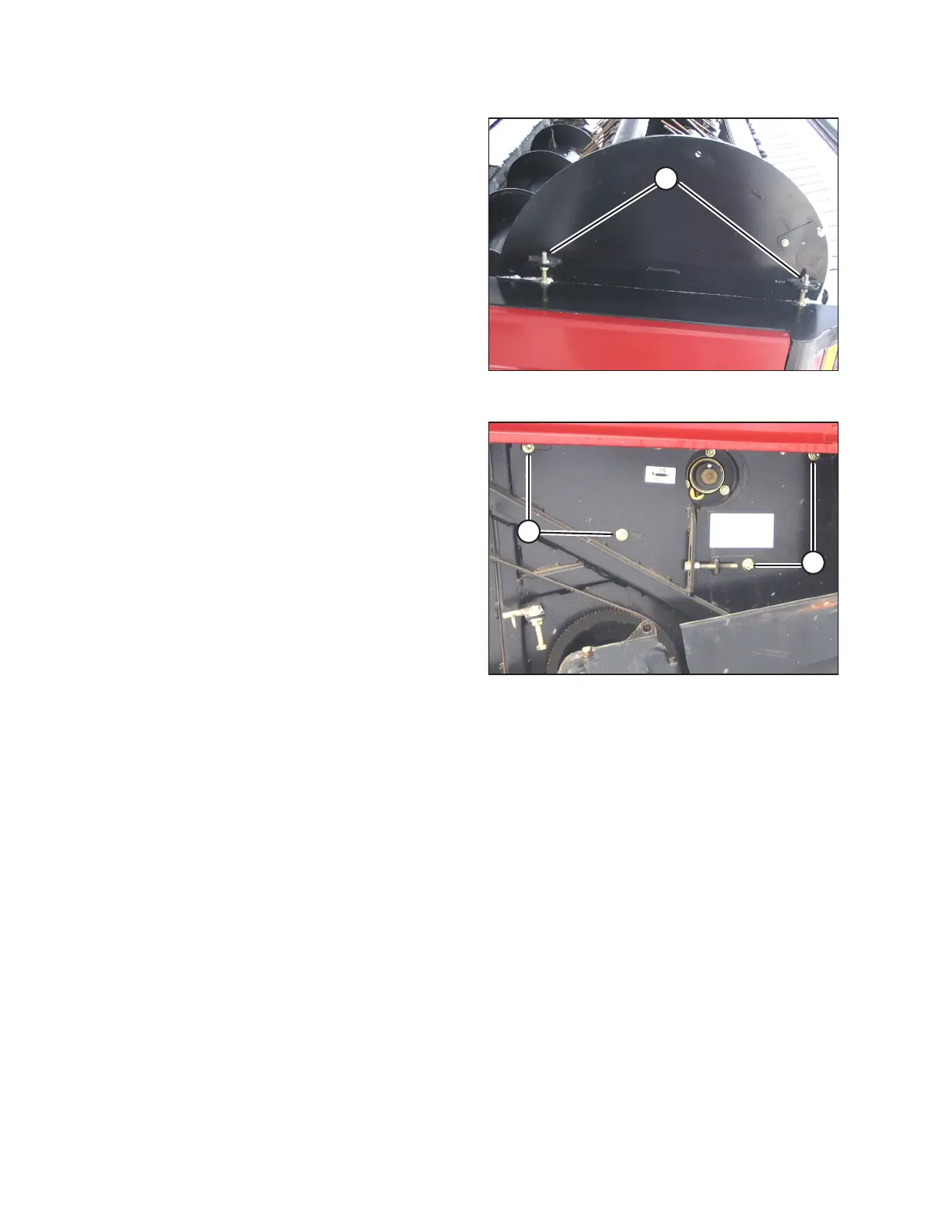
Figure 3.121: Auger Header Left Side
9. Loosen the jam nuts on adjuster bolts (A), and turn bolts (A)
to adjust the reel vertical position.
NOTE:
The factory setting at forward adjuster bolt should be
12 mm (15/32 in.) lower than at rear adjuster bolt. If tine
aggressiveness has changed, then the adjuster bolt offset
may not equal factory settings. Always measure the
adjuster bolt offset and maintain throughout the vertical
adjustment.
10. Tighten the jam nuts.
Figure 3.122: Auger Header Right Side
11. Tighten nuts (A).
12. Close the endshields before engaging the header.
13. Check that the reel rotates freely.
NOTE:
Manually rotate the reel, and ensure that tines do not
contact the header pan, otherwise damage to the pan will
result. If necessary, grind off the excessive length from the
tine if the tine length varies considerably. Remove any
sharp edges or burrs from the tine.
14. Check that the reel is evenly adjusted.
Checking Reel Tine to Header Pan Clearance
The reel tine to header pan clearance must be checked to ensure that the reel rotates freely.
IMPORTANT:
The dimensions at right are provided as guidelines only. Tines may slightly contact the guards, but NOT the knife sections
or the auger pan.
OPERATION



 To Next Page