262334 160 Revision A
Removing Knife Drive Box
The knife drive box may need to be removed for repair.
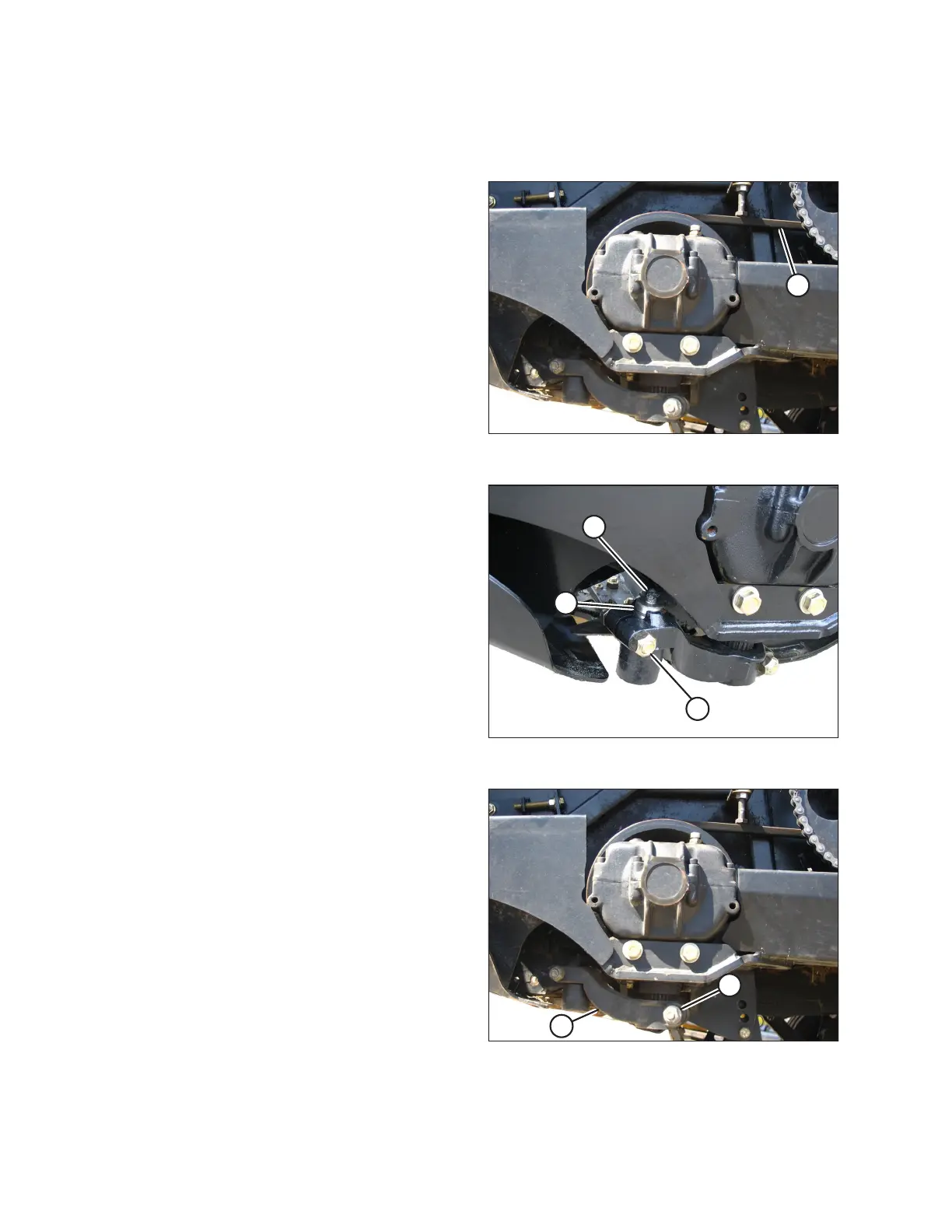
Figure 4.50: Knife Drive Box
1. Loosen knife drive belt (A), and slip off the knife drive box
pulley. Refer to the following sections:
• Checking and Adjusting Left Timing Belt Tension, page
169
• Checking and Adjusting Right Timing Belt Tension, page
172
Figure 4.51: Knifehead
2. Stroke the knife to its outer limit.
3. Clean the area around the knifehead.
4. Remove grease fitting (A) from knifehead pin (B).
5. Remove nut and bolt (C).
6. Insert a screwdriver in the groove of pin (B), and pry up on
the pin to free the knife.
NOTE:
You do NOT have to remove the pin from the arm.
Figure 4.52: Pitman Arm
7. Remove bolt (A) from the pitman arm.
8. Remove pitman arm (B) from the knife drive box
output shaft.
MAINTENANCE AND SERVICING



 To Next Page