262334 171 Revision A
Installing Left Timing Belt
To install the left timing belt, follow these steps.
DANGER
To avoid bodily injury or death from the unexpected startup of the machine, always stop the engine and remove the
key from the ignition before leaving the operator’s seat for any reason.
1. Shut down the engine, and remove the key from the ignition.
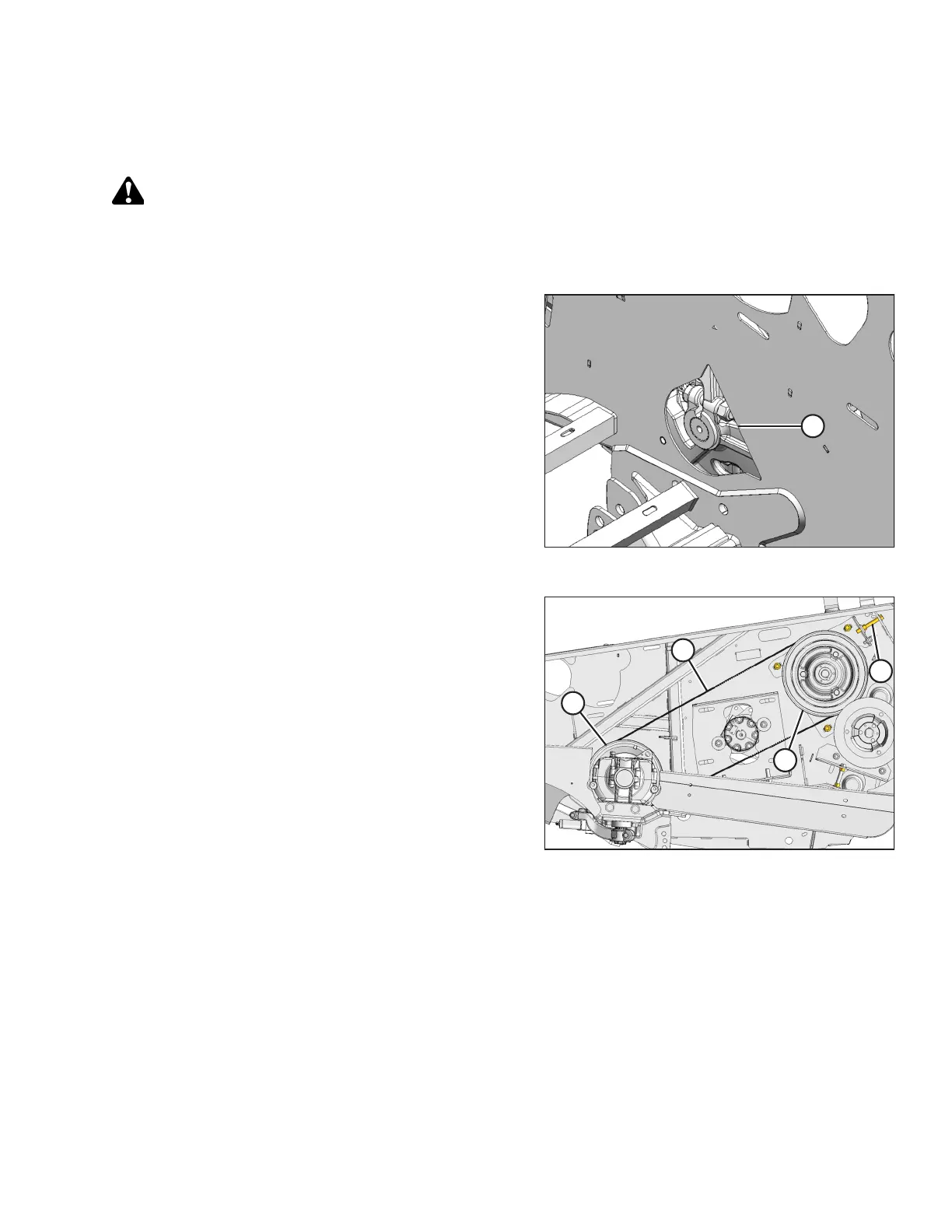
Figure 4.76: Left Inboard Opening
2. Route the knife drive timing belt from the inboard side of
the endsheet through opening (A).
Figure 4.77: Left Timing Belt
3. Position knife drive belt (A) onto knife drive box pulley (B).
4. Route knife drive belt (A) onto knife drive pulley (C).
5. Turn adjuster bolt (D) to move pulley (C) until a force of
22–30 N (5–6.5 lbf) deflects belt 14 mm (9/16 in.) at knife
drive belt midspan (A).
IMPORTANT:
To prolong belt and drive life, do NOT over-tighten
the belts.
NOTE:
When installing the new belt, never pry the belt over the
pulley. Fully loosen the adjusting screw, then tension belt.
MAINTENANCE AND SERVICING



 To Next Page