262334 99 Revision A
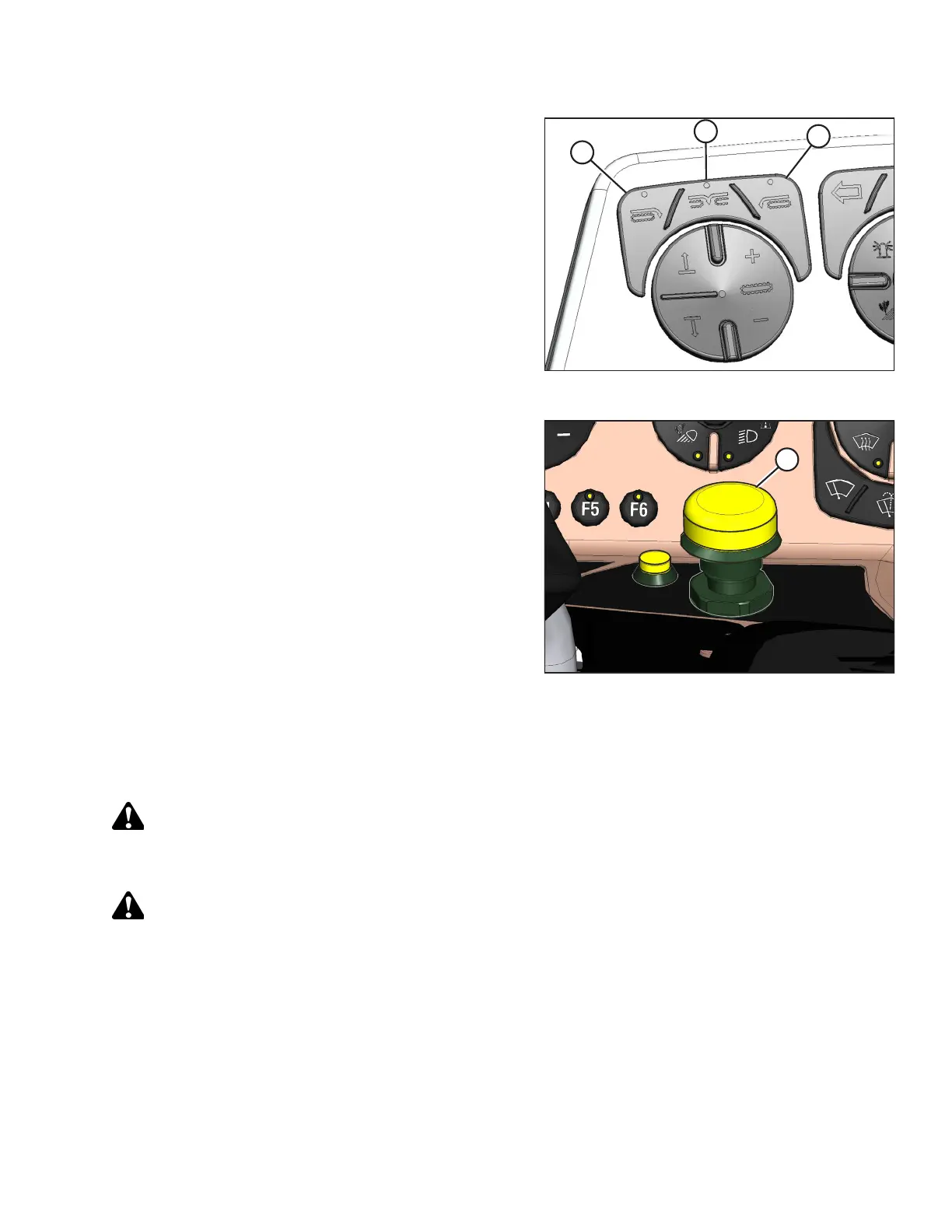
Figure 3.150: Header Deck Shift Switches
3. Select one of the following deck positions using the DECK
SHIFT switches on the operator’s console:
• Right-side delivery (A)
• Center delivery (B)
• Left-side delivery (C)
Figure 3.151: Header Engage Switch
4. Disengage the header by pushing down on HEADER
ENGAGE switch (A).
5. Adjust the float setting for the selected deck position. For
instructions, refer to Setting Float – M1 Series Windrowers,
page 96.
6. Repeat previous steps for the other deck positions.
3.8.11 Checking and Adjusting Float – M Series Self-Propelled Windrowers
The windrower float springs are NOT used to level the header.
DANGER
To prevent injury or death from the unexpected start-up of the machine, always stop the engine and remove the key
from the ignition before leaving the operator’s seat for any reason.
DANGER
Ensure that all bystanders have cleared the area.
NOTE:
Always check the float with the header set in the working position (with the header fully lowered to the ground and the
header angle set to the desired cutting height per crop type and conditions).
To check and adjust the float, follow these steps:
1. Start the engine, and lower the header to the ground.
2. Using the header tilt switches on the in-cab controls, set the header center-link to the mid-range position (5.0 on the
cab display module). Refer to your windrower operator’s manual for detailed instructions.
OPERATION



 To Next Page