262334 167 Revision A
4.9 Header Drive Systems
The A40D/A40DX Auger Headers has three drive systems: the knife drive, the reel drive, and the auger drive.
4.9.1 Header Knife Drive
The A40D and A40DX double-knife headers have a windrower-powered hydraulic motor that drives each knife on the
header with two belt-driven knife drive boxes.
Checking/Adjusting V-Belt Tension on Left Side
To check and adjust the V-belt tension on the left side, follow this procedure.
DANGER
To avoid bodily injury or death from the unexpected startup of the machine, always stop the engine and remove the
key from the ignition before leaving the operator’s seat for any reason.
1. Shut down the engine, and remove the key from the ignition.
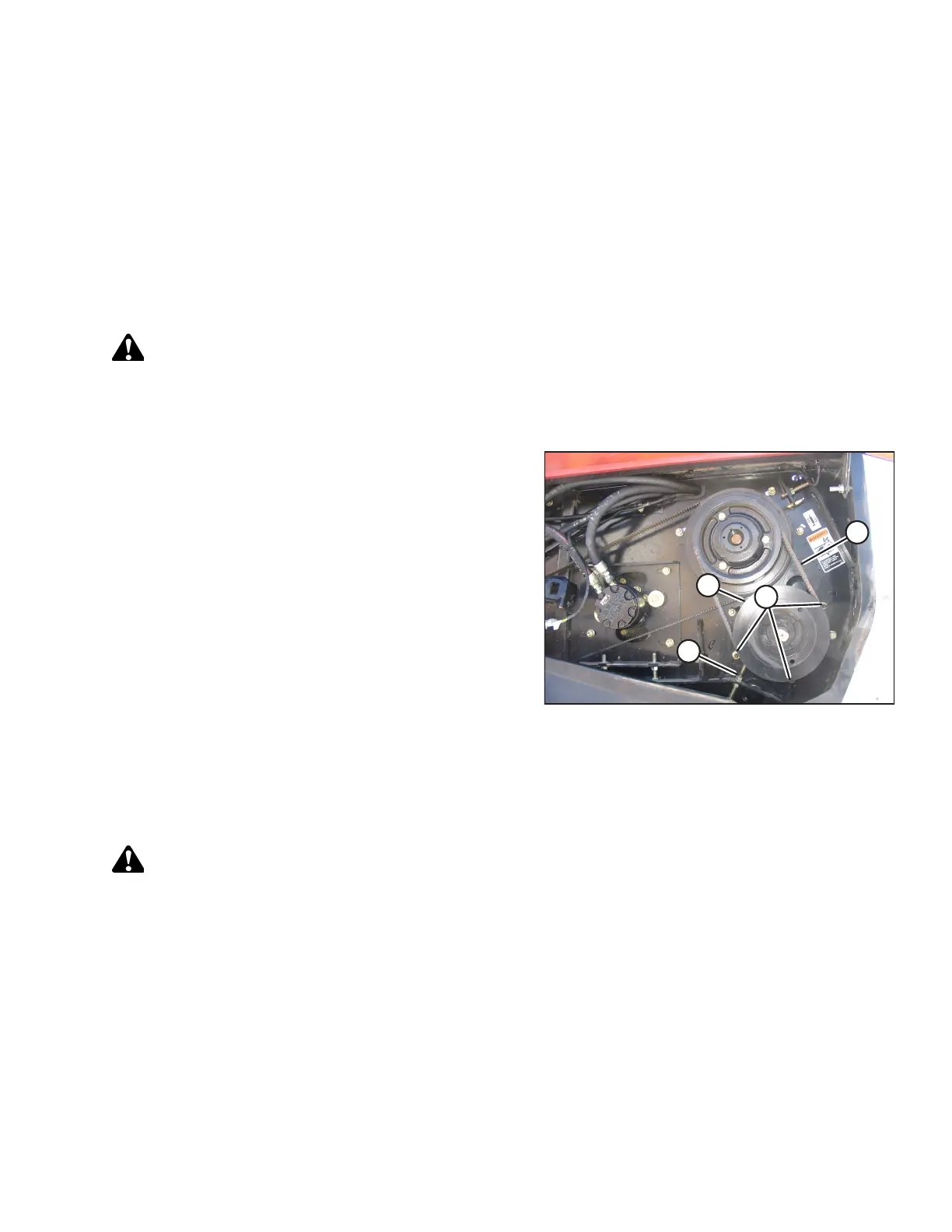
Figure 4.68: Left Side V-Belt
2. Open the left endshield.
3. Apply a force of 35–50 N (8–12 lbf) on each belt at
midspan (D). The belt should deflect 4 mm (3/16 in.). If
necessary, adjust as follows:
a. Loosen three nuts (A), and the jam nut on adjuster
bolt (B).
b. Turn adjuster bolt (B) to move pulley (C) to achieve the
required deflection at (D).
c. Tighten the jam nut at location (B), and three nuts (A).
4. Close the endshield.
NOTE:
Readjust the tension of the new belts after 5 hours of
operation.
Removing Left V-Belts
To remove the left drive V-belts, follow these steps.
DANGER
To avoid bodily injury or death from the unexpected startup of the machine, always stop the engine and remove the
key from the ignition before leaving the operator’s seat for any reason.
1. Shut down the engine, and remove the key from the ignition.
2. Open the left endshield.
MAINTENANCE AND SERVICING



 To Next Page