262334 174 Revision A
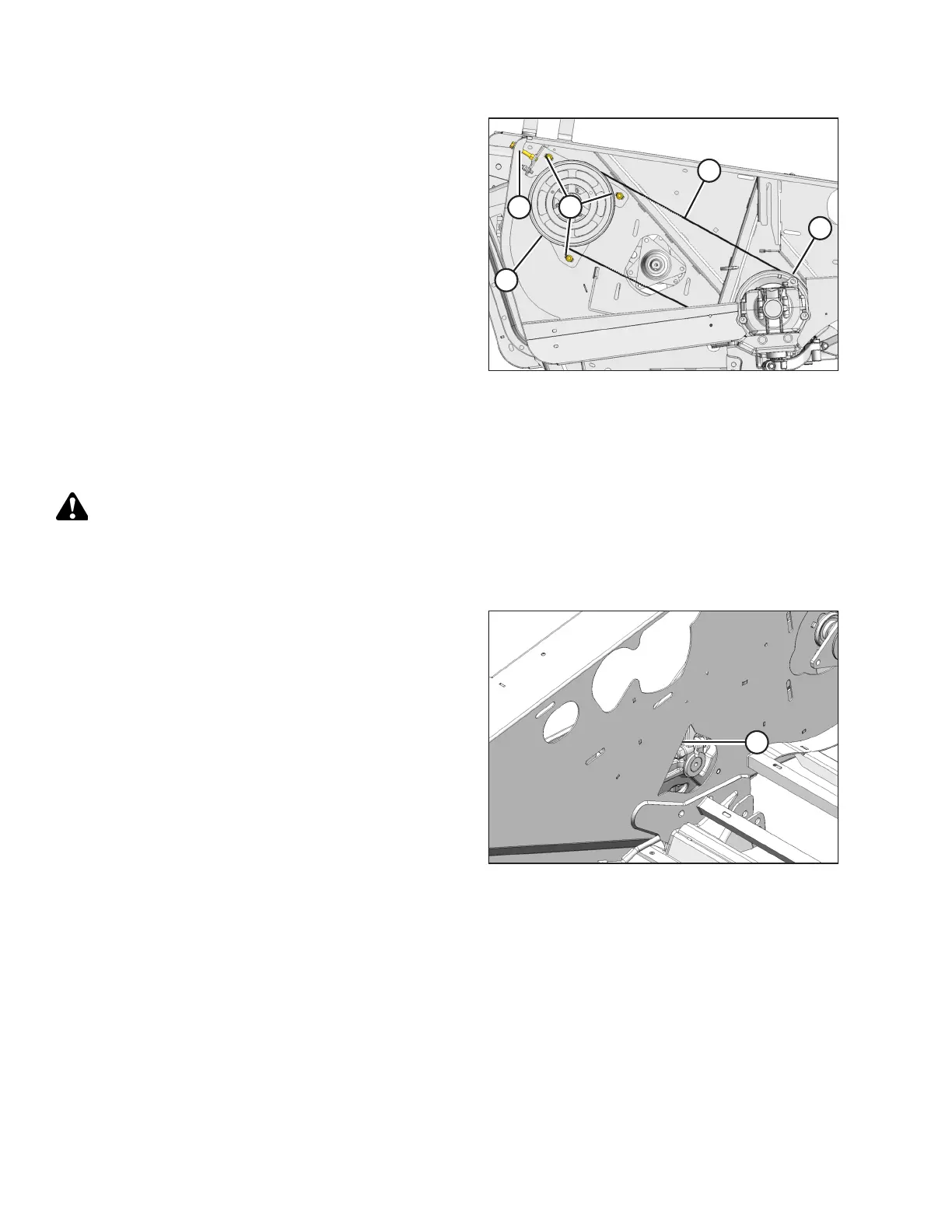
Figure 4.82: Right Timing Belt
3. Open the right endshield.
4. Loosen three nuts (A), and the jam nut on adjuster bolt (B).
5. Turn adjuster bolt (B) so that knife drive belt (C) can be
slipped off pulley (D).
6. Remove belt (C) from pulley (E) and remove the belt
through the hole in the endsheet.
Installing Right Timing Belt
To install the timing belt on the right side of the header, follow these steps.
DANGER
To avoid bodily injury or death from the unexpected startup of the machine, always stop the engine and remove the
key from the ignition before leaving the operator’s seat for any reason.
1. Shut down the engine, and remove the key from the ignition.
Figure 4.83: Right Inboard Opening
2. Route the knife drive timing belt from the inboard side of
the endsheet through opening (A).
MAINTENANCE AND SERVICING



 To Next Page