262334 213 Revision A
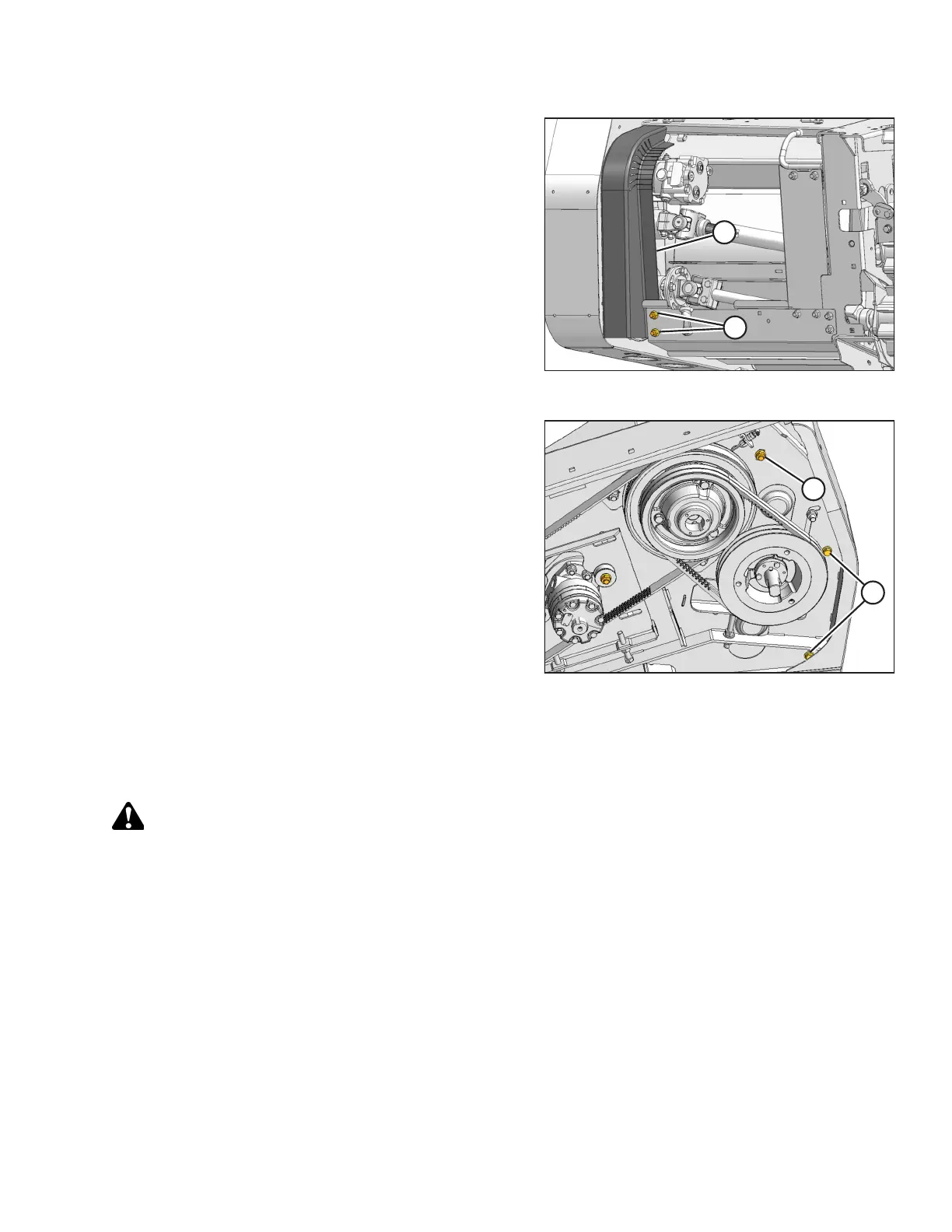
Figure 4.170: Conditioner Drive
19. Position channel (B) against the endsheet as shown, picking
up the three holes in the endsheet.
20. Install two carriage bolts and nuts (A) in the lower
two holes.
Figure 4.171: Header Drive
21. Install the carriage bolt and nut in upper hole (B) with the
head facing inboard.
22. Install the two hex bolts with lock washers and flat washers
in remaining locations (A).
23. Tighten the hardware.
24. Close the conditioner driveshield and the endshield.
4.14.10 Checking/Adjusting Roll Alignment
Rolls are aligned at the factory, but adjustment is provided in case the rolls become misaligned during operation.
DANGER
To avoid bodily injury or death from the unexpected startup of the machine, always shut down the engine and remove
the key from the ignition before leaving the operator’s seat for any reason.
1. Lower the header until it rests on the ground.
2. Shut down the engine, and remove the key from the ignition.
MAINTENANCE AND SERVICING



 To Next Page