262334 53 Revision A
3.5.3 Attaching A40D Auger Header to M200 Self-Propelled Windrower
The header’s hydraulic multicoupler must be connected to the windrower before operation.
DANGER
To prevent injury or death from the unexpected start-up of the machine, always stop the engine and remove the key
from the ignition before leaving the operator’s seat for any reason.
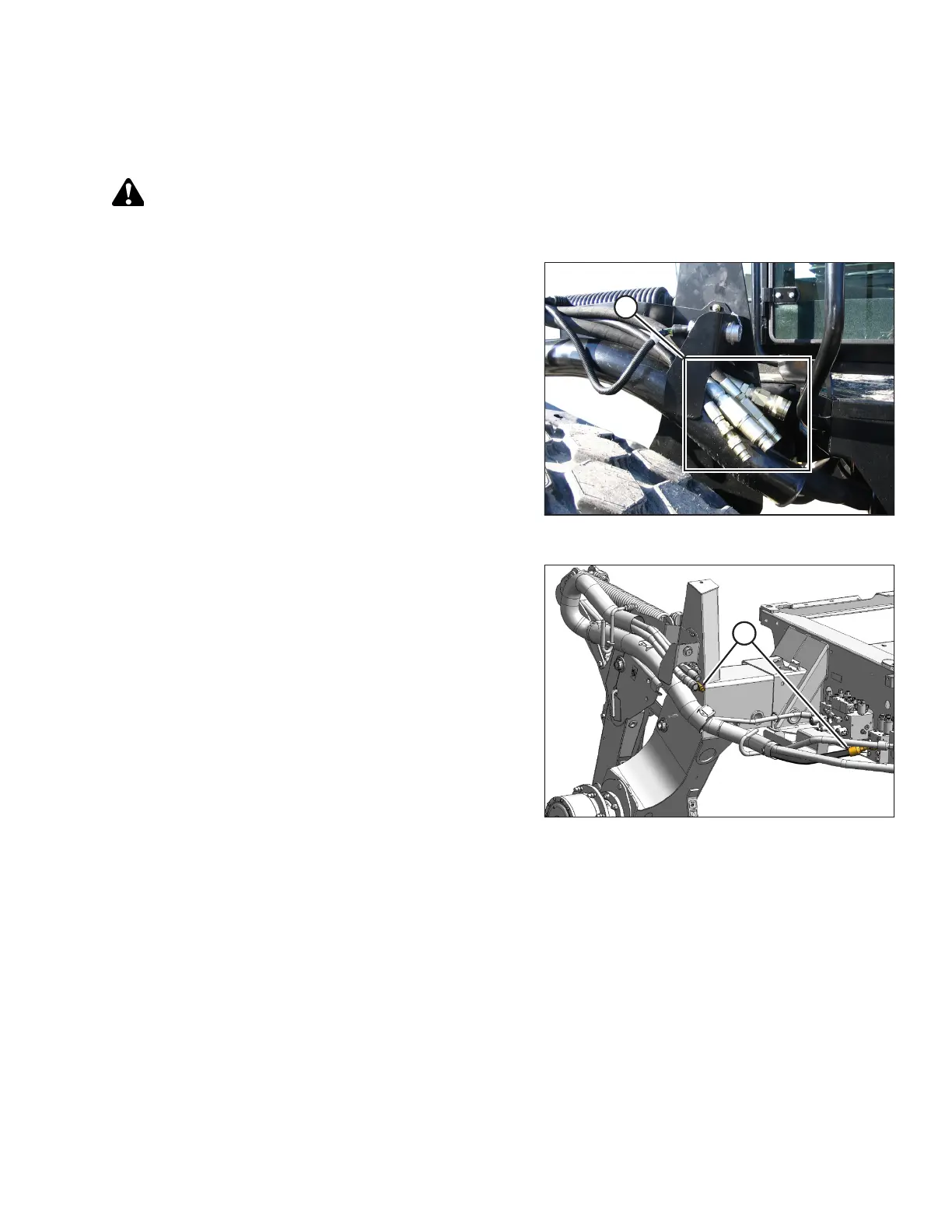
Figure 3.54: Drive Hoses
The M200 Self-Propelled Windrower requires four drive
hoses (A) to run an A40D Auger Header.
Figure 3.55: Auger Header Drive and Draper Header
Reel Drive and Lift Plumbing Kit (B4651)
If only three drive hoses are present, before following the
procedure below, configure the M200 to run an A40D Auger
Header by installing kit B4651. The kit includes an additional
hose (A), hardware, and installation instructions.
1. Shut down the engine, and remove the key from the ignition.
OPERATION



 To Next Page