262334 39 Revision A
3.4 Detaching A40DX Auger Header from M1 Series Windrower
Follow these steps to detach an A40DX header’s hydraulics and electrical connections from an M1 Series Windrower.
Refer to your windrower operator’s manual for procedures to mechanically detach the auger header from the
M1 Series Windrower.
DANGER
To prevent injury or death from the unexpected start-up of the machine, always stop the engine and remove the key
from the ignition before leaving the operator’s seat for any reason.
1. Shut down the engine, and remove the key from the ignition.
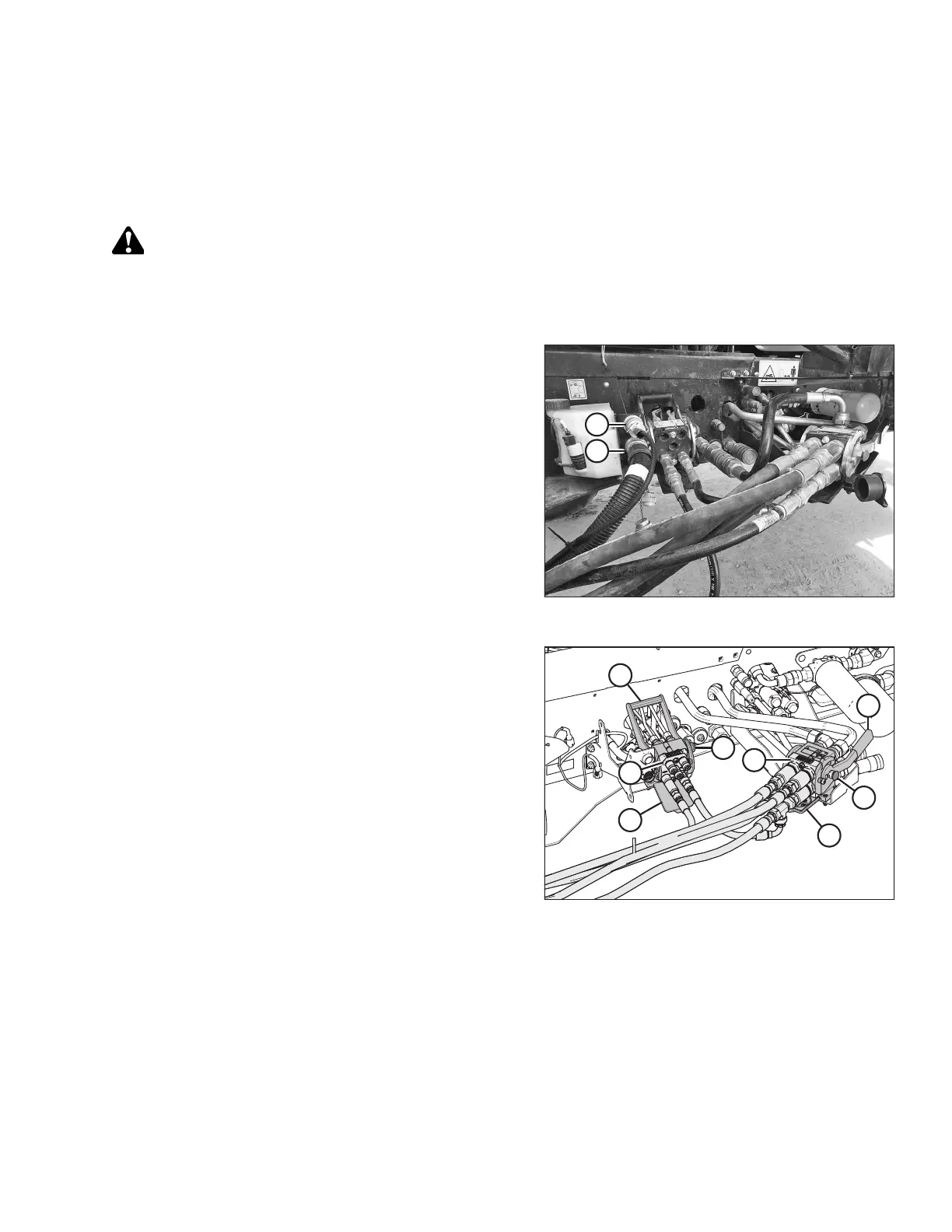
Figure 3.22: Windrower Electrical Connector
2. Disconnect header electrical harness (A) from the
receptacle on the windrower multicoupler.
NOTE:
If the auger header is equipped with the reel speed control
kit, also disconnect reel speed harness (B) from the upper
receptacle.
Figure 3.23: Multicouplers
3. Push button (E) on the front multicoupler, and pull
handle (F) away from the windrower.
4. Remove multicoupler (G) from the receptacle and set it
aside. Clean the multicouplers and the receptacles to
prevent contamination. Install the caps and the plugs on
the hoses and the fittings (if equipped).
5. Close cover (H) and push handle (F) towards the windrower
until button (E) snaps out.
6. Push button (A) on the rear multicoupler, and pull
handle (B) away from the windrower.
7. Remove multicoupler (D) from the receptacle and set it
aside. Clean the multicouplers and the receptacles to
prevent contamination. Install the caps and the plugs on
the hoses and the fittings (if equipped).
8. Close cover (C) and push handle (B) towards the windrower
until button (A) snaps out.
OPERATION



 To Next Page