262334 148 Revision A
• Drive End – Located at the drive end of cutterbar, next to outboard guard. Similar to standard but does not have a
ledger to allow for slight fore/aft motion from the knife drive box.
• Standard – Standard guard used at all other locations.
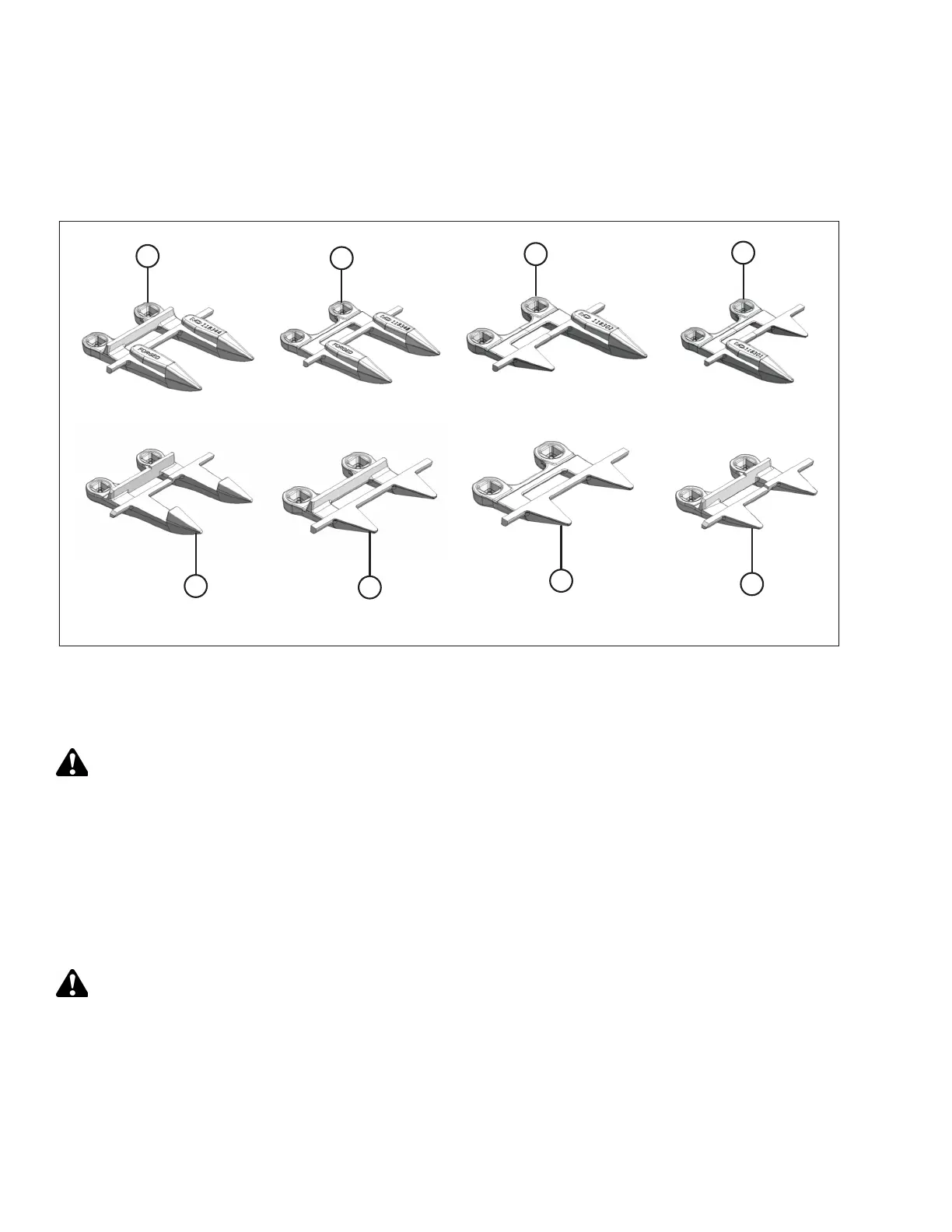
Figure 4.26: Guard Configurations
A - Pointed Standard (MD #118344) B - Pointed Drive End (No Ledger) (MD #118345)
C - Pointed Right Outboard (MD #118302) D - Pointed Left Outboard (MD #118301)
E - Pointed Center (MD #124338) F - Stub Standard (MD #118346)
G - Stub Drive End (No Ledger) (MD #118347) H - Stub Center (MD #124775)
DANGER
To avoid bodily injury or death from the unexpected startup of the machine, always stop the engine and remove the
key from the ignition before leaving the operator’s seat for any reason.
Check daily that guards are firmly bolted to the cutterbar, and not worn or broken. Replace broken guards as required. A
worn or broken guard can be replaced without removing knife from cutterbar.
Aligning Guard
Check daily to ensure that guards are aligned to obtain proper shear cut between knife section and guard. Knife sections
should contact shear surface of each guard.
DANGER
To prevent injury or death from the unexpected start-up of the machine, always stop the engine and remove the key
from the ignition before leaving the operator’s seat for any reason.
1. Shut down the engine, and remove the key from the ignition.
MAINTENANCE AND SERVICING



 To Next Page