262334 90 Revision A
3.8.9 Checking and Adjusting Float – M2 Series Windrowers
The windrower is equipped with float springs that are fully adjustable with hydraulic cylinders. Spring tension is adjustable
from zero to maximum tension through the HarvestTouch
™
Display.
The header float feature allows the header to follow the contours of the ground closely as the windrower moves forward.
The header is able to respond to sudden changes in elevation or obstacles quickly. The float setting is ideal when the
cutterbar rides along the ground with minimal bouncing, and without scooping or pushing soil.
IMPORTANT:
• Configure the header float setting to be as light as possible, while limiting the amount of bouncing produced by the
header. Doing so will reduce the amount of wear placed on knife components, and will prevent the header from
scooping soil.
• Prevent the header from bouncing excessively by operating at a slower ground speed when the float setting is light. A
bouncing header results in raggedly cut crop.
• Adjust the float when adding or removing optional attachments which change the weight of the header.
Checking Float – M2 Series Windrowers
The instructions in this section will show you how to check the header float setting by measuring the force required to lift
the header.
DANGER
To prevent bodily injury or death from the unexpected startup of the machine, always stop the engine and remove the
key from the ignition before leaving the operator’s seat for any reason.
DANGER
Ensure that all bystanders have cleared the area.
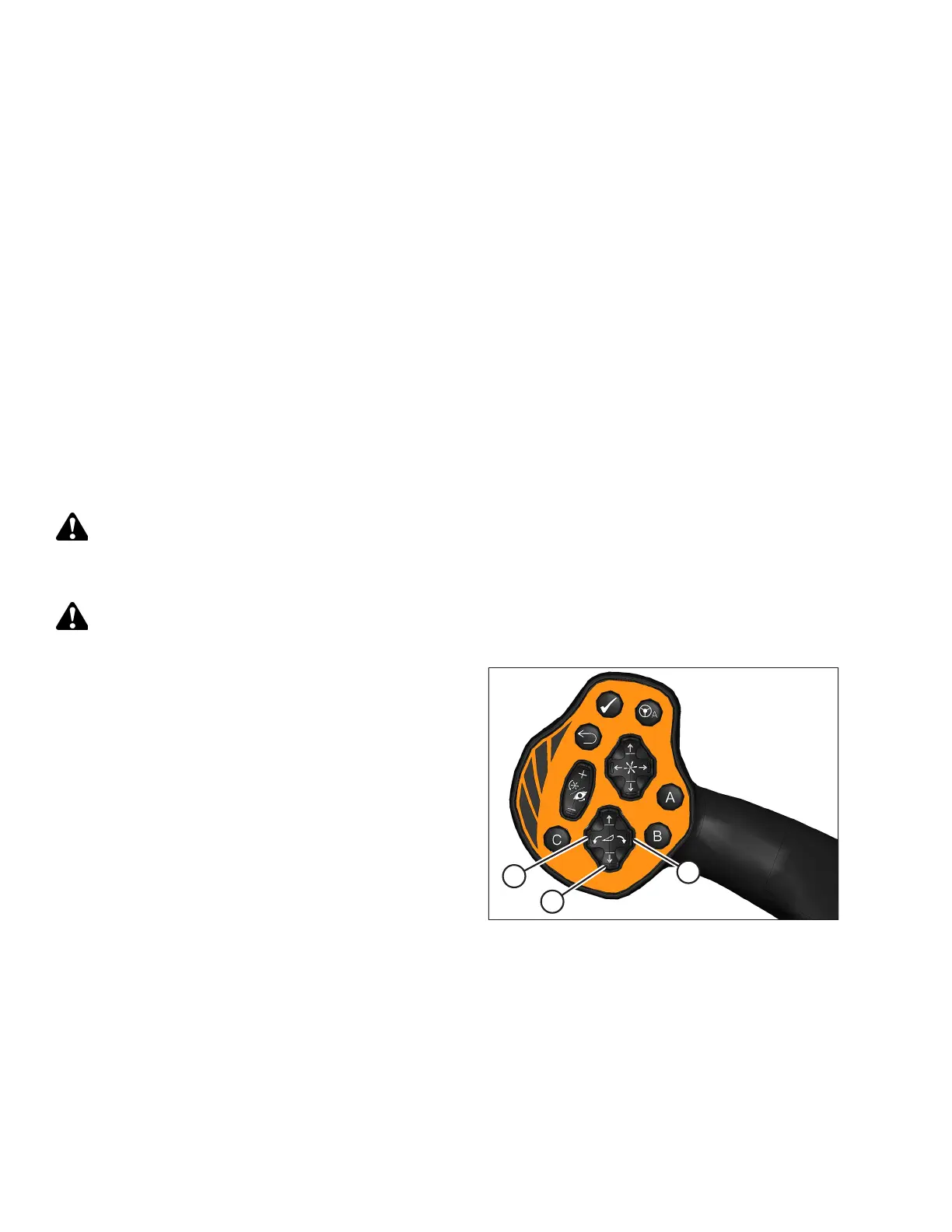
Figure 3.130: GSL
1. Start the engine.
2. Use HEADER TILT switches (A) on the ground speed
lever (GSL) to set the center-link to the mid-range position
(5.0) on the HarvestTouch
™
Display.
3. Using HEADER DOWN switch (B), lower the header fully.
4. Ensure the header is level with the ground with zero tilt.
5. Shut down the engine, and remove the key from the ignition.
6. Grasp one end of the header and lift it up. Lifting force should be 335–380 N (75–85 lbf) and should be the same at
both ends.
7. Restart the engine and adjust the float as needed. For instructions, refer to Setting Float – M2 Series Windrowers, page
91.
NOTE:
Increasing the float value on the HarvestTouch
™
Display makes the header feel lighter.
OPERATION



 To Next Page