262334 130 Revision A
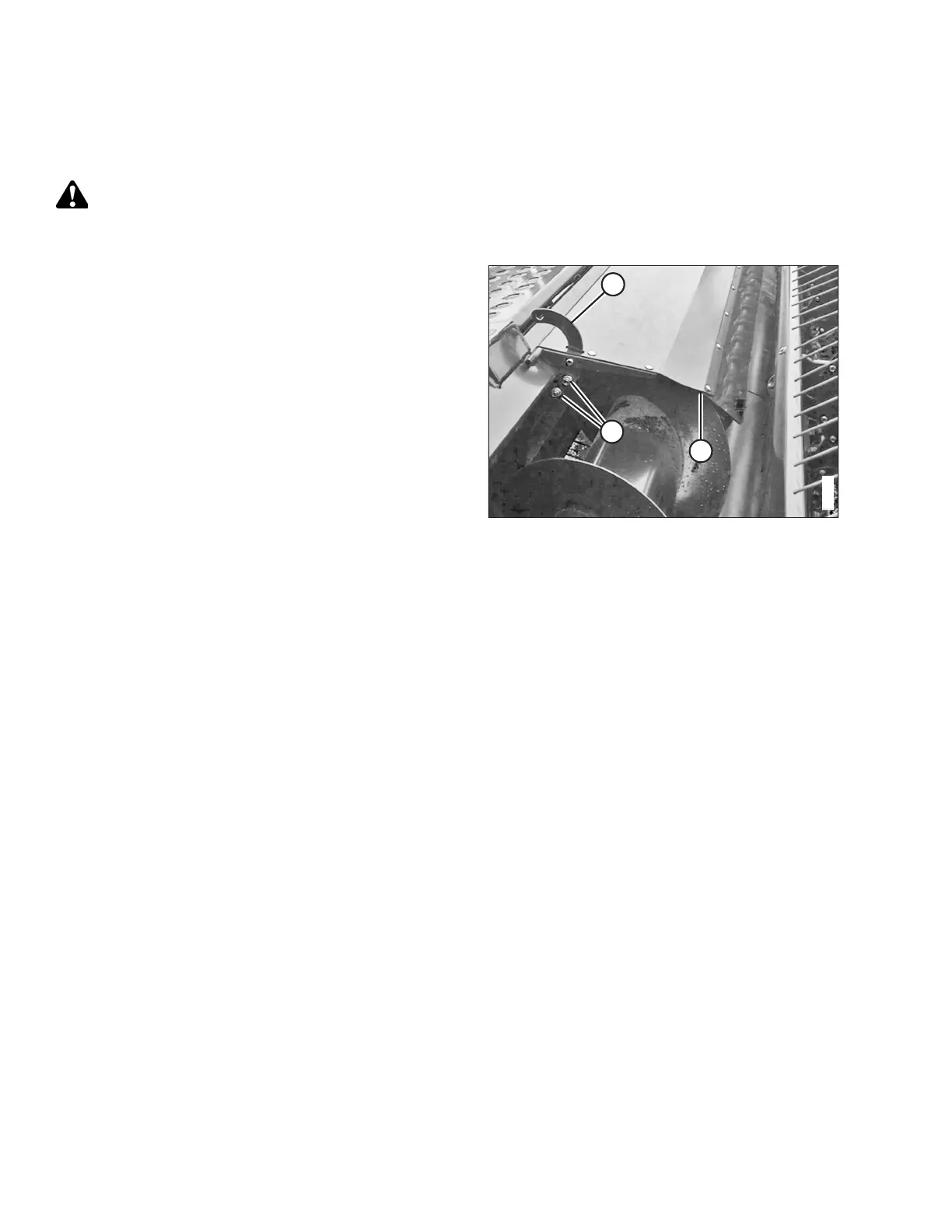
4.4 Adjusting Auger Cover
Auger covers are installed only on the windrower headers to keep the debris from obstructing the operator’s view.
DANGER
To prevent bodily injury or death from the unexpected startup of the machine, always stop the engine and remove the
key from the ignition before leaving the operator’s seat for any reason.
Figure 4.7: Auger Cover
1. Locate cover support (A) and loosen two carriage bolts (B)
and lock nuts. Repeat for the opposite end.
2. Adjust the position of cover support (A) to ensure 6 mm
(1/4 in.) minimum clearance between plastic cover
extension (C) and the auger flighting at both ends of
the cover.
3. Tighten carriage bolts (B).
MAINTENANCE AND SERVICING



 To Next Page