262334 145 Revision A
4.8.3 Installing Knife
The cutterbar knife is designed to easily be replaced if worn or damaged. A spare knife can be stored in the lean bar.
DANGER
To prevent bodily injury or death from the unexpected start-up or fall of a raised machine, always stop the engine and
remove the key before leaving the operator’s seat, and always engage the safety props before going under the
machine for any reason.
WARNING
Stand to the rear of the knife during removal to reduce the risk of injury from cutting edges. Wear heavy gloves when
handling the knife.
1. Lower the header onto blocks, or raise the header fully. Shut the engine off, and remove the key from the ignition. If
raising the header, engage the safety props.
2. Slide the knife into place and align the knifehead with the output arm.
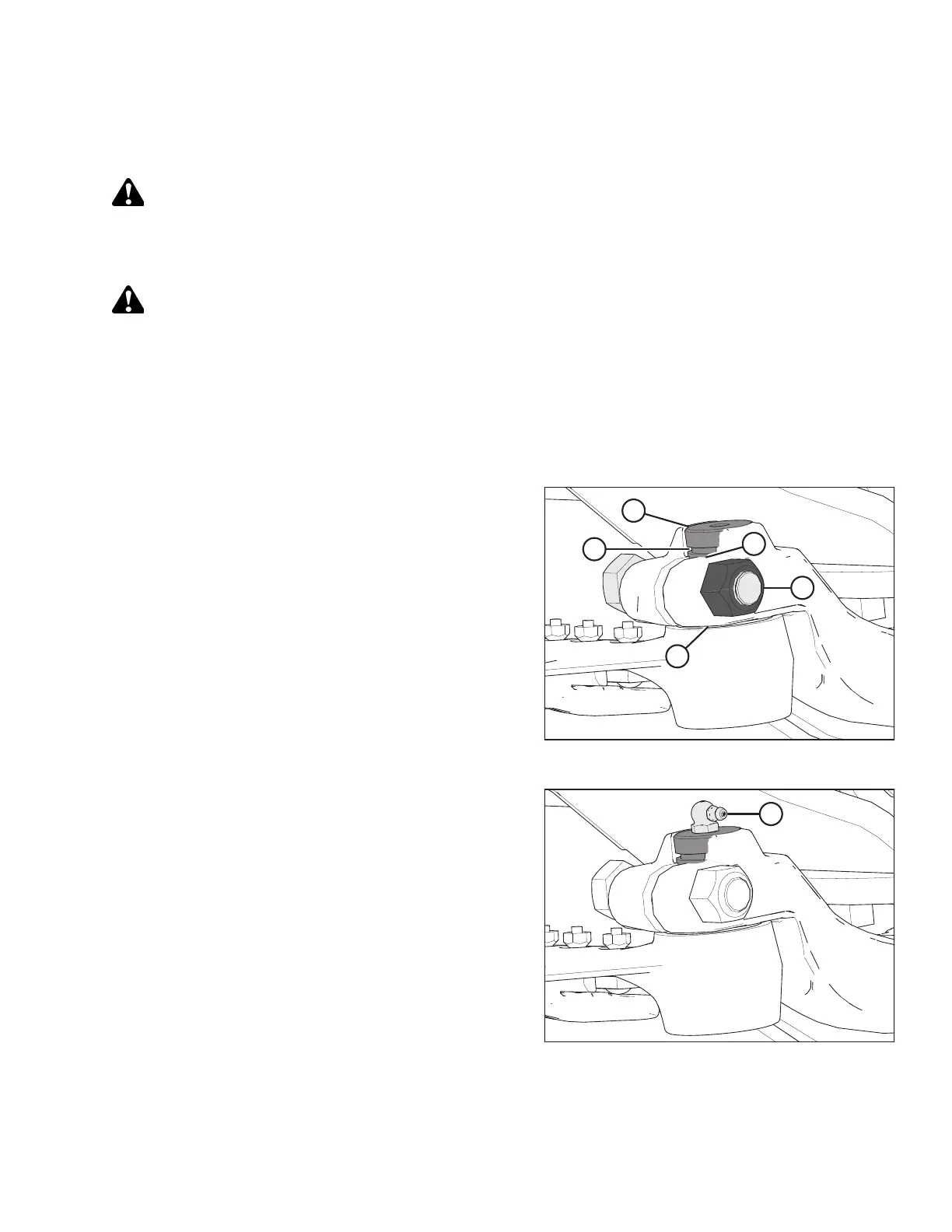
3. To make it easier to install the knifehead pin, remove the grease fitting from the pin.
Figure 4.20: Knifehead
4. Install knifehead pin (A) through the output arm and into
the knifehead. Tap knifehead pin (A) down, and make sure
the pin is seated at the bottom of the knifehead.
5. Set groove (B) in the knifehead pin 1.5 mm (1/16 in.) above
output arm (C). Secure it with 5/8 in. x 3 in. hex head bolt
and nut (D), and torque the hardware to 217 Nm
(160 lbf∙ft).
6. Using a feeler gauge, check that the gap at location (E) is
0.25 mm (0.01 in.).
Figure 4.21: Knifehead
7. Install grease fitting (A) into the knifehead pin, and turn the
grease fitting for easy access.
IMPORTANT:
Grease the knifehead just enough to start a slight
downward movement. Overgreasing the knifehead will lead
to knife misalignment, causing the guards to overheat and
the drive systems to overload.
MAINTENANCE AND SERVICING



 To Next Page