262334 151 Revision A
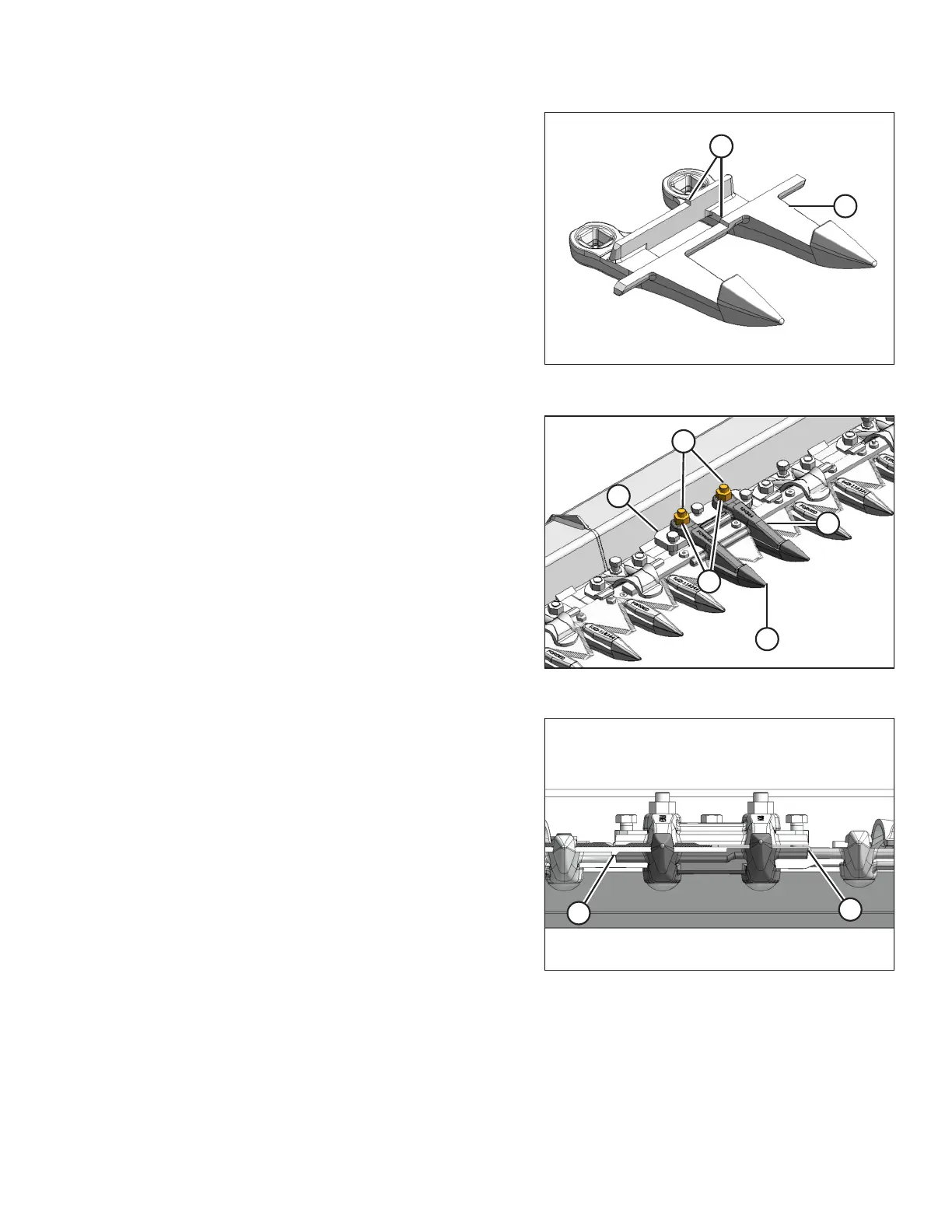
Figure 4.32: Pointed Center Guard
Double knife pointed center guard and hold-down
IMPORTANT:
Ensure center guard (B) has offset (A) in ledgers and that hold-
down accommodates overlapping knives.
NOTE:
Replace adjacent guards when replacing center guard.
Figure 4.33: Center Guard
1. Remove two nuts (A), and carriage bolts (B) that attach
guard (C), adjuster bar (D), and hold-down (E) to the
cutterbar.
2. Remove guard (C), hold-down (E), and adjuster bar (D).
3. Position new guard (C) on cutterbar, and install carriage
bolts (B).
4. Install adjuster bar (D) and hold-down (E), and secure it
with nuts (A). Tighten the nuts to 68–92 Nm (50–68 lbf·ft).
Figure 4.34: Guard Alignment
5. Check that cutting surfaces (A) of center and adjacent
guards are aligned. Adjust as required as per Aligning
Guard, page 148.
6. Check and adjust clearance between hold-down and knife.
Refer to 4.8.8 Hold-Downs, page 156.
MAINTENANCE AND SERVICING



 To Next Page