Newtec Proprietary
Confidentiality: Unrestricted
V1.0
95/314
General Device Settings and Actions MDM6000 Satellite Modem
12.3 Configuration Settings
» Log in as Operator or Expert (Refer to section: SwitchUserProfileonpage50);
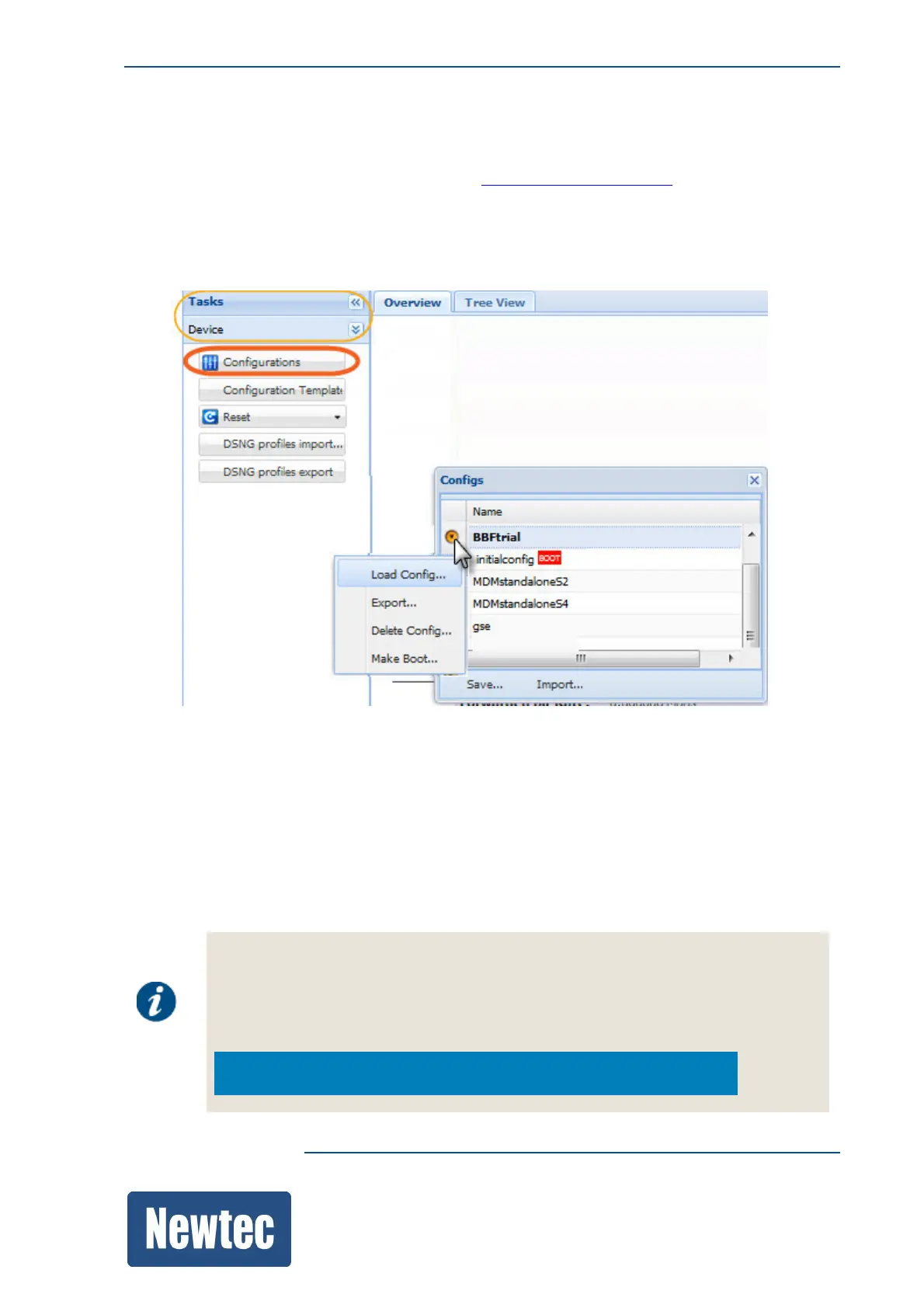
» Navigate to the Tasks Pane ;
» Click Device;
» Click Configurations;
From this menu it is possible to manage the configurations of the device.
Use the menu to perform the following tasks:
• Save the current configuration;
• Load a configuration;
• Import a configuration;
• Export a configuration;
• Delete a configuration;
• Make a configuration.bootable.
From the front panel it is possible to perform the following actions:
• Device Reset;
• Device Configuration Load;
• Device Configuration Save.
MDM6000>>Actions



 To Next Page