Newtec Proprietary
Confidentiality: Unrestricted
V1.0
137/314
Data Interfaces MDM6000 Satellite Modem
13.2 Data IP Connectivity
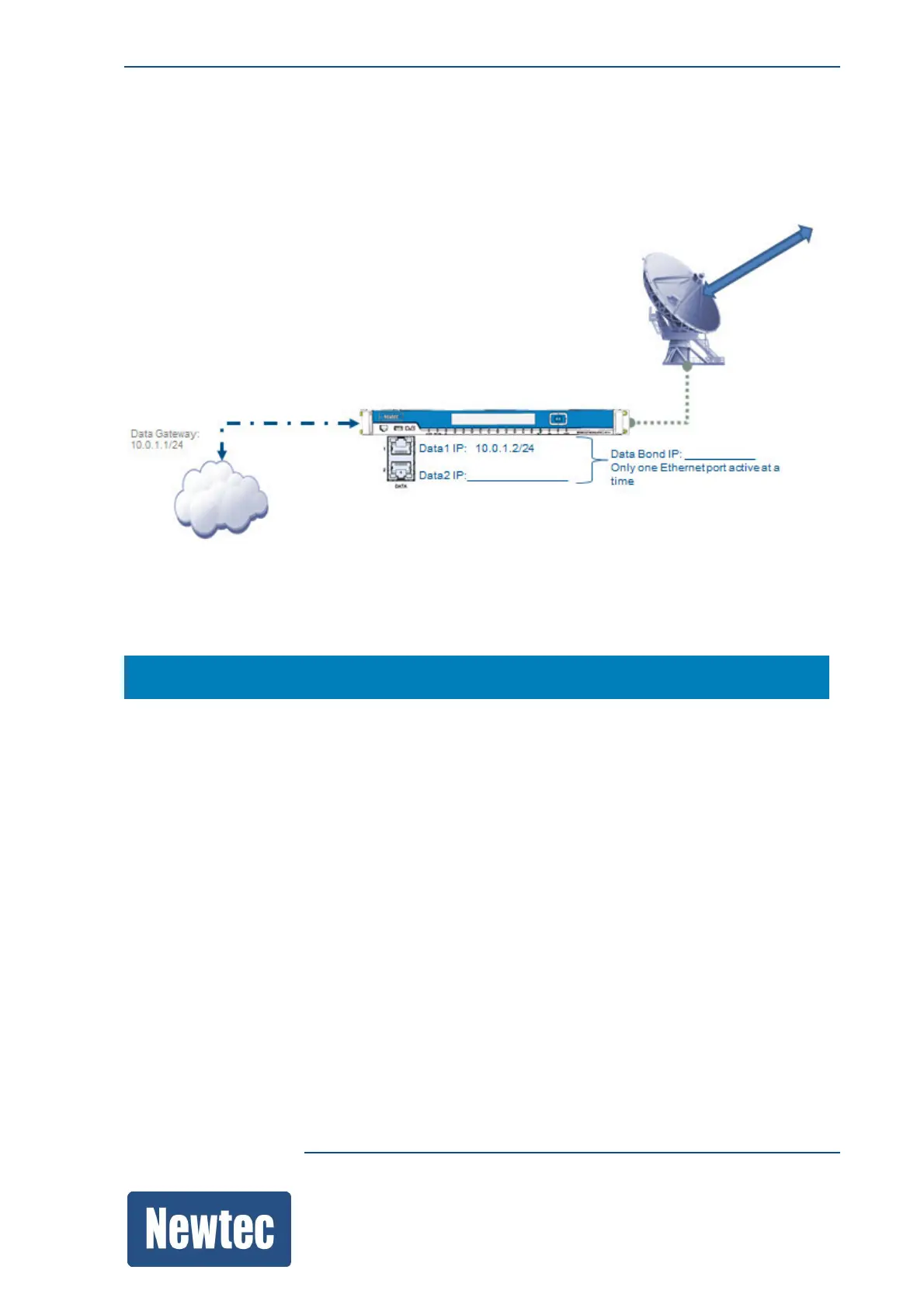
The following figure is an example of a setup:
Use a network drawing to define the data input interfaces:
Make sure that the source device and the MDM6000 belong to the same IP range or the content is
routed to the correct Data IP address.
MDM6000 >> Data Interface >> IP Address
By default, the data IP addresses are 0.0.0.0/24:
• Data Gateway: This is the access point for the data port of the device;
• Data1 (Physical Ethernet interface);
• Data2 (Physical Ethernet interface);
• Data (This IP address is used to perform link redundancy, effectively combining Data1 and Data2
into one new interface).



 To Next Page