Newtec Proprietary
Confidentiality: Unrestricted
V1.0
44/314
How to Manage the Device MDM6000 Satellite Modem
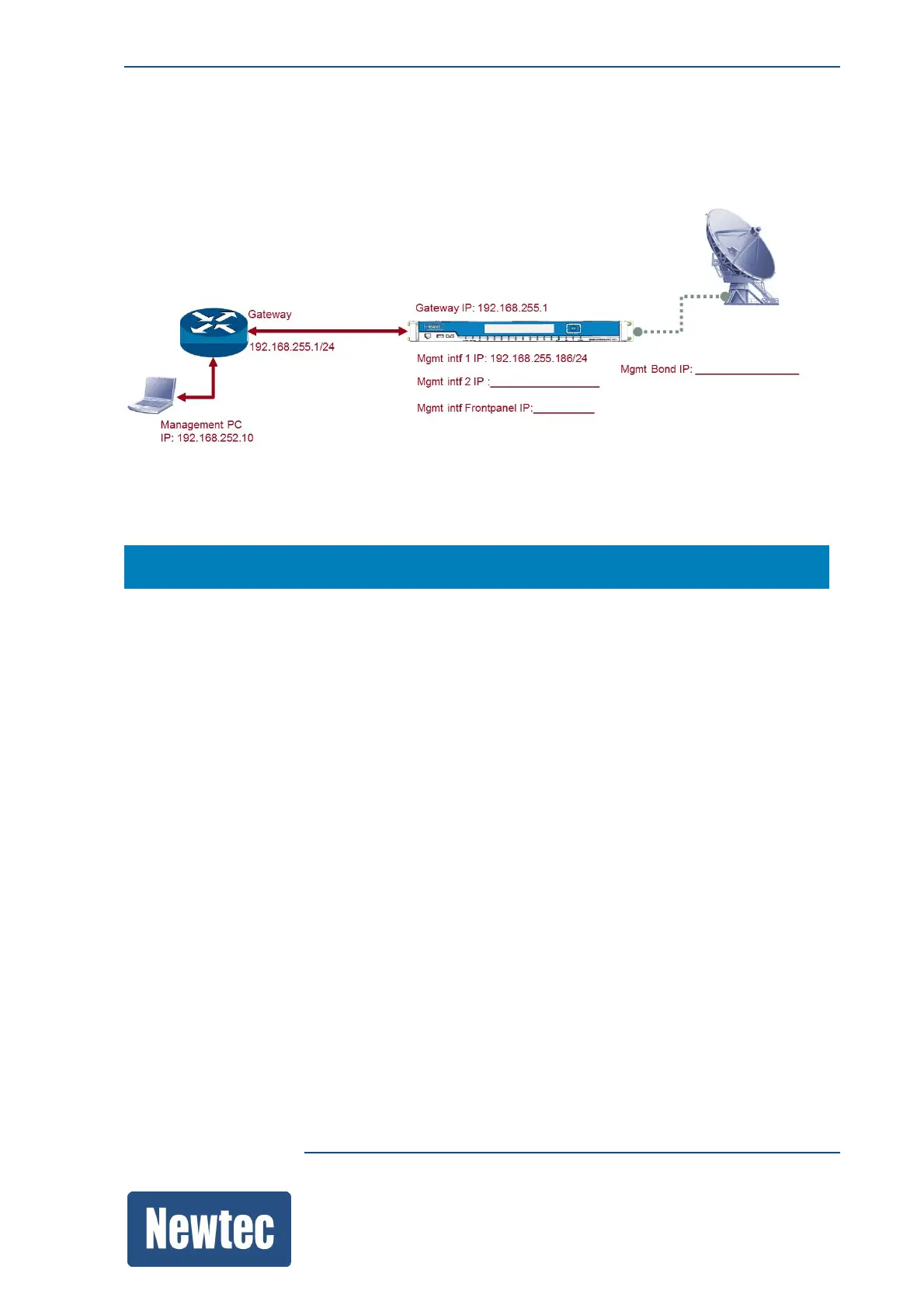
11.3 Management IP Connectivity
The following figure is an example of a setup:
Note: Before configuring the device make a proper design of the system setup.
To configure the management IP Addresses of the device go to the following location:
MDM6000 >> Device Setup >> Mgmt Interface >> IP Address
• Mgmt Gateway: This is the access point for the management port of the device.
• Mgmt interfaces: Configure at least one Mgmt interface to perform basic management using the
GUI, CLI or SNMP.
– Mgmt1, by default this IP address is: 10.0.0.1/16;
– Mgmt2;
– Mgmt Frontpanel;
– Mgmt, this interface becomes active (visible) when Mgmt Interface Link Redundancy is
enabled.
(Link redundancy, effectively combining Mgmt1 and Mgmt2 into one new virtual interface, the
Mgmt interface by default uses the IP address of Mgmt1.
Double click on Mgmt to change the IP address.)



 To Next Page