Newtec Proprietary
Confidentiality: Unrestricted
V1.0
24/314
Physical Description MDM6000 Satellite Modem
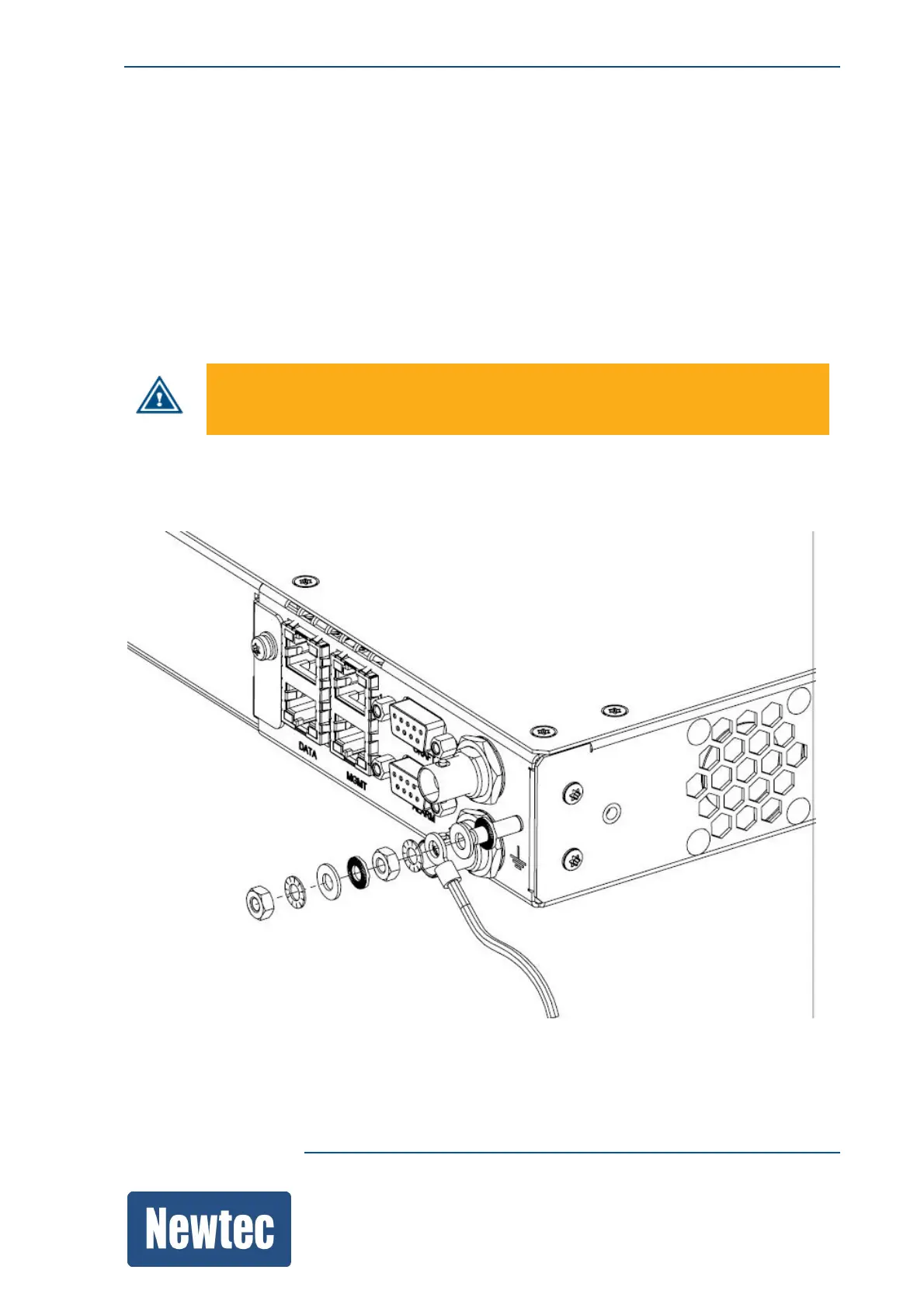
8.2.2 Earth Ground
On the rear panel of the equipment an earth ground is available.
It is provided to:
• Ensure that all equipment chassis fixed within a rack are at the same technical earth potential.
This is done by connecting a wire between the technical earth terminal and a suitable point on the
rack.
• Eliminate the migration of stray charges when connecting between equipment.
In accordance to TNV-1 grounding requirements, the grounding thread of the device
must be connected according to the local regulations.
The following figure shows the position and how to connect the earth ground.



 To Next Page