Newtec Proprietary
Confidentiality: Unrestricted
V1.0
256/314
Feature Descriptions MDM6000 Satellite Modem
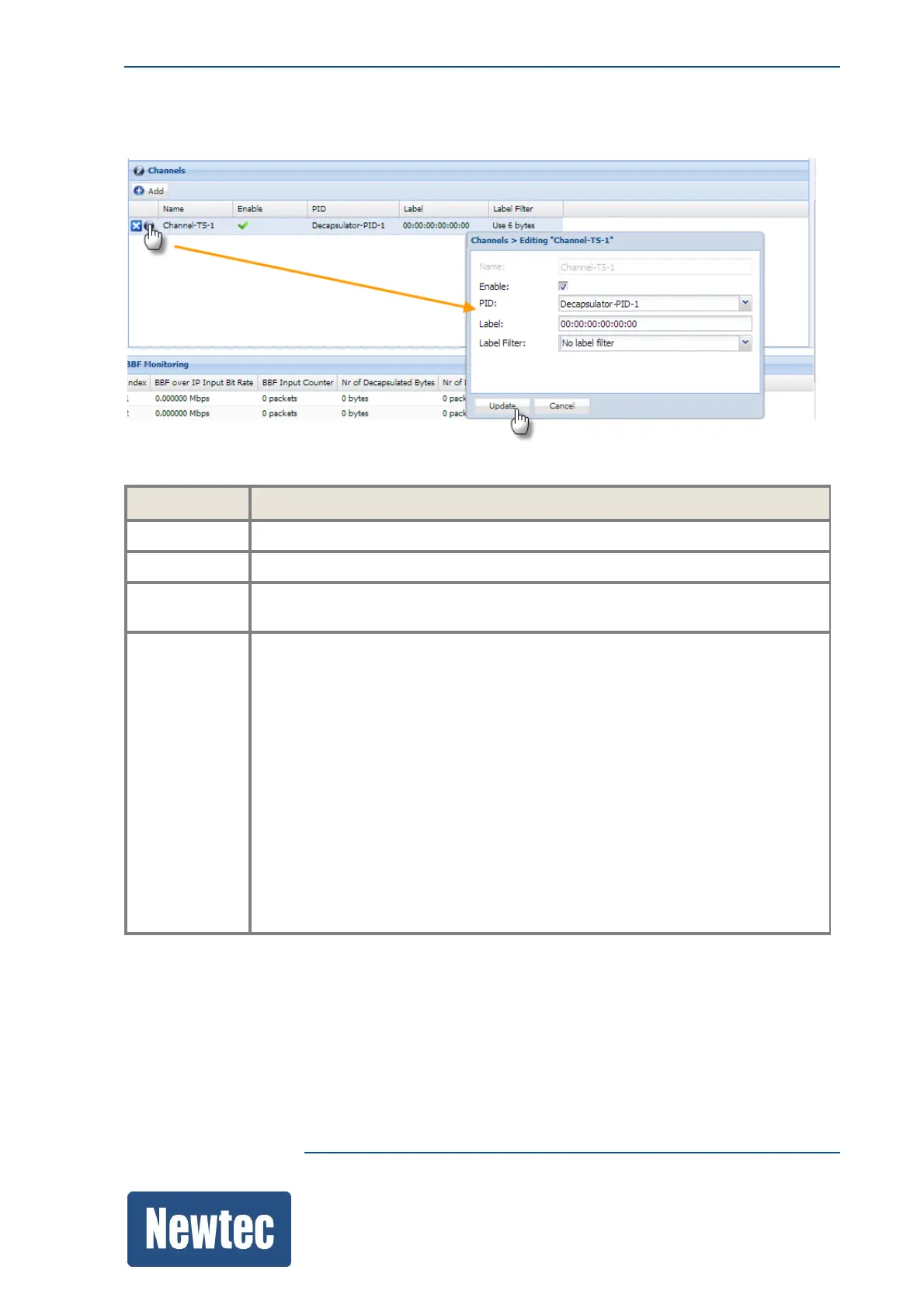
14.12.3.3 Configure the Channels
» Click Add to add a Channel.
Parameter Description
Name Indicate the channel that you want to decapsulate.
Enable Activate the decapsulation of the channel.
PID Select one of the available PID decapsulators. This to indicate to what
decapsulator this channel must be linked.
Label The label is used by the receiver for filtering purposes. The receiver must
interpret the label to see whether or not packets are available for decapsulation.
When the label is present and it does not match with the label known in the
receiver, the packet is discarded.
Fill in one of the following options:
• Specific Label = 11:11:11:11:11:11/48 (This is the default value, change the
value according to the label of the packets you want to receive. It is possible
to a receive a 3 or 6 bytes label according to the system setup.)
• Any Label = any (Enter this value if a label is required to receive the packets.
The receiver will accept the packages as long as a valid label is present.
• "" = Leave the field blank (The receiver will accept the packets, there will be
no check on the labels. This will be the case when the transmission is done
in broadcast mode.)



 To Next Page