Newtec Proprietary
Confidentiality: Unrestricted
V1.0
58/314
How to Manage the Device MDM6000 Satellite Modem
11.5.8 Tree View
The tree view shows all device parameters arranged in a tree structure consisting of branches, sub
branches and leaves.
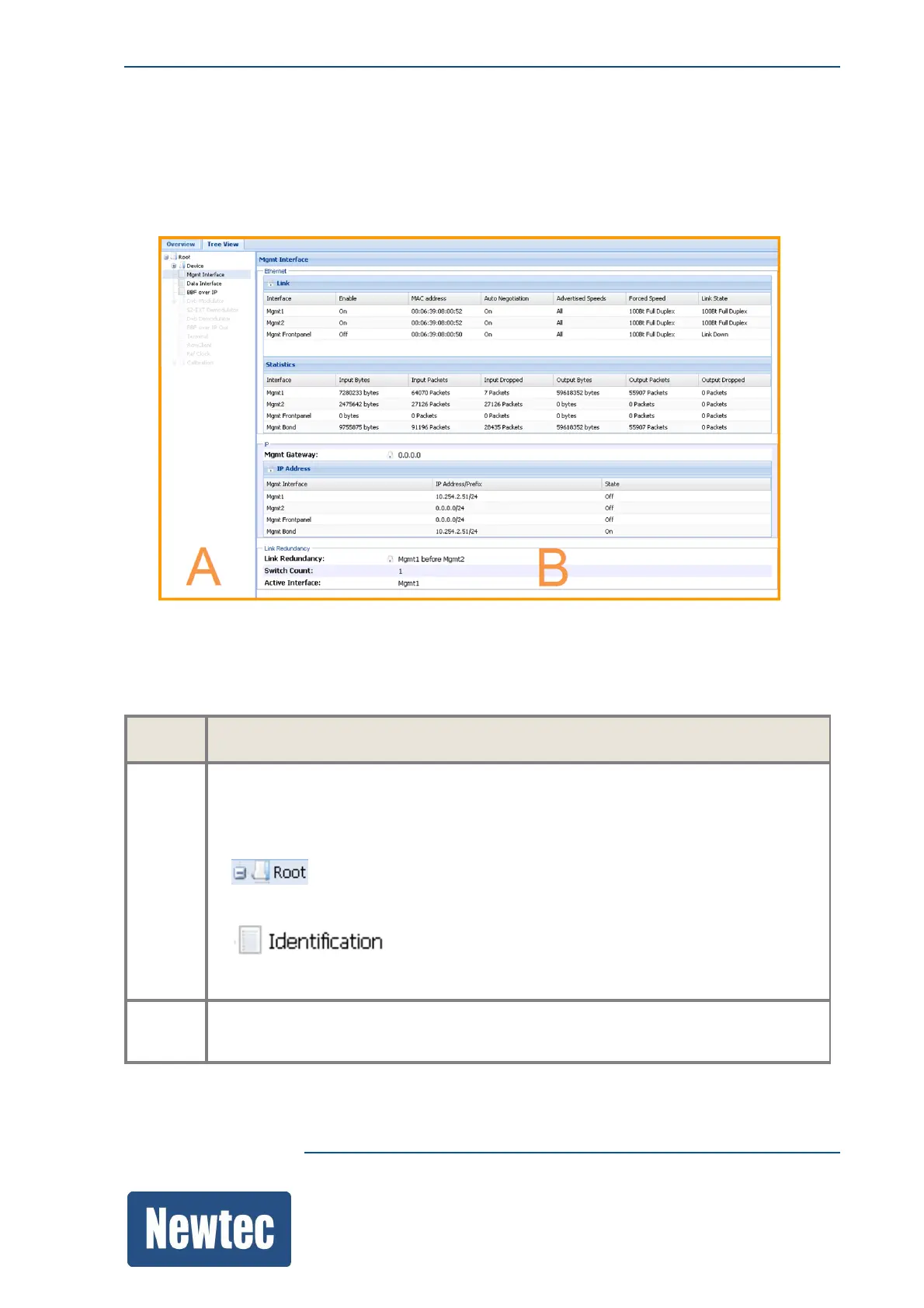
The following pane is displayed:
The tree view, divides the function controls pane in to two extra panes, they are called A and B in
the previous figure:
The following table describes the extra panes of the tree view.
Pane Description
A Displays the menu tree structure.
Click on a branch or sub branch to navigate through the device.
The menu tree structure uses the following icons:
• : This is a branch icon; it can contain sub branches or
leaves/configuration parameters.
• : This is a sub branch icon; it contains leaves/configuration
parameters.
B Displays the sub branches or the details on the parameters (leafs) that exist under a
selected branch.



 To Next Page