Newtec Proprietary
Confidentiality: Unrestricted
V1.0
266/314
Feature Descriptions MDM6000 Satellite Modem
14.15.1.2 Remote Site
» Make a Mgmt IP connection between the Mgmt PC and the MDM6000.
Note: Make sure that the Mgmt PC and MDM6000 Mgmt port are in the same subnet. The
default gateway must be set to 0.0.0.0!
» Enable the decapsulation block
» Configure the decapsulation ISI, this must be the same as the one defined on the hub site.
(Selecting the correct input stream identifier)
» Configure the decapsulation channel,
» Make sure to filter the correct label
» Specify the virtual network, being Management, this way the IP packets are forwarded towards
your remote mgmt PC!
14.15.2 Example
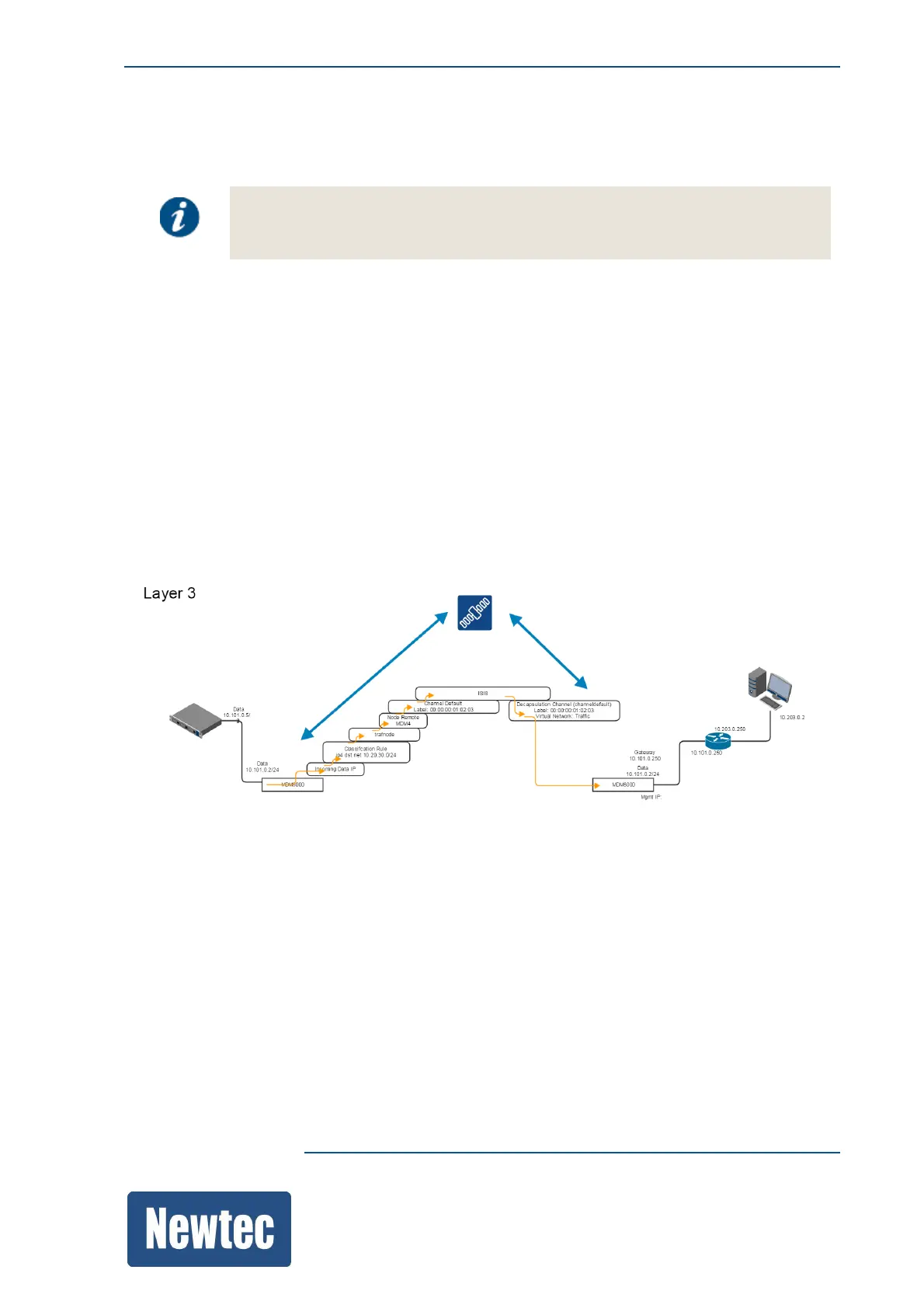
In this example we consider a "standard" point to point setup. The traffic setup is already in use as
displayed in the following figure.
In this setup, the shaping tree consists of one node below the root node (Node Remote MDM4),
denoting the maximum bandwidth for that node, with additional nodes below for the different rules
created.
To perform remote management over the air, create a separate Mgmt traffic plane by configuring the
encapsulator and decapsulator on the hub and remote site.
In a normal point to point case only one ISI is configured.
To do remote Mgmt we need a separate "mgmt" encapsulation channel, a separate "mgmt" shaping
node and a classification expression that is used to capture all mgmt IP packets.
(There is no need for a finer bandwidth control.)
On the hub site
Configure the encapsulator in such a way that Mgmt IP packets, that are available on the Mgmt port,
for the remote site are filtered and forwarded to the remote site.



 To Next Page