Newtec Proprietary
Confidentiality: Unrestricted
V1.0
18/314
Physical Description MDM6000 Satellite Modem
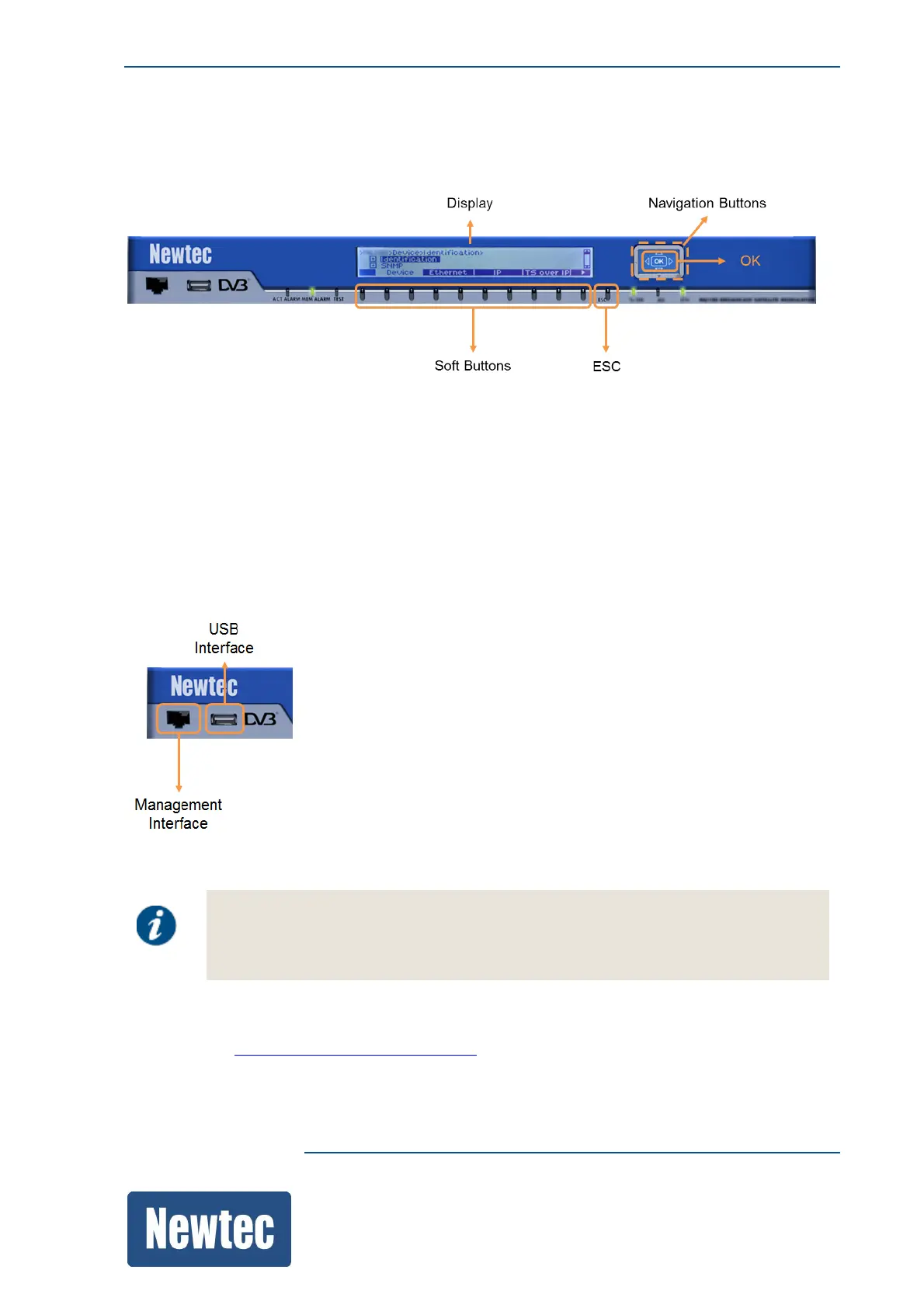
8.1.2 Soft Buttons and Navigation Buttons
Use the navigation button and soft buttons to navigate through the menu tree.
• The function of the soft buttons varies depending on the context. Their meaning is defined by the
menu pane block setting atop of each button;
• Use the navigation buttons for navigating through the Tree menu pane;
• Use the OK button to confirm a selection;
• Use the ESC button to ignore a selection and to go up in the menu tree.
8.1.3 Front Panel Management Interface
The management interface allows the system administrators to manage the MDM6000 Satellite
Modem and monitor its operation.
Note that this interface is disabled by default.
This connector has the same function as the management interface(s)
on the back panel.
The management can also be done by using the GUI, CLI or SNMP. For more information please
refer to section: HowtoManagetheDeviceonpage41.



 To Next Page