Newtec Proprietary
Confidentiality: Unrestricted
V1.0
104/314
General Device Settings and Actions MDM6000 Satellite Modem
12.3.9 Make a Configuration File Bootable
» Navigate to the Tasks Pane;
» Click Device;
» Click Configurations;
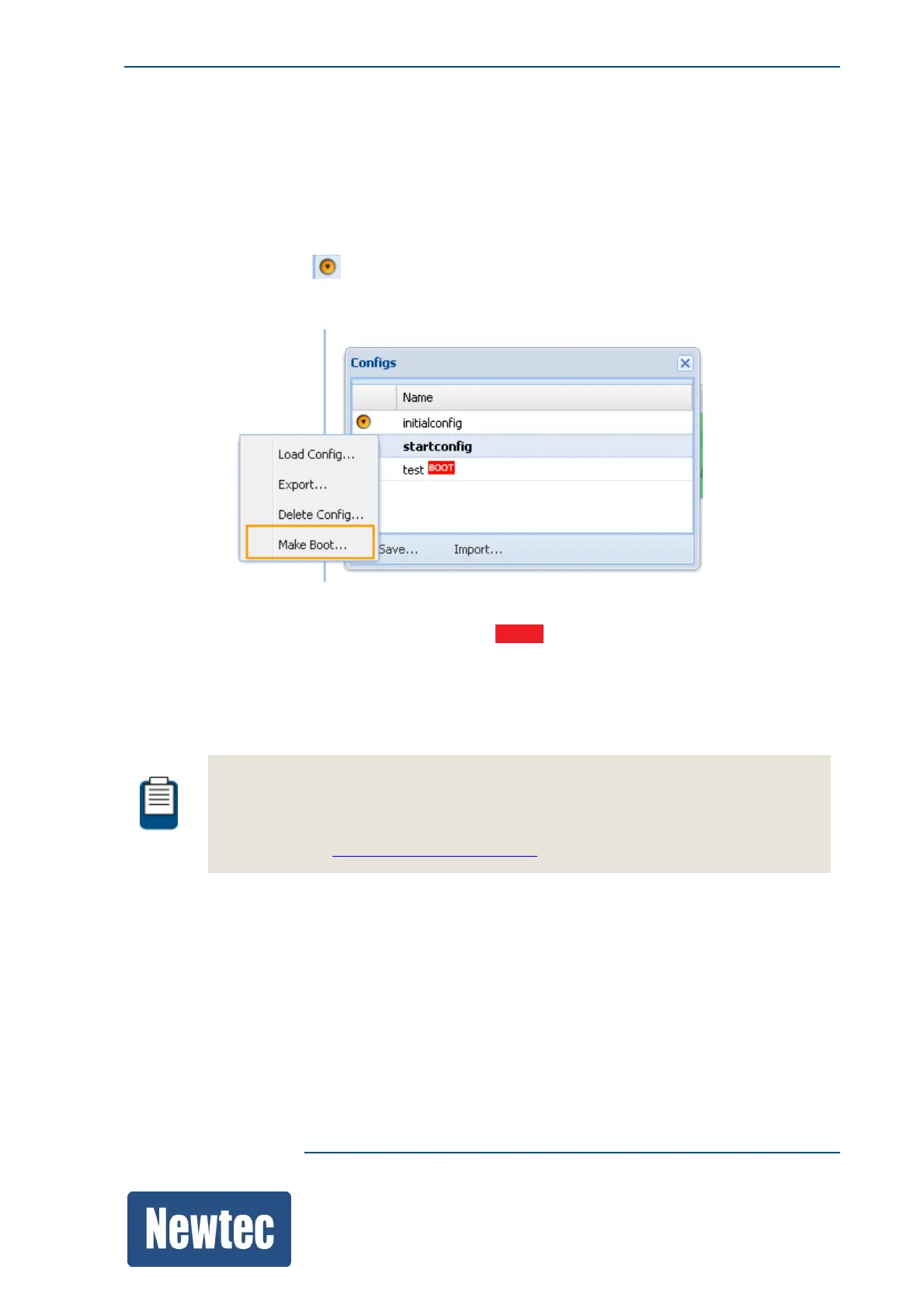
» Click the following icon ;
» Click the Config Name you want make the boot configuration;
» Click Make Boot to make the selected configuration the boot configuration.
– The boot configuration is indicated as BOOT.
A boot configuration is used to set all parameters to their correct value at boot time.
This implies that the management parameters (for example redundancy settings),
Input / Output parameters are set according to the network requirements.
Once you have configured the device it is recommended to save the configuration and
make the configuration bootable.
This is mandatory in order to keep the configuration after a power interruption.
Refer to section: SaveaConfigurationonpage99.



 To Next Page