Newtec Proprietary
Confidentiality: Unrestricted
V1.0
258/314
Feature Descriptions MDM6000 Satellite Modem
14.13 Test Traffic Generator and Monitoring
14.13.1 Test Traffic Generator
The IP traffic generator is a simple feature that allows the user to perform end to end IP tests.
Configure the bit rate of the generator in a range between 30kbps and 100Mbps. Once the
generator is enabled, IPerf UDP packets of 1400 bytes are created.
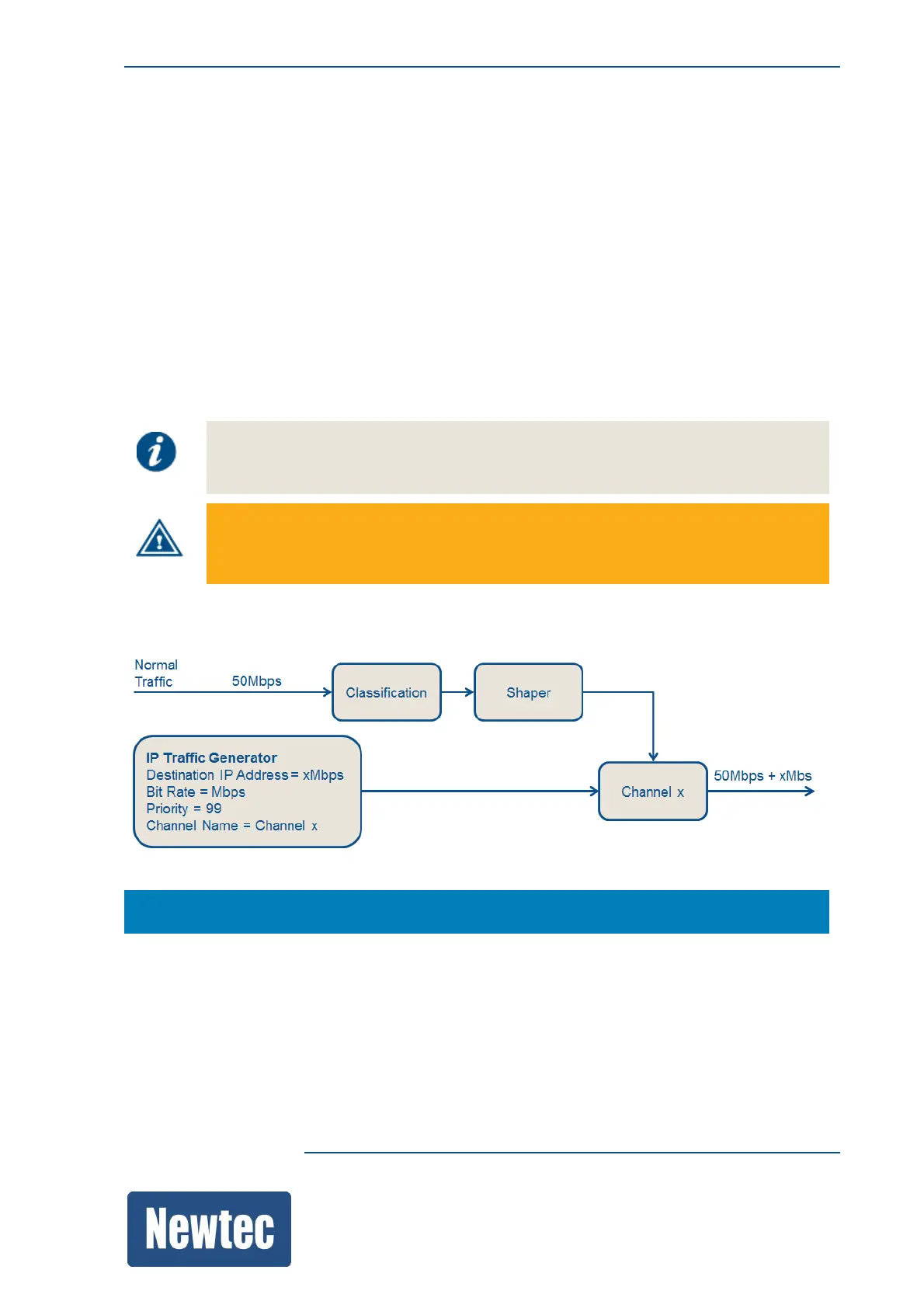
The IP traffic is directly inserted into a specified channel.
The priority of the test IP traffic is, by default, set to the lowest priority (99), this in order not to
compromise other more important traffic!
The destination IP address is by default set to a link local IP address, this to avoid that test IP traffic
is mixed with other normal IP traffic.
The monitoring parameter, Packet Count, shows how much packets that are generated.
The generated test traffic is visualized in the monitoring parameter Packet Count and
it is added in the overall monitoring parameter Forwarded Bit Rate.
The maximum generated test traffic is limited to 100Mbps
Note: if you do traffic generation in both directions you should not exceed 50Mbps in
one direction. Occasional packet loss is possible if the rate is higher.
The following figure show how the traffic generator is implemented into the device.
MDM6000 >> Encapsulation >> Test Traffic Generator



 To Next Page