Newtec Proprietary
Confidentiality: Unrestricted
V1.0
118/314
General Device Settings and Actions MDM6000 Satellite Modem
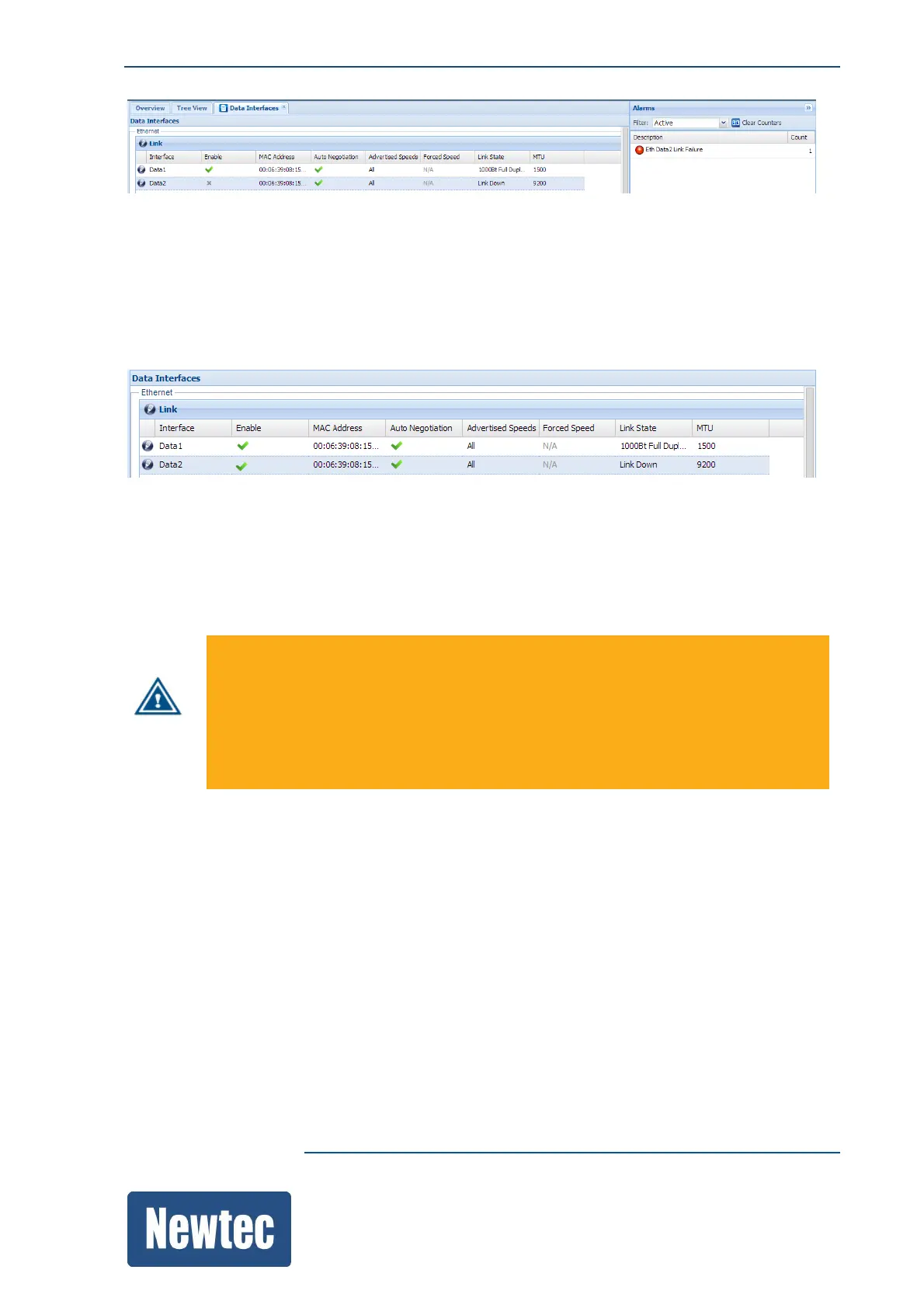
Eth Data2 Link Failure: Alarm Mask = On
1. No active alarms are present;
2. The Ethernet cable of Eth Data2 is removed;
3. The "Eth Data2 Link Failure" alarm is masked so no alarms are triggered!
12.12.2 Alarm Configuration
The alarm configuration provides the flexibility to define per Alarm, whether or not the alarm is
linked to a General Interface and/or General Device alarm.
This way the customer is able to define whether or not this specific alarm triggers a redundancy
switch over as the redundancy system bases a switch over on one of these two alarms.
Be careful when changing the alarm configuration, as the general interface and general device
alarms, are there to protect your device in critical situations.
For example, the "Temperature alarm", by default generates a general device alarm. The
general device alarm switches off the main functional blocks of the MDM6000, to reduce the
CPU load of the device.
In case the default setting is overruled and the general device alarm is not triggered, the device
can become overheated.
The alarms are still recognized by the MDM6000 meaning that the alarm is displayed in the alarm
pane and that the related functional block/arrow in the GUI changes color (turn red). On the front
panel the active alarm LED lights up according to the alarm that is present.
For example:
We want that the "Eth. Mgmt Itf Link Failure" alarm triggers a General Interface Alarm.
(The reason could be that this alarm must trigger a switchover to a redundant device).
Note that a "Mgmt Itf Failure" by default does not trigger the alarm switches. To change this behavior
you have to assign the "Mgmt Itf Failure" alarm to a General Interface or General Device alarm.
(Whether to choose the General Interface or General Device alarm depends on the configuration of
the USS (Universal Redundancy Switch).
The following figure shows the configuration of the "Eth Mgmt Itf Failure" alarm.



 To Next Page